


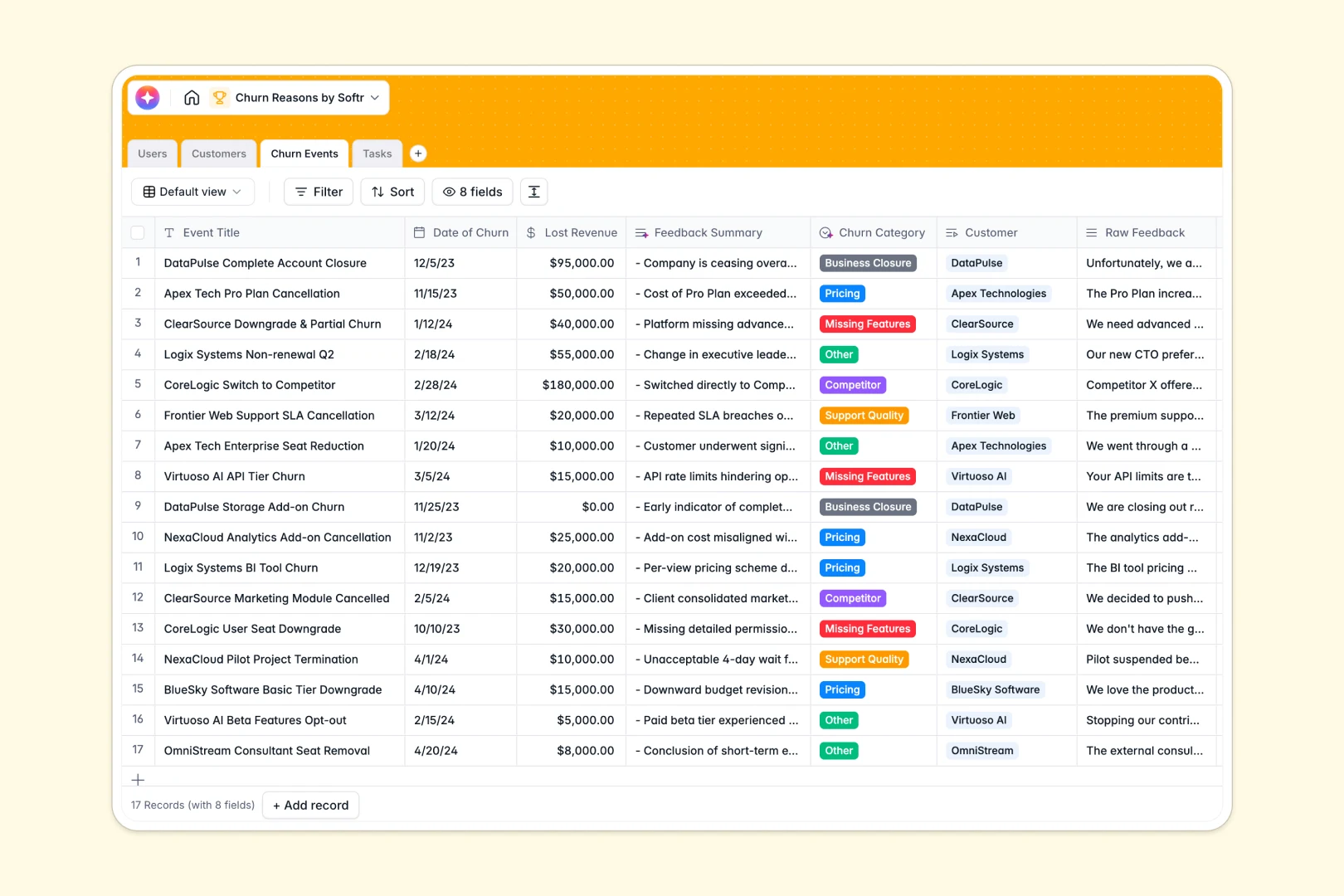
Your Churn Reasons database at a glance
This database helps customer success and product teams record cancellations, uncover recurring patterns, and prioritize roadmap fixes to protect revenue.
It connects four dedicated tables: Customers store core account data, Churn Events capture cancellation details and lost ARR, Tasks track team follow-ups, and Users map account ownership.
Built-in AI fields automatically analyze unstructured feedback, categorize cancellation reasons into clear buckets, and summarize grievances instantly upon entry.
Why tracking cancellation feedback in a blank sheet falls short
When churn logs live in standard spreadsheet tabs, unstructured notes accumulate without standardized categorizations, making it difficult to calculate true revenue impact.
What a structured database changes
A structured database enforces strict data types so lost revenue rollups remain accurate, dates stay valid, and account health statuses update reliably.
Native relations link every cancellation event directly to its customer record and follow-up tasks without brittle lookup formulas that break when rows shift.
This organized environment is exactly what Softr Databases provide out of the box, giving teams a single reliable source of truth for retention analysis.
What you can do with this template
You can log cancellation feedback and have Database AI agents automatically tag root causes like pricing or missing features while drafting task tickets.
Team leads can aggregate lost ARR by churn category to help executive and product teams make evidence-based roadmap decisions.
-
Users
Manage internal team members, account ownership, and assigned action tasks
-
Customers
Track client accounts, ARR metrics, and AI-generated company summaries
-
Churn Events
Log cancellation cases with AI-powered feedback analysis and categorization
-
Tasks
Organize follow-up action items with AI-drafted responses and tickets
Who is this Churn Reasons database for
This template gives revenue and product teams the structure needed to prevent recurring cancellations.
- Customer Success Managers: Track account health, log exit interviews, and manage corrective retention tasks.
- Product Managers: Analyze recurring feature gaps and user grievances to prioritize roadmap improvements.
- CS Leadership: Monitor lost ARR trends across customer tiers and report root causes to executives.
- SaaS Founders: Gain immediate visibility into why early users leave without manual spreadsheet cleanups.
How to take it further
1. Customize the database
Adjust the churn categories to match your business model, add fields for contract lengths, or refine the AI summary prompts to match your reporting style.
2. Import your existing data
Upload historical churn logs and customer lists using CSV import, or connect existing tools via API to sync cancellation events automatically.
3. Build a full app around it
When you are ready, use Softr to build an app on top of this data. You can generate an internal churn management dashboard where customer success teams log exit surveys and product teams review prioritized action items.
Configuring granular users and permissions ensures team members only see the accounts and tasks assigned to them while keeping executive financial metrics secure.
-
1
-
2
-
3
-
4
Frequently asked questions
-
What is a churn reasons database?
-
Why use a no-code database to build a churn tracking system?
-
How can AI help managing data for churn analysis?
-
Can I build an app with this churn reasons database?
-
Is this Churn Reasons database template free?
-
How does this database calculate total lost revenue?
Start building today. It's free!
Build and launch your first app in under 30 minutes.