


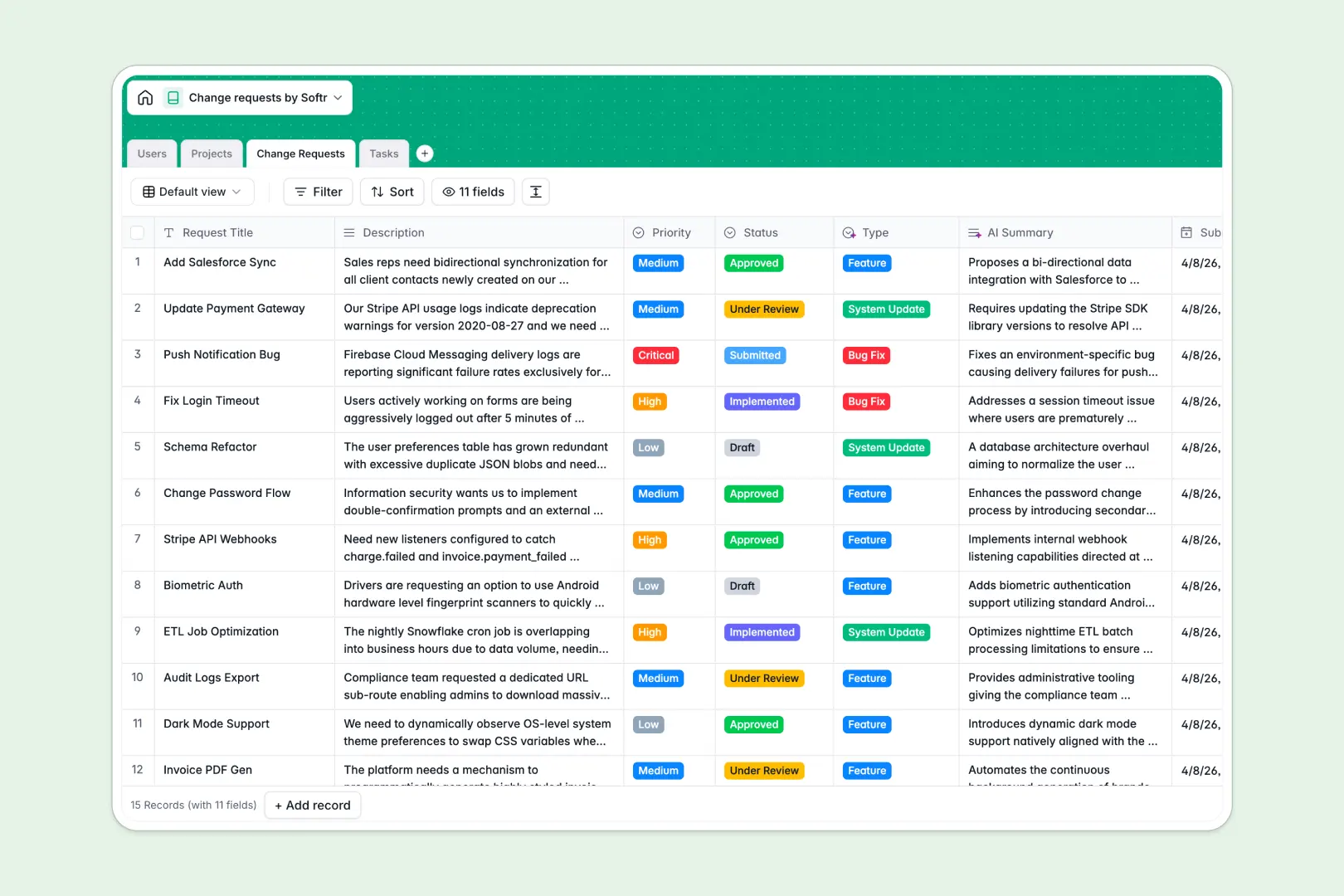
Your Change Requests database at a glance
This change requests database gives you a single source of truth to log, track, and process system updates or feature requests. It keeps technical teams and stakeholders perfectly aligned.
It combines four connected tables: Users, Projects, Change Requests, and Tasks. When a request is submitted, it links directly to a specific project and assigns actionable tasks to your team without manual data entry.
Built-in AI features instantly categorize new requests and summarize long descriptions. They can even draft step-by-step implementation plans to save your team hours of manual planning.
Why managing change requests in spreadsheets breaks down
Spreadsheets quickly become a mess of hidden rows, broken VLOOKUPs, and buried context when multiple people try to submit and review changes at once.
What a structured database changes
In a structured system, columns enforce strict rules. A status field stays a tight dropdown, and complex details like review milestones live logically inside each clean record.
You can easily link a single change request to its parent project and sub-tasks without copying data across tabs. This is exactly what Softr Databases are designed for.
What you can do with this template
Instantly start logging project changes with perfectly structured relationships where requests naturally map to overarching projects and individual tasks.
You can also rely on built-in automation to instantly categorize incoming requests by type, such as bugs or feature enhancements, keeping your backlog organized automatically.
-
Users
Manage team members with roles and assignments for the change process
-
Projects
Track systems and departments subject to updates with ownership details
-
Change Requests
Log request statuses and use AI to auto-categorize and summarize logs
-
Tasks
Manage actionable items using AI to generate targeted implementation plans
Who is this Change Requests database for
This system is built for teams that need to tightly manage product updates, IT systems, or operational changes.
- Product Managers: Keep feature requests organized, prioritized, and linked to specific product initiatives.
- IT Service Teams: Track system updates and bug fixes while clearly documenting approvals and task assignments.
- Project Leads: Maintain full visibility over what is changing, who approved it, and when the tasks are due.
How to take it further
Customizing this database is incredibly easy since it runs natively in your workspace. You can quickly add new priority levels to the select fields or modify the AI workflow prompts to better match your specific project constraints.
Getting started takes just a few minutes. Upload your existing backlog of updates via CSV or use an API to seamlessly sync historical requests directly into your new tables.
When your team needs a dedicated portal to submit and review these items, you can easily build a full application on top of this data structure. A clean interface lets stakeholders submit requests safely without ever touching the underlying tables.
Because Softr natively handles users and permissions, you can ensure that requesters only view their own submissions. Meanwhile, your admins maintain full visual control over the continuous approval pipeline.
-
1
-
2
-
3
-
4
Frequently asked questions
-
What is a change requests database?
-
Why use a no-code database to build a change request tool?
-
How can AI help managing data for change requests?
-
Can I build an app with a change requests database?
-
Is this change requests database free?
-
How does this template connect projects to specific tasks?
Start building today. It's free!
Build and launch your first app in under 30 minutes.