


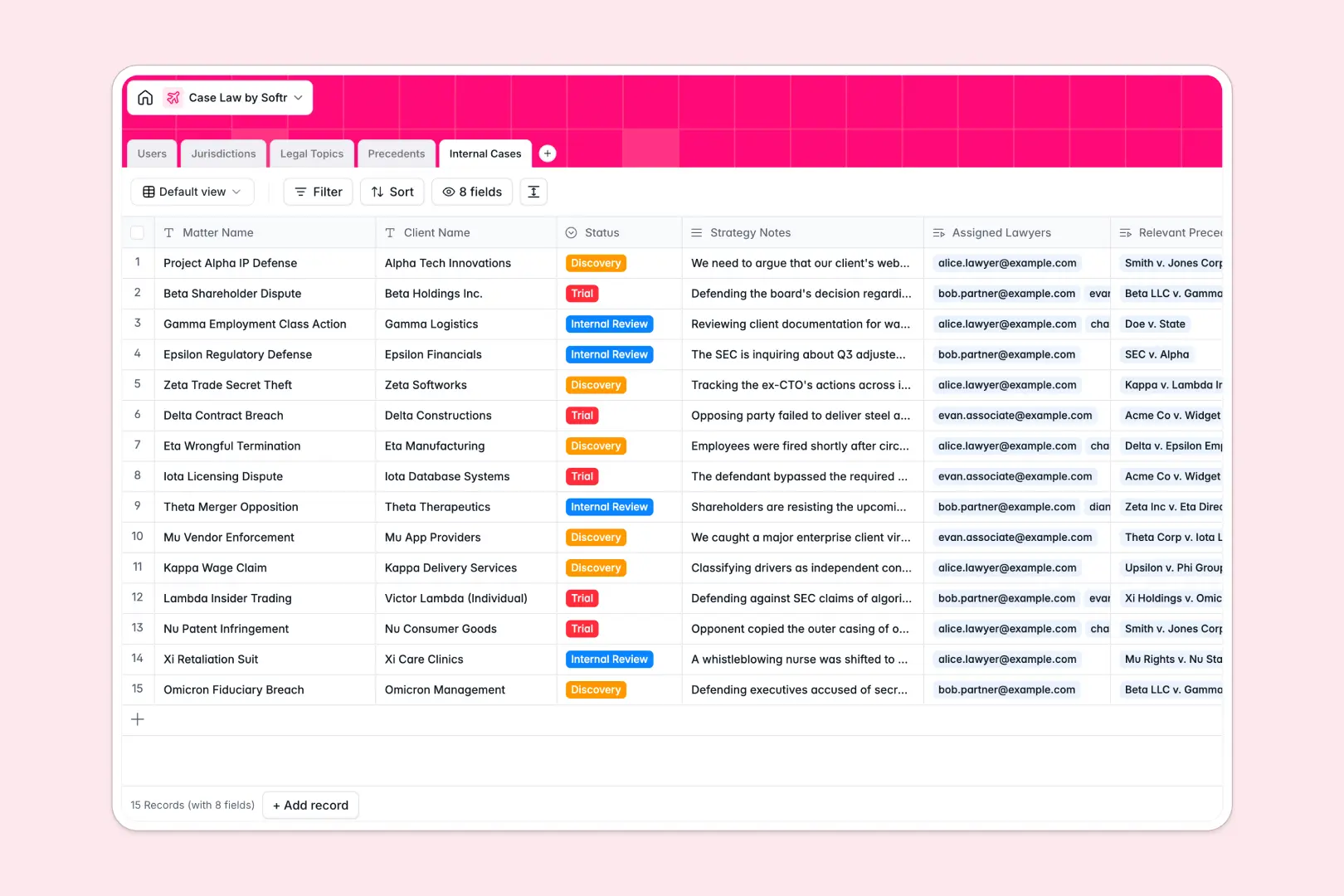
Your Case Law database at a glance
This template provides a centralized hub to catalog judicial rulings, organize legal authorities, and connect relevant rulings directly to your active client matters. Legal teams can eliminate scattered research memos and keep crucial authorities readily accessible.
Precedents link natively to specific Jurisdictions, Legal Topics, and Internal Cases, ensuring your citations remain structured rather than trapped in unstructured documents.
Built-in AI fields automatically analyze case law full text to generate comprehensive summaries, extract key legal takeaways, and synthesize executive case briefs.
Why legal authorities require structured relationships
Legal research stored in flat sheets or shared folders quickly becomes chaotic. Without native relationships, tracking which ruling applies to which active matter requires manual copy-pasting and fragile cross-referencing.
What a structured database changes
A structured database enforces strict data integrity across your legal workflow. Dates remain formatted correctly, court jurisdictions are standardized, and multi-line judicial opinions stay neatly contained within designated fields.
Crucially, you can link an authoritative ruling in your Precedents table directly to multiple active files in your Internal Cases table without duplicating text. This relational architecture is exactly what Softr Databases are designed for, keeping research connected and clean as your caseload grows.
What you can do with this template
You can instantly connect court decisions to assigned lawyers and active litigation stages like discovery or trial. Research notes flow directly into matter files without manual re-entry.
Using native Database AI agents, the database can automatically draft three-paragraph summaries and bulleted key takeaways the moment you paste a court opinion's full text. It also synthesizes your strategy notes and precedent lookups into executive briefs ready for partner review.
-
Users
Manage legal team members, assigned matters, bar details, and staff roles
-
Jurisdictions
Track courts and regional jurisdictions establishing legal case rulings
-
Legal Topics
Categorize legal subject areas and associate them with case rulings
-
Precedents
Store court precedents with AI-generated case summaries and takeaways
-
Internal Cases
Manage active firm matters and generate AI briefs from precedents
Who is this Case Law database for
This template is tailored for legal professionals and research teams managing complex legal authorities:
- Litigation Law Firms: Connect binding authority directly to active client dockets and trial strategies.
- Solo Practitioners: Centralize jurisdiction-specific research without paying for bloated case management suites.
- Paralegals and Legal Researchers: Standardize case briefs, track court citations, and summarize rulings efficiently.
- In-House Legal Counsel: Organize regulatory precedents and legal opinions across recurring company matters.
How to take it further
Customize your fields and taxonomies. Tailor the pre-configured court levels, add custom litigation practice areas to Legal Topics, or configure specialized matter status stages in minutes to match your firm's exact operating workflow.
Import your existing research library. Bring in historical case citations and internal matter records using bulk CSV imports, or connect external legal research APIs to sync new opinions automatically.
Build a full legal portal around your data. When your team is ready, you can build an app on top of this database. Softr lets you generate custom lawyer dashboards, associate portals, or read-only research repositories with granular users and permissions. You can control exactly which team members can edit case strategies, assign lawyers to matters, or access restricted client files.
-
1
-
2
-
3
-
4
Frequently asked questions
-
What is a case law database?
-
Why use a no-code database to build a case law management system?
-
How can AI help managing data for case law?
-
Can I build an app with this Case Law database?
-
Is this Case Law template free?
-
How do I import existing case summaries into this template?
Start building today. It's free!
Build and launch your first app in under 30 minutes.