


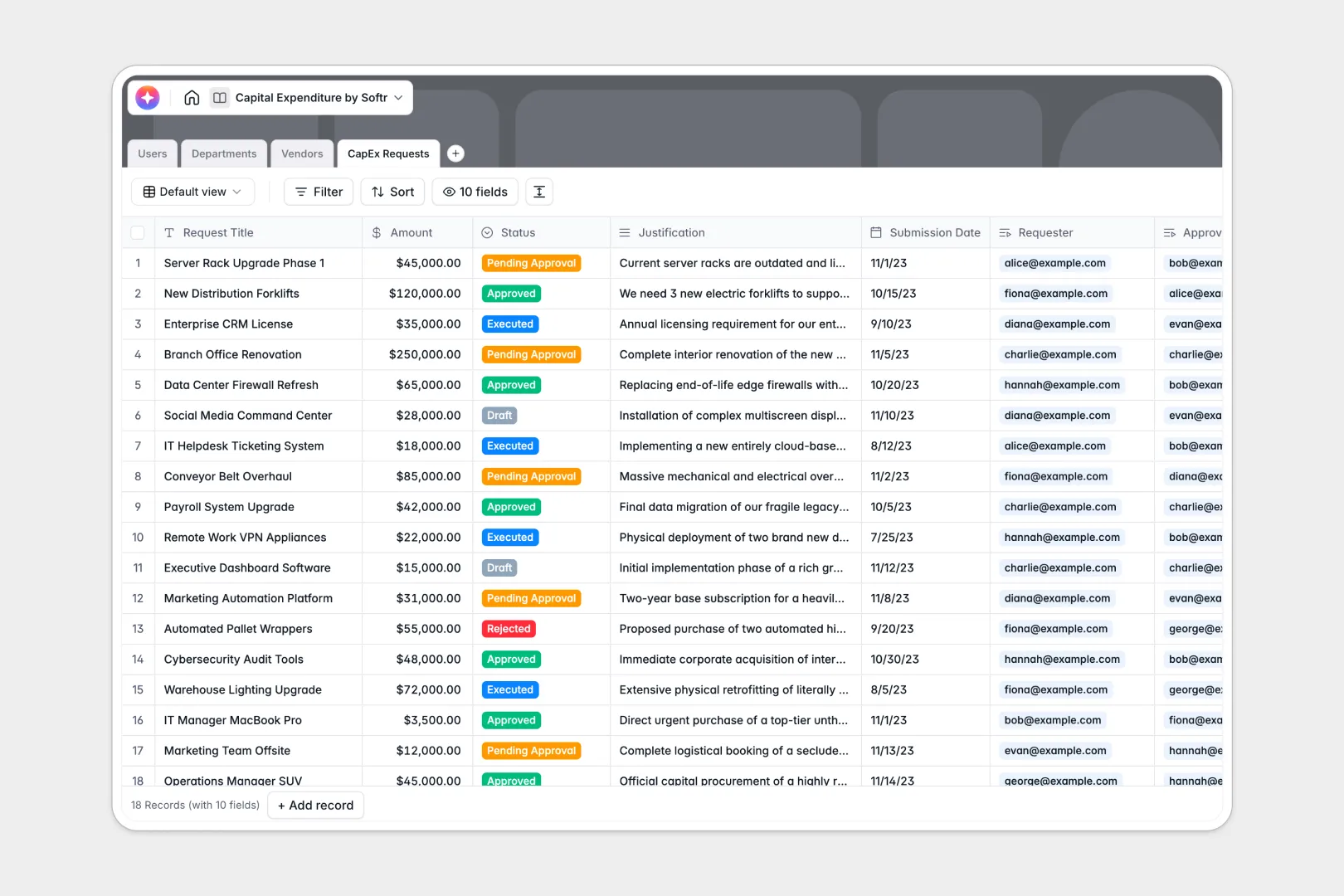
Your Capital Expenditure Database at a glance
This template provides a simple, structured way to propose, approve, and track major purchases. It brings your department budgets, team requests, and supplier information into one clean, connected workspace.
Your database is built with four linked tables: Users, Departments, Vendors, and CapEx Requests. When a team member submits a request, it automatically links to their department and calculates real-time budget impact.
Built-in AI features automatically summarize long purchase justifications into concise executive bullet points and retrieve background summaries directly from vendor websites.
Why managing capital expenditures in spreadsheets breaks down
Tracking multi-stage purchase requests and department budgets in Excel or Google Sheets quickly becomes chaotic. Formulas break, critical justifications get lost in massive cells, and multiple departments end up editing the same sheet without control.
What a structured database changes
A database enforces strict row and column types so dates stay dates, currencies stay values, and budgets calculate accurately. You can relate requests directly to departments and vendors without relying on complex, fragile VLOOKUP formulas.
This is exactly what Softr Databases are designed for. They provide the clean data structure needed to scale your operations safely as budget categories grow.
What you can do with this template
With this template, you can track CapEx requests from creation to execution, automatically monitoring how each request impacts remaining department budgets.
The integrated AI helpers immediately summarize long-text justifications, giving finance approvers quick bullet points to review without digging through paragraphs of text.
-
Users
Manage system access, roles, and department assignments for the team members
-
Departments
Organize cost centers with budget allocations and track total spent vs remaining
-
Vendors
Store supplier profiles with AI-generated summaries sourced from web research
-
CapEx Requests
Track expenditure proposals with an AI executive summary for faster approvals
Who is this Capital Expenditure database for
This database is built for scaling teams that need a clear, structured approval pipeline for equipment and software purchases.
- Finance Teams: Maintain real-time oversight of department budgets, total approved expenditures, and supplier contract sums.
- Department Heads: Easily track available team allocation and submit clean requests with clear justifications.
- Operations Leads: Manage approved vendors, review total active commitments, and track delivery pipelines effortlessly.
How to take it further
1. Customize the database
You can quickly adjust the templates' currencies, drop-down statuses, and budget allocations. Simply add fields to track tax codes, PO numbers, or installation dates to match your finance department’s specific workflow.
2. Import your existing data
Bring in your historical spend data in seconds by importing a CSV file or connecting an API. Your existing lists of approved vendors and team departments will cleanly migrate into the relative tables.
3. Build a full app around it
When your team is ready, you can scale this template into a secure internal application. Use Softr's drag-and-drop tools to build a custom submission portal where employees can log in, submit requests, and check statuses. By applying custom users and permissions, you can ensure requesters only see their own submissions while finance leads see the master budget dashboards.
-
1
-
2
-
3
-
4
Frequently asked questions
-
What is a capital expenditure database?
-
Why use a no-code database to build a capital expenditure system?
-
How can AI help managing data for capital expenditures?
-
Can I build an app with my capital expenditure database?
-
Is this capital expenditure database template free?
-
How is this capital expenditure database different from a standard spreadsheet?
Start building today. It's free!
Build and launch your first app in under 30 minutes.