


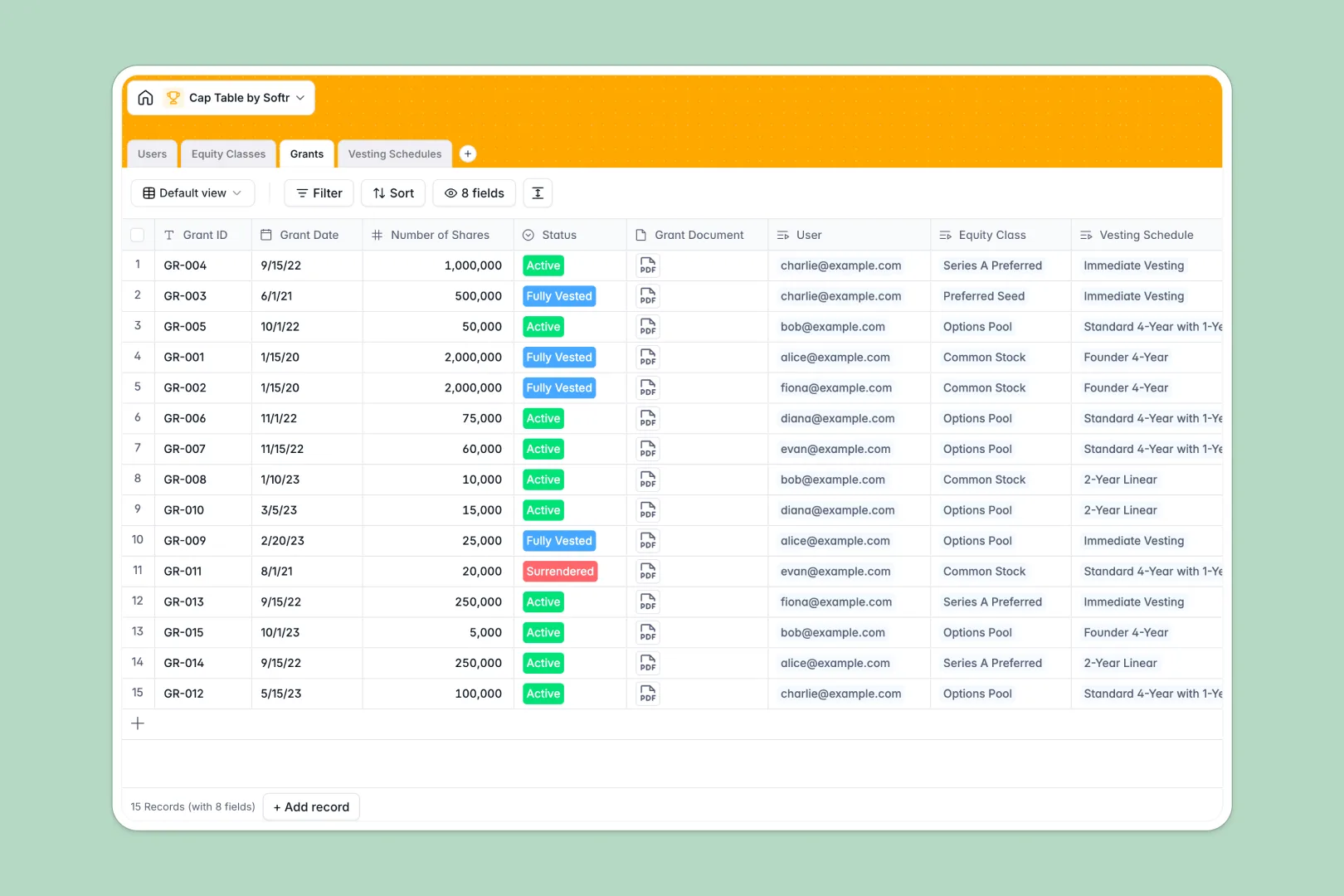
Your Cap Table database at a glance
This Cap Table database helps founders and finance teams track equity ownership, manage stock grants, and monitor vesting schedules seamlessly. It keeps your company's ownership structure perfectly organized in one secure place.
The template natively connects your Users, Equity Classes, and Grants together. Instead of tracking shares in isolated lists, every grant is accurately tied to a specific stakeholder and their unique vesting rules automatically.
Built-in AI features translate complex vesting schedules into plain English and automatically generate standard legal descriptions for your equity pools.
Why managing equity in spreadsheets breaks down
Tracking capitalization in spreadsheets quickly becomes chaotic as your stakeholder list grows and vesting schedules overlap. One broken formula can quietly miscalculate your entire company's ownership distribution without you realizing it.
What a structured database changes
A structured system enforces clear column types, ensuring authorized shares stay as precise numbers and grant documents remain securely attached to their records. You never have to worry about someone mistakenly typing textual notes into a vital numerical column.
It natively connects information so you can link an investor to their specific equity class without relying on fragile VLOOKUPs. This is exactly what Softr Databases are designed for, keeping your financial data clean and reliable as operations scale.
What you can do with this template
You can immediately log new grants, calculate remaining equity pools, and track how many shares are actively vesting. Total issued shares are calculated automatically via reliable rollups based on individual grant entries.
Thanks to native Database AI agents, the template auto-generates legal definitions for your equity classes instantly. It also translates total durations and cliffs into simple summaries, saving your team hours of manual explanations.
-
Users
Manage stakeholders with roles and personal data to track share ownership
-
Equity Classes
Define stock types and use AI to generate standard legal descriptions
-
Grants
Log individual equity issuances mapping specific shares to stakeholders
-
Vesting Schedules
Set timelines and rules with AI-generated explanations of vesting terms
Who is this Cap Table database for
This template provides a reliable foundation for anyone managing company ownership and stakeholder equity.
- Startup Founders: Keep a real-time, accurate view of authorized shares and investor stakes as you fundraise.
- Finance Teams: Track active, surrendered, and fully vested status across multiple equity classes cleanly.
- HR Managers: Monitor employee vesting schedules and cliffs without manually recalculating term lengths.
- Lawyers & Advisors: Maintain a clean, audit-ready record of all grant documents securely attached to stakeholders.
How to take it further
You can easily customize this database to fit your exact equity structure in minutes. Add new status tags to the Grants table, adjust the roles in your Users table, or tweak the AI prompts to match your company's communication style.
Import your existing cap table directly via CSV to populate your equity classes and stakeholders instantly. If you use external equity tools or HR platforms, you can dynamically sync data through the API so everything stays perfectly aligned.
When you are ready to share this data safely, you can build an app directly on top of this structure. You can create a secure investor portal where stakeholders log in to see only their personal vested shares and individual documents. By leveraging robust permissions, you guarantee that employees cannot access the broader company capitalization table while keeping everyone properly informed.
-
1
-
2
-
3
-
4
Frequently asked questions
-
What is a cap table database?
-
Why use a no-code database to build an equity tracking tool?
-
How can AI help managing data for a cap table?
-
Can I build an app with this cap table database?
-
Is this Cap Table database free?
-
How does this template calculate total shares?
Start building today. It's free!
Build and launch your first app in under 30 minutes.