


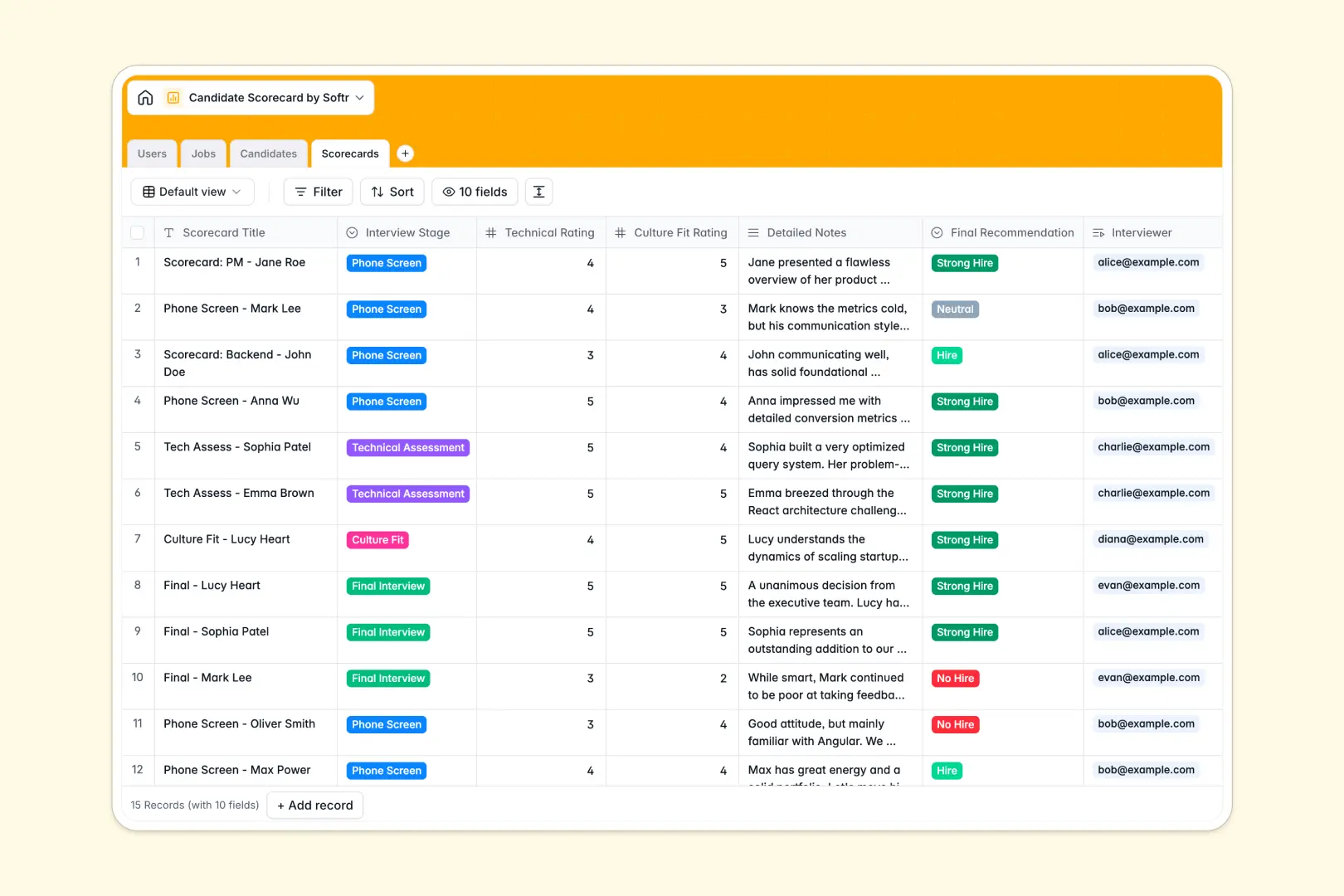
Your Candidate Scorecard database at a glance
This template helps you track applicant progress, collect consistent interviewer ratings, and make objective hiring decisions. It replaces chaotic interview feedback channels with a single, highly structured system.
The database is built on connected tables, naturally linking each Candidate directly to the Job they applied for. Every time an interviewer submits a Scorecard, it automatically syncs with the correct applicant profile.
Built-in AI agents automatically summarize a candidate's background using their LinkedIn URL. They also extract key strengths and weaknesses directly from interviewer notes to save you time.
Why managing candidate evaluations in spreadsheets breaks down
Tracking interviews in spreadsheets gets messy quickly when multiple people are involved. Feedback gets lost in Slack, ratings become inconsistent, and connecting notes to the right candidate file is a manual nightmare.
What a structured database changes
In a structured system, columns automatically enforce clear data types like drop-downs for pipeline stages and numbers for ratings. Records connect naturally, so a candidate's profile links directly to the job without copying and pasting across rows.
You don't have to rely on fragile formulas or messy shared sheets. This is exactly what Softr Databases are designed for.
What you can do with this template
Standardize your evaluation process instantly by tracking technical and culture fit ratings in one central view. You can keep all detailed interview notes securely attached to the correct applicant's profile.
You can also leverage Database AI agents to instantly generate candidate profile summaries. These agents will pull data from LinkedIn or extract simple bullet points directly from messy interview notes.
-
Users
Manage HR staff, recruiters, and managers with roles and access tags
-
Jobs
Track open positions, departments, and linked candidate pipelines
-
Candidates
Manage applicants with AI-powered background summaries and resumes
-
Scorecards
Grade candidates with technical ratings and AI feedback extraction
Who is this Candidate Scorecard database for
This template is built for teams that need to run an organized, objective hiring process from start to finish.
- Recruiters: Easily track pipeline stages and ensure hiring managers review the right candidate profiles.
- Hiring Managers: View all aggregated interview feedback in one view to make fast, confident hiring decisions.
- Interviewers: Submit structured scorings and detailed notes easily without navigating complex HR software.
How to take it further
Customize the database
Easily modify the interview stages, adjust the rating scales, or add custom fields to track specific technical assessments. Because it is a native database, changing select field values takes just seconds.
Import your existing data
Upload your current open jobs or active candidate rosters in bulk via CSV. You can instantly map existing columns into the structured fields to pick up exactly where you left off.
Build a full app around it
When your team is ready, you can transform this database into a fully functional internal hiring portal. This allows you to give everyone a clean interface to work from.
Add users and permissions to ensure interviewers only see the specific candidates they are scheduled to evaluate. Starting with a cleanly structured database makes app development effortless and highly secure.
-
1
-
2
-
3
-
4
Frequently asked questions
-
What is a candidate scorecard database?
-
Why use a no-code database to build a hiring system?
-
How can AI help managing data for candidate evaluations?
-
Can I build an app with candidate scorecard database?
-
Is this candidate scorecard database free?
-
How is a candidate scorecard database different from excel?
Start building today. It's free!
Build and launch your first app in under 30 minutes.