


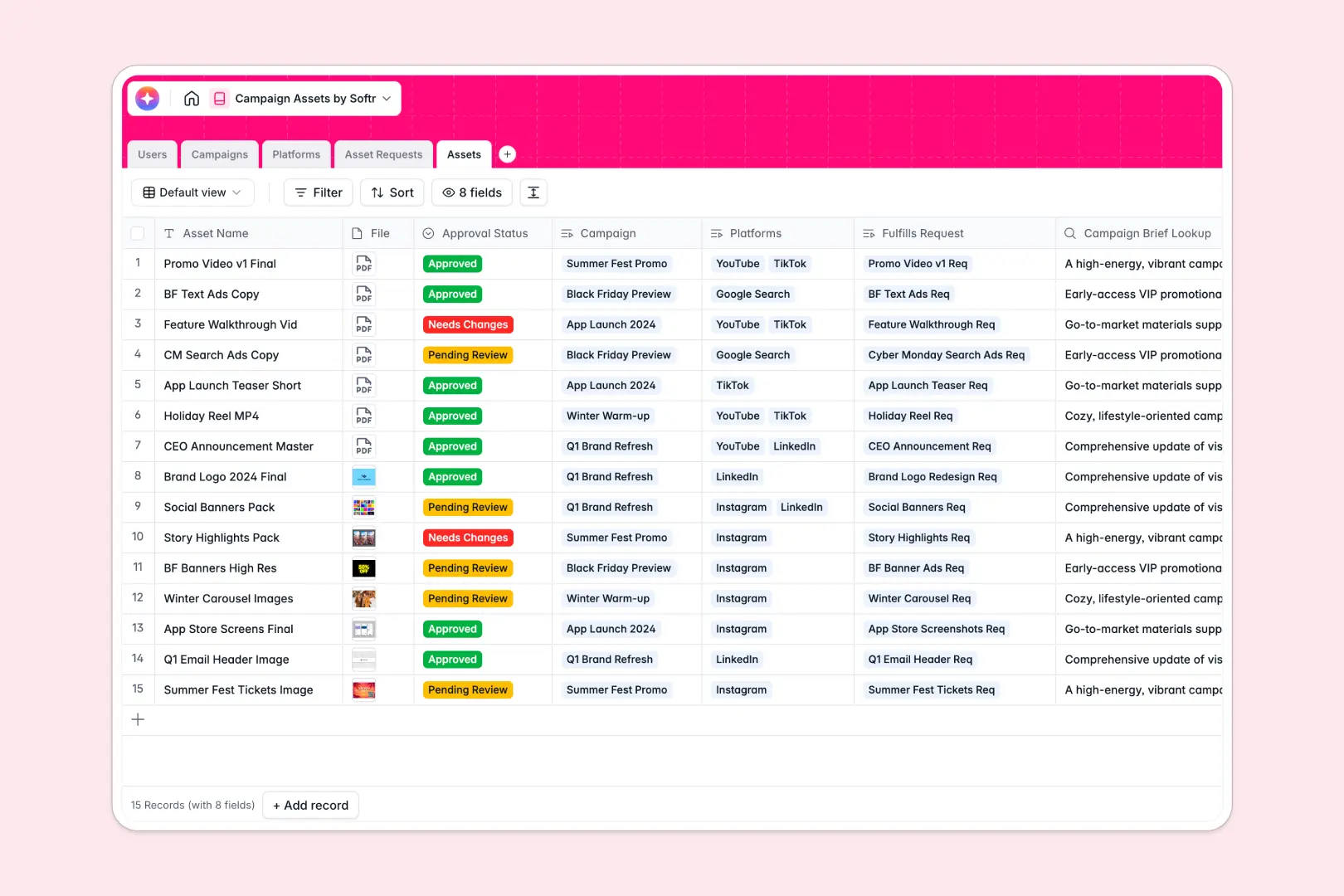
Your Campaign Assets database at a glance
This ready-to-use template centralizes your entire creative production workflow. It helps you manage campaigns, route design requests, and store final files securely in one accessible place.
Tracking creative assets is effortless when everything is connected. Campaigns link directly to individual Asset Requests, while approved files sync natively to specific delivery Platforms with clear statuses.
Built-in AI agents automatically write executive summaries for your campaigns and generate platform-specific social copy for final assets. The database even auto-prioritizes incoming design requests based on their urgency.
Why managing campaign assets in spreadsheets breaks down
Relying on scattered folders and messy spreadsheets to track design variants and campaign deliverables creates bottlenecks. When links break and versions get confused, launch dates slip.
What a structured database changes
A structured database brings order to creative chaos by enforcing clear data types. Attachments stay secure, statuses remain consistent, and final files link seamlessly to their parent campaigns without fragile manual entry.
This is exactly what Softr Databases are designed for. You can easily map out your entire production pipeline, matching specific design requests to the exact marketers who need them.
What you can do with this template
Jump right into managing your creative pipeline with pre-built tables for tracking requests, platform formats, and final approvals. You can instantly see which assets belong to which campaign and monitor team workloads.
Best of all, native AI agents actively speed up your marketing workflow. They research platform specs online, prioritize tight deadlines, and draft social media copy the moment an asset is approved.
-
Users
Manage team roles, access levels, and track assigned asset requests
-
Campaigns
Organize marketing strategy and use AI to generate executive summaries
-
Platforms
List distribution channels and use AI to summarize platform capabilities
-
Asset Requests
Process design tickets and prioritize them automatically using AI analysis
-
Assets
Store creative deliverables and generate campaign copy with AI support
Who is this Campaign Assets database for
This flexible database provides immediate clarity for teams handling multi-channel creative production.
- Marketing Managers: Track overall campaign progress and ensure all required deliverables are ready for launch.
- Design Teams: Organize incoming asset requests, prioritize tight deadlines, and upload approved files systematically.
- Content Creators: Quickly find the exact graphics or videos needed for specific distribution channels.
How to take it further
Customizing this database to fit your brand's unique workflow takes only seconds. You can easily add new fields to track specific file dimensions or modify the platform select tags to include new marketing channels.
Bring your existing creative repository to life instantly. You can import active campaign lists and historical asset tracking data directly via CSV bulk upload.
When your team is ready, you can transform this database into a robust creative portal. Using an app building interface, you can create custom dashboards for freelance designers or internal stakeholders. Simply set up safe users and permissions to ensure external partners only see the briefs and tasks assigned expressly to them. A beautifully structured database makes building these custom tools effortless.
-
1
-
2
-
3
-
4
Frequently asked questions
-
What is a campaign assets database?
-
Why use a no-code database to build a campaign assets tool?
-
How can AI help managing data for campaign assets?
-
Can I build an app with this campaign assets database?
-
Is this Campaign Assets template free?
-
How does this template differ from organizing assets in spreadsheets?
Start building today. It's free!
Build and launch your first app in under 30 minutes.