


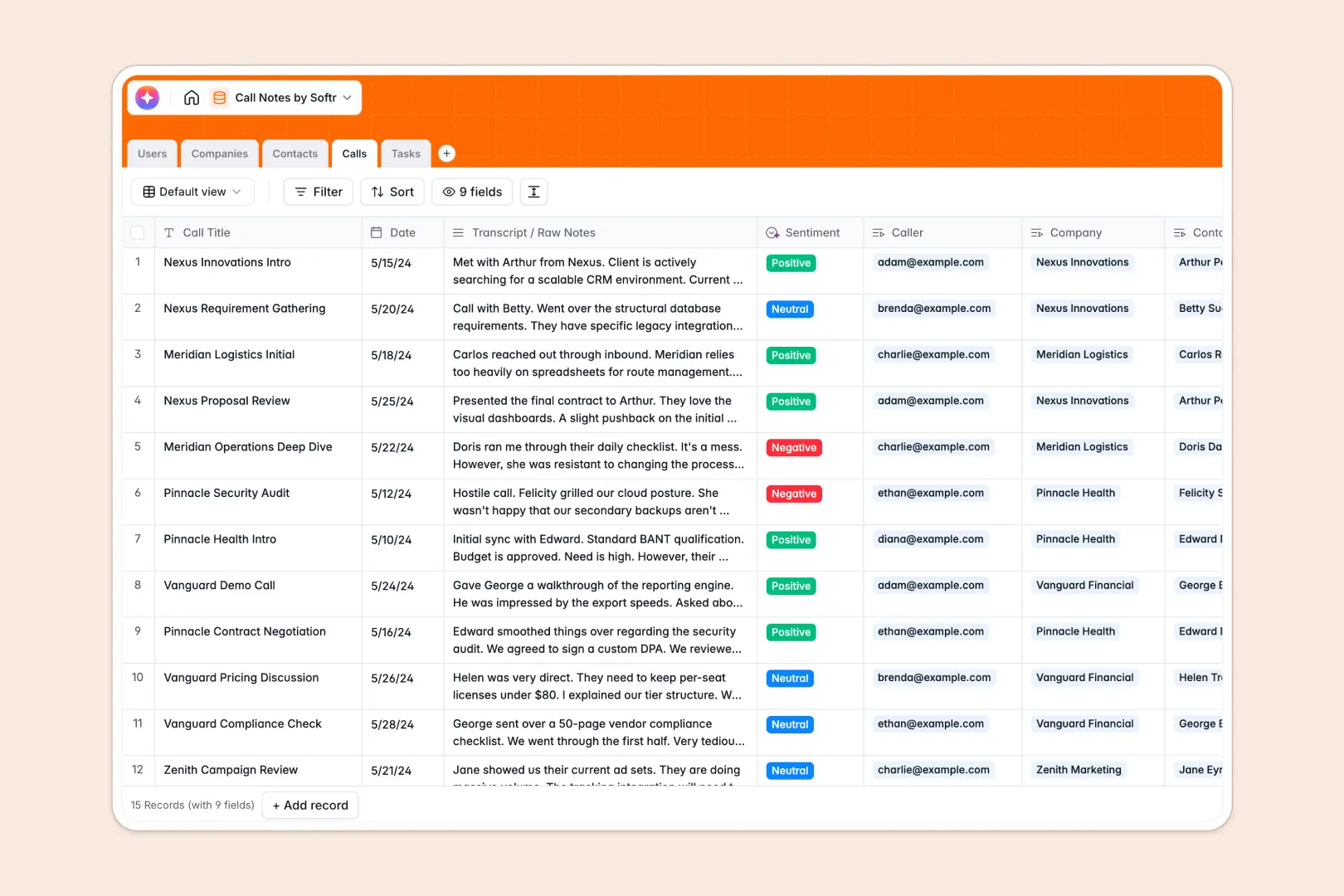
Your Call Notes database at a glance
Centralize every client interaction, transcript, and action item so your team never drops the ball on a follow-up.
This template links your internal team directly to external companies, contacts, and specific call logs. From a single view, you can track who spoke to whom and instantly see all pending tasks tied to a conversation.
Built-in AI automatically extracts three-point summaries from raw transcripts, analyzes call sentiment, and researches company websites to build enriched profiles for you.
Why managing call notes in spreadsheets breaks down
Dumping meeting transcripts and next steps into scattered sheets makes it incredibly difficult to track relationship history. When tasks get disconnected from the original conversation, follow-ups get missed and client context is permanently lost.
What a structured database changes
With a relational structure, every piece of data lives exactly where it needs to. You do not have to copy-paste client details across different tabs or rely on fragile formulas to figure out why a task was created.
Instead, one contact is linked to their entire history of calls, and every call naturally outputs specific tasks assigned to your team. This is exactly what Softr Databases are designed for.
What you can do with this template
Instantly log a new call, attach raw transcripts, and let the system automatically pull out actionable insights. You ensure every conversation ends with clear assigned tasks, owners, and due dates.
Thanks to natively connected Database AI agents, the database works for you by automatically fetching company summaries from the web and categorizing the mood of the call as positive, neutral, or negative.
-
Users
Manage internal team members with roles, contact info, and assigned tasks
-
Companies
Store client info with web-powered AI summaries of business activities
-
Contacts
Centralize lead and client contact details with links to call history
-
Calls
Log communication notes with AI-generated summaries and sentiment analysis
-
Tasks
Track actionable follow-ups and next steps with deadlines and owners
Who is this Call Notes database for
This template provides a clean, automated system for teams that rely heavily on strong customer relationships.
- Sales Teams: Keep a history of prospect calls, quickly gauge deal momentum via sentiment, and assign follow-ups.
- Customer Success: Track onboarding syncs, monitor account health, and ensure no request falls through the cracks.
- Account Managers: Maintain rich company profiles with automated web research and tie interactions directly to renewals.
- Project Managers: Connect scattered meeting transcripts right to actionable deliverables without manually summarizing notes.
How to take it further
Start customizing your database right away to fit your specific workflow. You can easily add new user roles, adjust the select options for task statuses, or modify the AI prompt to extract specific insights like key objections.
Import your historical meeting logs and contacts via a quick CSV upload. You can efficiently bring your existing relationship data over to establish your single source of truth from day one.
When your team needs controlled access, you can build an app directly on top of this structure. Turn this backend into a sleek internal portal where salespeople only see their specifically assigned contacts and tasks.
By utilizing native users and permissions, you securely control exactly who can view, edit, or delete specific call logs so sensitive conversations stay private. A well-structured database makes deploying internal tools totally effortless.
-
1
-
2
-
3
-
4
Frequently asked questions
-
What is a call notes database?
-
Why use a no-code database to build a call tracking system?
-
How can AI help managing data for call notes?
-
Can I build an app with this call notes database?
-
Is this Call Notes database free?
-
How is a call notes database different from spreadsheets?
Start building today. It's free!
Build and launch your first app in under 30 minutes.