


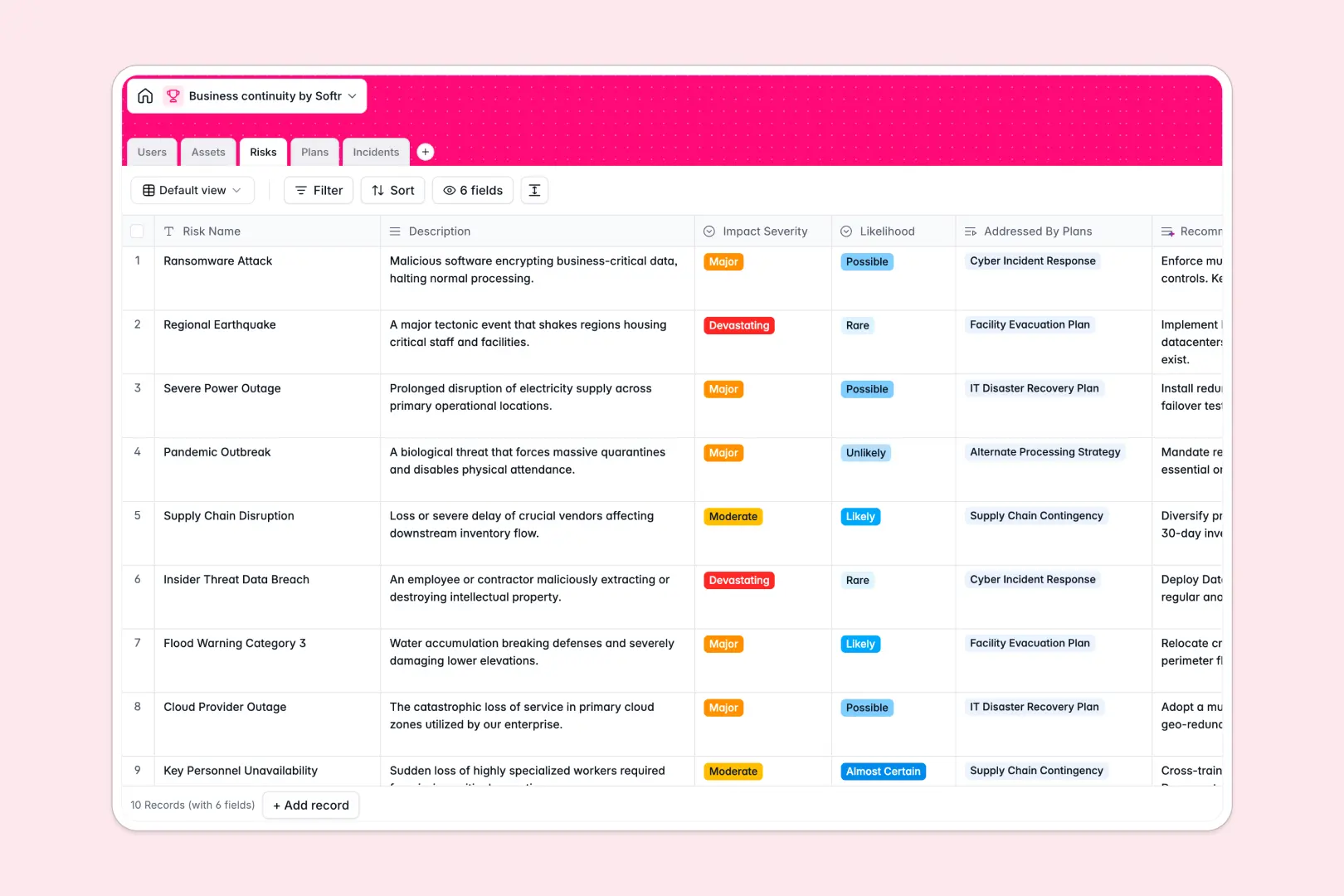
Your Business Continuity Database at a glance
This template gives you a centralized hub to manage risks, protect critical assets, and navigate disruptions efficiently. It connects your continuity plans directly to operational realities so your team is always prepared.
It works by clearly linking your different tables—connecting specific Assets and Risks directly to your internal Plans. This relational structure ensures every hardware failure or cyber threat is matched with an owner and a recovery strategy.
Instead of manually crunching data, built-in AI automatically drafts executive summaries for your plans and categorizes reported incidents. It even generates strategic mitigation ideas for new risks as they are logged.
Why managing business continuity in spreadsheets breaks down
When you rely on flat spreadsheets to track risks, assets, and incidents, vital context gets lost. A hardware failure logged in one tab rarely connects seamlessly to the recovery plan stored in another, leaving teams scrambling during a crisis.
What a structured database changes
A structured database ensures every piece of information has a clear type and purpose. Your incident statuses stay standardized, dates remain formatted properly, and missing formulas won't break your disaster recovery plan.
Because tables are inherently connected, you can tie a reported incident directly to an affected IT system and immediately see the associated mitigation strategy. This is exactly what Softr Databases are designed for.
What you can do with this template
You can instantly map out your company's critical infrastructure and assign specific continuity plans to each risk and asset. Everything is neatly organized into actionable views for your entire team.
By leveraging built-in AI agents, the system will also auto-categorize incoming incidents and draft mitigation strategies on the fly. It is a ready-to-use template that turns static planning into an active operational defense.
-
Users
Manage personnel directory with system roles and ownership of recovery plans
-
Assets
Track critical infrastructure, facilities and data vital to business survival
-
Risks
Identify threats with AI-powered mitigation strategies based on impact levels
-
Plans
Organize recovery strategies using AI-generated summaries and asset linkages
-
Incidents
Log disruptions using AI to automatically categorize the nature of threats
Who is this Business Continuity Database for
This system is designed for operational leaders who need a reliable, active way to protect their company's core functions.
- Continuity Managers: Monitor all active plans, conduct regular reviews, and track incident resolutions across the organization.
- IT Directors: Keep a close eye on mission-critical hardware, instantly seeing which systems are affected during outages.
- Operations Leads: Assess risk severity and likelihood to prioritize which operational vulnerabilities need immediate attention.
How to take it further
It is incredibly easy to customize this database to match your exact organizational structure. You can quickly add new incident statuses, modify asset criticality levels, or adjust the AI prompts to match your company's risk terminology.
Bringing your existing disaster recovery data into the system is just as simple. You can import your current risk assessments and asset inventories directly via CSV or set up an API sync to keep everything up to date.
When your team is ready, you can seamlessly turn this foundation into a fully operational internal portal for your staff. By managing users and permissions properly, you ensure sensitive risk data remains secure while allowing employees to report newly discovered vulnerabilities. A well-structured database makes this kind of app development effortless.
-
1
-
2
-
3
-
4
Frequently asked questions
-
What is a business continuity database?
-
Why use a no-code database to build a business continuity system?
-
How can AI help managing data for business continuity?
-
Can I build an app with a business continuity database?
-
Is this Business Continuity Database free?
-
How is a business continuity database different from spreadsheets?
Start building today. It's free!
Build and launch your first app in under 30 minutes.