


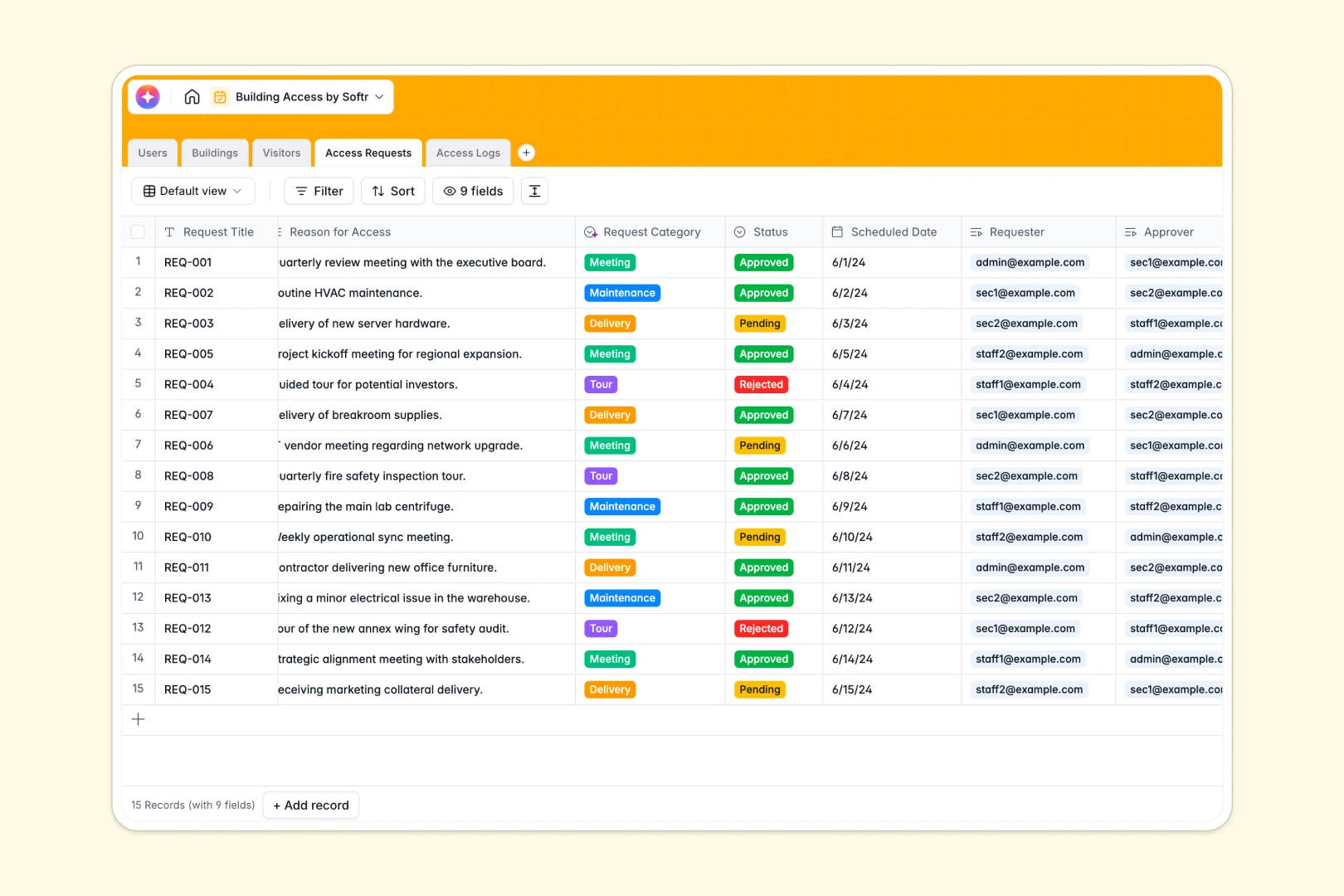
Your Building Access database at a glance
This template provides a complete system to monitor who enters your facilities and when. It keeps visitor details, staff permissions, and real-time security logs organized in one accessible space.
It works by connecting distinct tables for Buildings, Users, Visitors, and Access Logs. When a guest submits a request, you can link it directly to a specific building and approver without duplicating records.
Built-in AI runs quietly in the background to automatically summarize security logs and classify request types based on the stated reason. It can even pull company descriptions directly from visitor email domains.
Why managing building access in spreadsheets breaks down
Tracking visitor logs and facility permissions in spreadsheets quickly becomes a security risk. Rows get accidentally deleted, entry timestamps are easily modified, and keeping track of who is currently inside is nearly impossible.
What a structured database changes
A structured system ensures visitor data stays separated from access logs, while remaining permanently linked. Every entry has a strict format, meaning timestamps map correctly and status dropdowns cannot be overwritten with typos.
This is exactly what Softr Databases are designed for. You can easily link an access request to a specific visitor and building, automatically keeping a precise history without fragile lookup formulas breaking.
What you can do with this template
You can immediately start logging entries, exits, and denied attempts with automated and accurate timestamps. You will instantly see how many requests are pending or approved for any given facility.
Thanks to powerful native AI agents, this template automatically categorizes reasons for visiting and researches visitor companies via the web in real time. It serves as a ready-to-use foundation for a secure, automated front desk.
-
Users
Manage staff profiles, organizational roles, and system access permissions
-
Buildings
Track physical facility statuses, addresses, and overall entry volume metrics
-
Visitors
Register guests with AI-generated company profiles based on web research
-
Access Requests
Process entry permissions using AI to automatically categorize request types
-
Access Logs
Monitor real-time entry events with AI-powered activity summaries and notes
Who is this Building Access database for
This system is designed for any team responsible for facility security and guest management:
- Facility Managers: Monitor open and restricted zones while tracking all historical access requests.
- Security Teams: Log real-time entries and denied access attempts with categorized security notes.
- Office Administrators: Streamline visitor requests and automatically research incoming contractor or guest details.
How to take it further
You can fully customize this database to match your exact security protocols in minutes. Add new request statuses, modify user roles, or adjust the AI prompts to extract specific details from visitor notes.
If you are currently using visitor logbooks or digital logs, you can seamlessly import your history via CSV. You can also connect via API to sync data from existing badge scanners or calendar invites automatically.
When you are ready, you can transform this foundational setup into a fully functional custom app. Security guards could use a mobile-friendly view to log entries, while staff log in to submit guest access requests.
By utilizing custom users and permissions, you can ensure admins see total building metrics while staff only see their own pending requests. A structured database makes building these secure workflows incredibly straightforward.
-
1
-
2
-
3
-
4
Frequently asked questions
-
What is a building access database?
-
Why use a no-code database to build a building access system?
-
How can AI help managing data for building access?
-
Can I build an app with this building access database?
-
Is this building access template free?
-
How does this differ from tracking visitors in Google Sheets?
Start building today. It's free!
Build and launch your first app in under 30 minutes.