


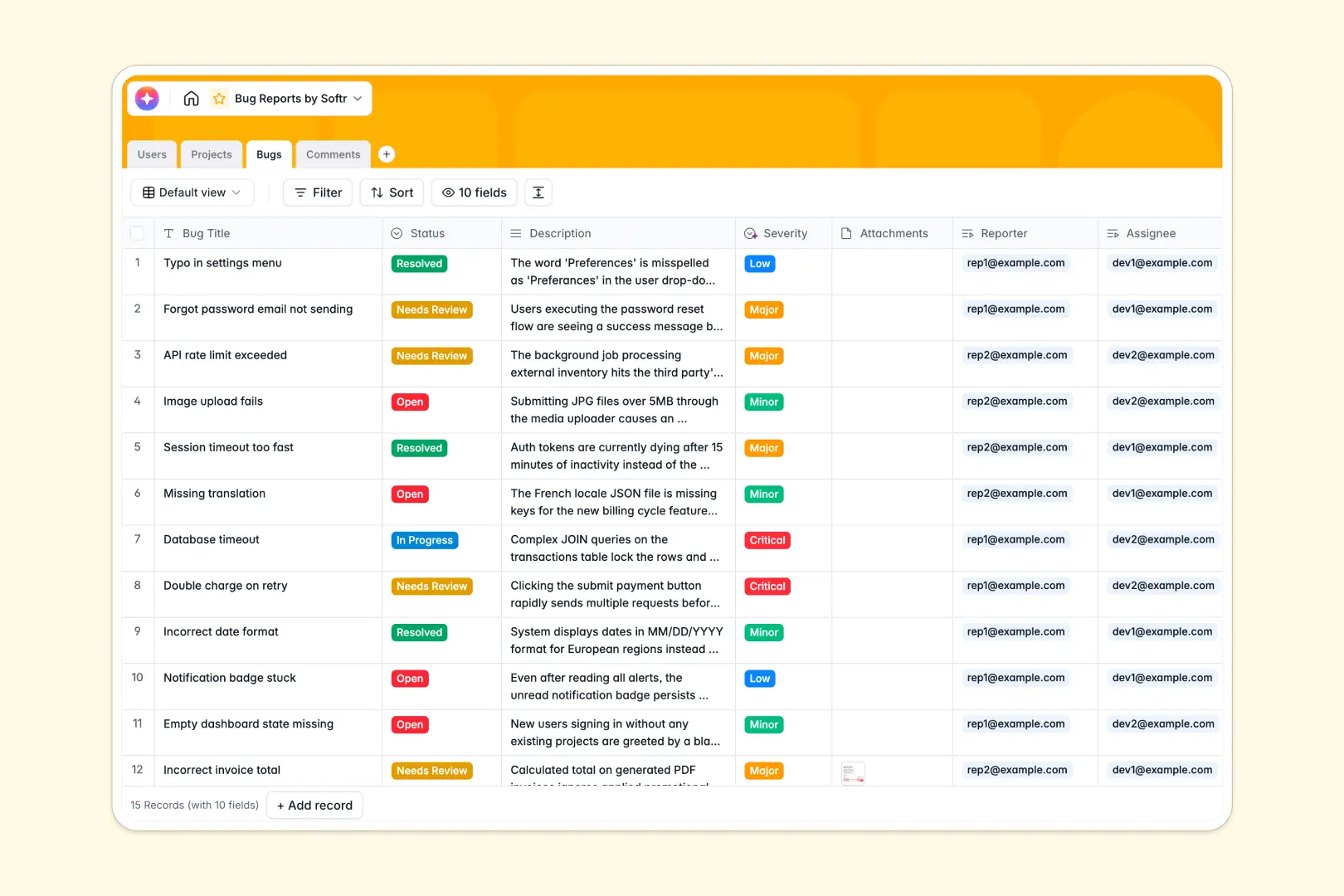
Your Bug Reports Database at a glance
This template gives your team a centralized, production-ready system to log, track, and resolve software issues in one place. It eliminates confusing email threads and disjointed spreadsheets by organizing everything neatly across projects and assignees.
The structure relies on clearly connected tables for Users, Projects, Bugs, and Comments. When a reporter submits a bug, it automatically links to the relevant software project and can be instantly assigned to a developer—while all discussions happen natively in dedicated comment logs.
To eliminate manual triage, this database uses built-in AI fields. The AI instantly reads new bug descriptions to assign a Severity level automatically and generates a quick 2-3 bullet point Bug Summary for faster developer reviews.
Why managing bug reports in spreadsheets breaks down
When engineering teams try to manage bug logs in spreadsheets, the process quickly devolves into chaos. Long error descriptions spill across rows, screenshot attachments get lost, and keeping comment histories tied to specific tickets becomes an organizational nightmare.
What a structured database changes
A proper database enforces clear rules so data stays completely clean as your backlog scales up. Instead of relying on fragile VLOOKUPs to match developers to specific tickets, connected tables let you link a bug directly to a project lead with a single click.
This allows you to maintain predictable workflows where mixed data types and deleted rows are eliminated entirely. This is exactly what Softr Databases are designed for.
What you can do with this template
This template lets you immediately spin up a ready-to-use environment where bugs, testers, software modules, and updates exist in perfect harmony. You can also track total open bugs per project automatically using built-in rollups to keep workloads balanced.
The template comes fully equipped with Database AI agents to automate your ticket triage pipeline. As soon as a bug is logged, the AI reads the context, categorizes the severity from Low to Critical, and writes a practical summary so engineers know exactly what to tackle first.
-
Users
Manage system members with contact info, roles, and assigned bug tickets
-
Projects
Organize software modules with dedicated leads and consolidated bug metrics
-
Bugs
Track issues using AI to determine severity and generate concise summaries
-
Comments
Centralize discussion logs and updates between reporters and developers
Who is this Bug Reports Database for
This system is built for teams who need a clear, structured way to manage the software lifecycle.
- Engineering Leads: Track total open bugs across projects and instantly see which developers are overloaded.
- QA Testers: Log issues effortlessly with essential attachments and clear status updates without breaking layouts.
- Product Managers: Gain visibility into project health and prioritize critical fixes using AI-generated bug summaries.
- Support Teams: Escalate critical user issues directly to development with proper automatic categorization.
How to take it further
Getting started is just the beginning. Since this is a native Softr Database, you can easily customize everything—like renaming the status options (e.g., adding "In QA") or adding new columns to track the exact device types where bugs occur.
If you are migrating from another tool or an older spreadsheet log, you can easily load your historical data. Bulk import your existing bugs via CSV or connect an API to sync new issue reports automatically.
When your team is ready, you can transform this database into a complete internal QA tool by building an app directly on top of it. Full-stack workflows combine this exact database with intuitive interfaces, allowing testers to submit issues through forms while developers manage queues via Kanban boards.
By leveraging robust users and permissions, you ensure reporters only see the bugs they personally submitted, while admins and engineers have full visibility automatically.
-
1
-
2
-
3
-
4
Frequently asked questions
-
What is a bug reports database?
-
Why use a no-code database to build a bug tracking system?
-
How can AI help managing data for bug reports?
-
Can I build an app with this bug reports database?
-
Is this bug reports database free?
-
How does this differ from tracking bugs in Google Sheets or Excel?
Start building today. It's free!
Build and launch your first app in under 30 minutes.