


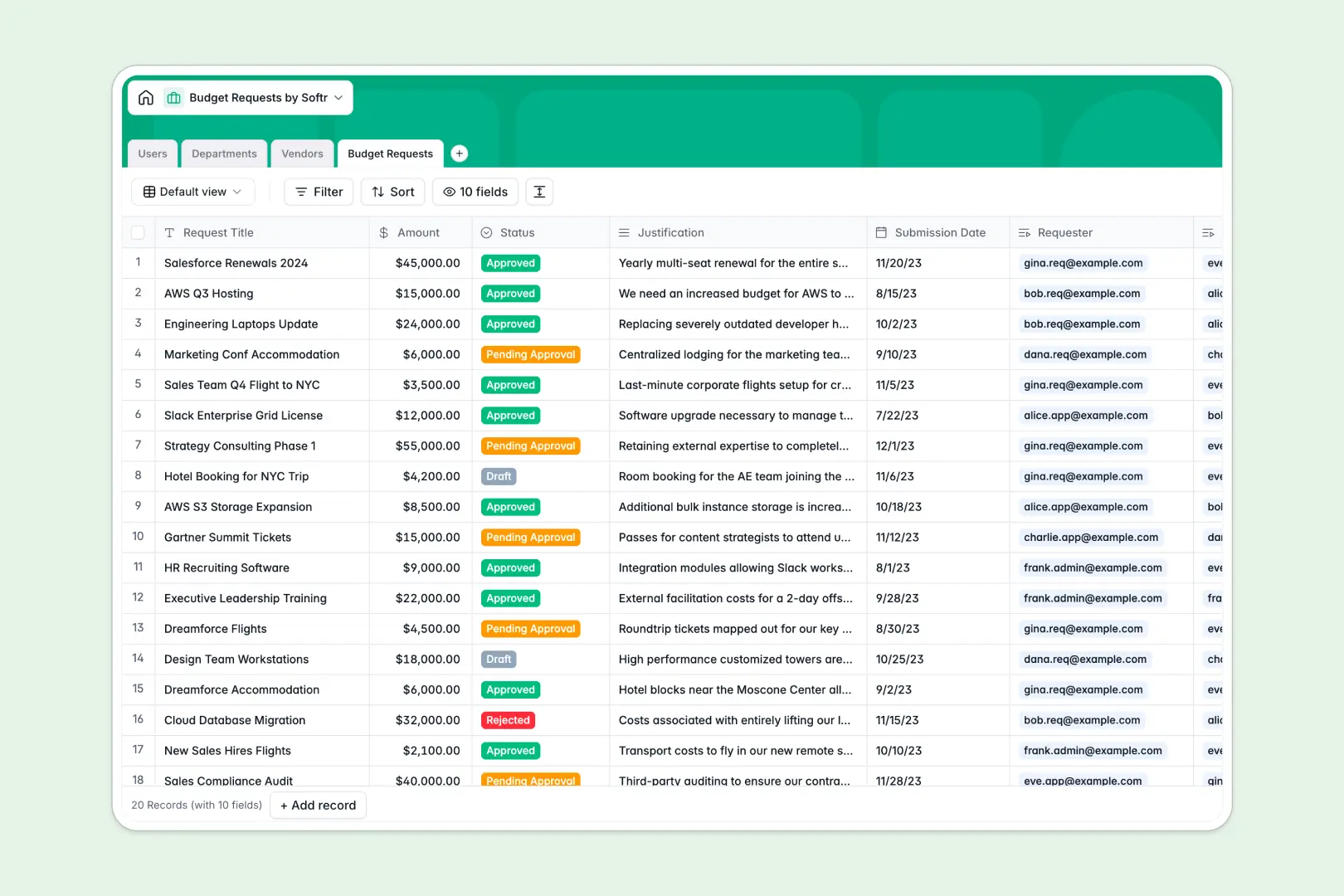
Your Budget Requests database at a glance
This template centralizes the spend approval workflow across your entire organization, giving leadership clear visibility into upcoming expenses and departmental totals.
It connects four relational tables: Budget Requests, Departments, Vendors, and Users. Linking each request to an approver, vendor, and department eliminates duplicate entries and ensures totals rollup automatically without fragile formulas.
Built-in AI automatically condenses long purchase justifications into brief bullet points and enriches vendor profiles with live web research.
Why linking requests to departments beats flat tracking sheets
When finance teams manage purchase requests in a flat sheet, spend calculations quickly break. Department names are misspelled, approvers are untracked, and calculating department-level totals requires fragile formulas that break when new rows appear.
What a structured database changes
A structured database enforces clean relationships between distinct business objects. Every spend request links directly to a designated department, vendor, and requester.
When a team member submits an expense, the department's total requested budget recalculates automatically via rollups, with zero manual cross-tab calculations.
This is exactly what Softr Databases are designed for, giving you typed fields like currency and status tags alongside relational integrity.
What you can do with this template
You can track spend requests from draft to approval, assign designated approvers, and categorize external vendor expenses in a few clicks.
Native Database AI agents streamline approval queues by generating concise summaries of complex purchase justifications and researching vendor websites automatically.
-
Users
Manage requesters, approvers, and admin profiles across departments
-
Departments
Organize teams and aggregate department-level requested budget totals
-
Vendors
Track suppliers and auto-generate company overviews via web-enabled AI
-
Budget Requests
Process expenditure approvals with AI summaries of justification notes
Who is this Budget Requests database for
This template is tailored for teams that need transparent, accountable spend management without administrative bottlenecks.
- Finance & Operations Leads: Monitor organizational spending against departmental budgets in real time.
- Department Heads: Review, approve, or reject team purchase requests quickly with summarized context.
- Team Requesters: Submit software, travel, or hardware requests with complete tracking on approval status.
- Procurement Managers: Maintain an organized directory of verified vendors and associated spend categories.
How to take it further
Customize your database fields
Tailor the template to your exact finance workflows. Add custom expense categories to the Vendors table, adjust status options in the Budget Requests table, or add custom approval threshold fields to fit your procurement rules.
Import your existing financial records
Upload existing vendor lists, historical purchase logs, and department directories using CSV imports. You can also connect external accounting software via API to sync transaction statuses automatically.
Build a full approval portal
When you are ready, turn your data into an interactive portal. You can build an app in seconds using the AI Co-Builder, generating dedicated interfaces for requesters, approvers, and finance admins on top of this exact database. Use granular users and permissions to ensure employees only view their own submissions while department heads access approval queues.
-
1
-
2
-
3
-
4
Frequently asked questions
-
What is a budget requests database?
-
Why use a no-code database to build a budget request system?
-
How can AI help managing data for budget requests?
-
Can I build an app with this budget requests database?
-
Is this Budget Requests database free?
-
How do department budget rollups work in this template?
Start building today. It's free!
Build and launch your first app in under 30 minutes.