


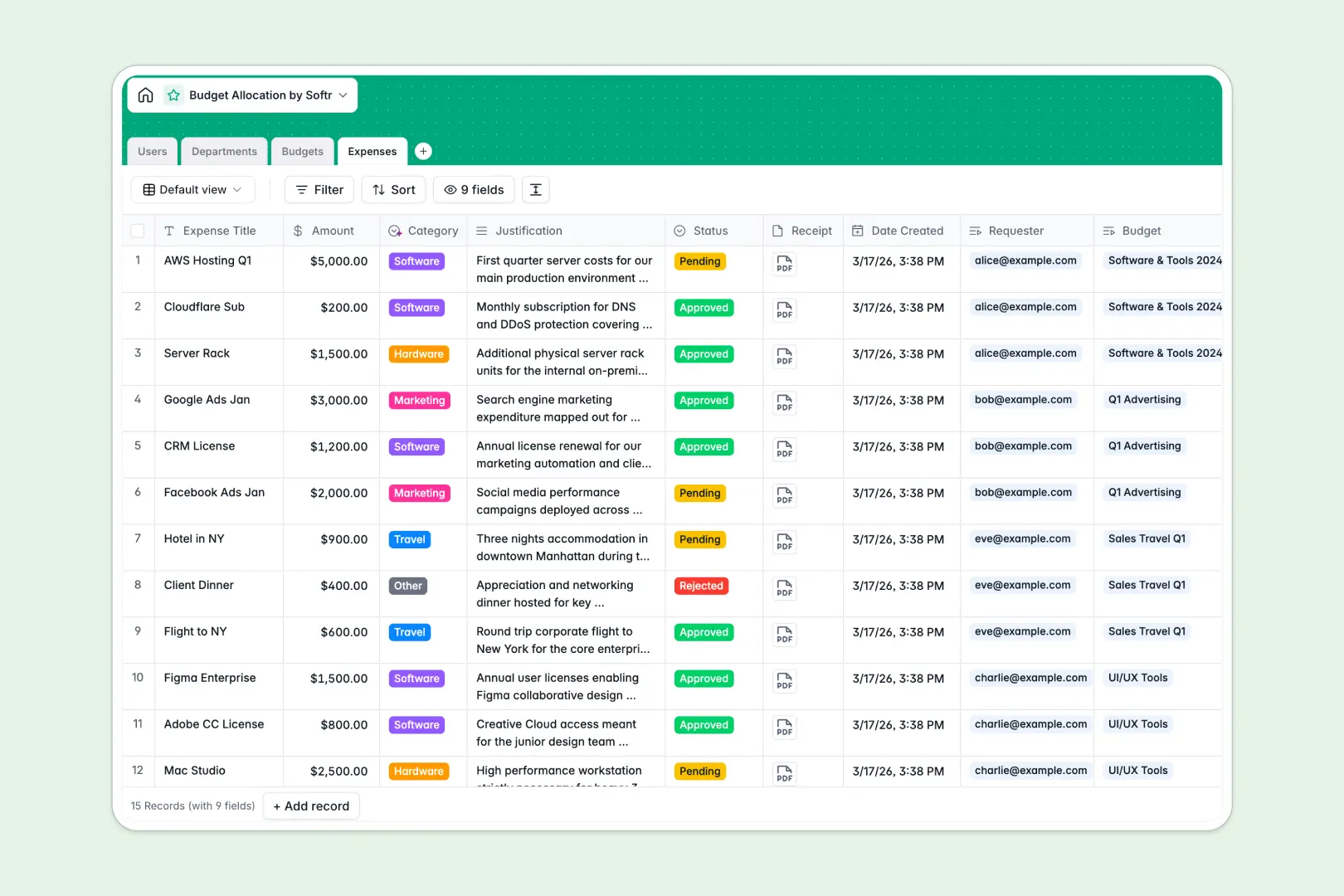
Your Budget Allocation database at a glance
This template gives your team complete visibility over organizational spend, from top-level department pools down to individual line-item requests. It replaces manual cross-checking with connected tables that calculate remaining balances automatically.
Four dedicated tables structure your financial data: Departments set broad caps, Budgets isolate project or team funds, Expenses log receipts and drawdowns, and Users define budget owners and requesters. Real-time rollups instantly aggregate total spending into connected budgets without manual formulas.
Built-in AI capabilities analyze budget health in plain language and automatically categorize expense justifications as submissions arrive.
Why isolated rows fail when expenses link to departments
A blank spreadsheet cannot enforce relationships between a purchase request, the budget container it draws against, and the department head who oversees it. Rows get disconnected, formulas break when team members insert rows, and currency totals require continuous manual reconciliation.
What a structured database changes
In a structured setup, every table has a clear purpose and linked records keep everything connected. When an employee logs an expense, it links directly to a specific budget, updating the remaining balance and department totals instantly.
Typed columns ensure currency amounts stay numeric, receipt files stay attached to their records, and approval statuses remain consistent. This is exactly what Softr Databases are designed for, giving you a reliable financial backbone without fragile spreadsheet links.
What you can do with this template
You can immediately monitor live financial health across all departments, track pending versus approved receipts, and see remaining balances per project. Automated rollups calculate spent amounts so budget owners always know their exact financial runway.
With native Database AI agents, the database categorizes incoming expenses into buckets like Software or Travel and drafts real-time budget health summaries automatically.
-
Users
Manage user profiles, organizational roles, and budget permissions
-
Departments
Track company units with budget rollups and AI strategic objectives
-
Budgets
Monitor fund allocations, balances, and AI health summaries
-
Expenses
Track spending requests and receipts with AI category classification
Who is this Budget Allocation database for
This database helps teams eliminate financial blind spots and maintain accountability across all operational spend.
- Finance Directors: Maintain live oversight of departmental allocations and roll up organization-wide expenses without manual audits.
- Department Heads: Monitor team spending against approved limits and review incoming expense requests in one place.
- Project Managers: Track dedicated project budgets, manage vendor costs, and avoid unexpected cost overruns.
- Operations Teams: Standardize expense submission workflows and keep receipts attached directly to line items.
How to take it further
1. Customize the database
Adapt the database structure to your company's fiscal rules in seconds. You can add custom expense categories, set up multi-currency fields, or include custom approval stages for high-value purchases.
2. Import your existing data
Bring in existing department allocations and historical spend records instantly via CSV import. If your team relies on external accounting software, use the API to sync live ledger data straight into your tables.
3. Build a full app around it
When you are ready, you can use the AI app generator to generate a complete internal portal on top of this database with one prompt. Create tailored portals where department heads approve expenses, employees submit receipts via mobile forms, and finance admins view executive dashboards.
By configuring granular users and permissions, you ensure requesters only view their own submissions while department managers only access the budgets they oversee.
-
1
-
2
-
3
-
4
Frequently asked questions
-
What is a budget allocation database?
-
Why use a no-code database to build a budget allocation tool?
-
How can AI help managing data for budget allocation?
-
Can I build an app with this budget allocation database?
-
Is this Budget Allocation database free?
-
How does this database calculate remaining budget amounts?
Start building today. It's free!
Build and launch your first app in under 30 minutes.