


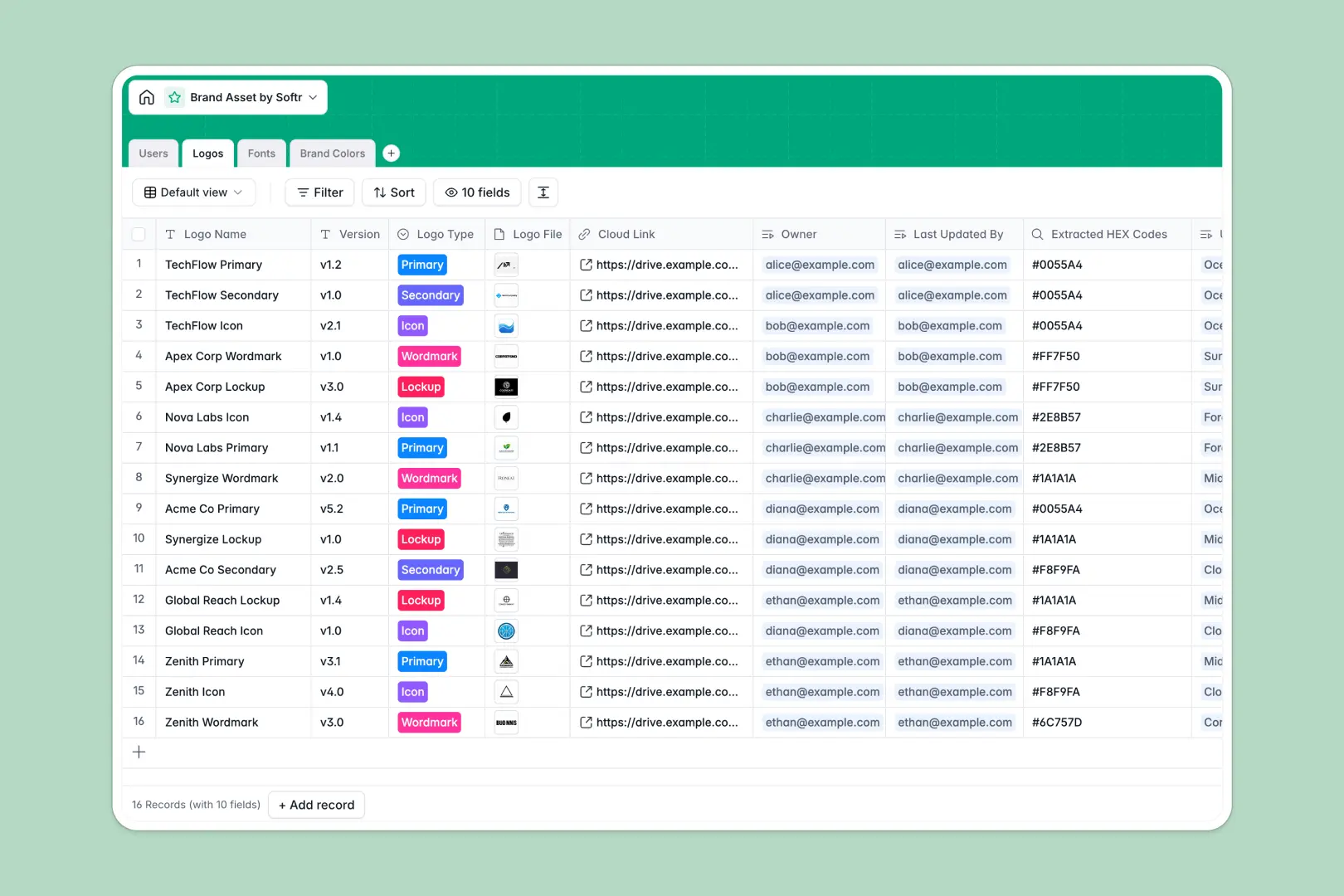
Your Brand Asset database at a glance
Centralize all brand guidelines, official visual files, and style specifications in a single structured workspace. This template gives design and marketing teams instant clarity on verified assets so everyone uses the right versions.
Everything connects logically across dedicated tables for Logos, Fonts, Brand Colors, and Users. Linking specific fonts and hex codes directly to logo records ensures design consistency across channels without digging through disparate cloud folders.
Built-in AI fields automatically pull typographic classifications from the web and generate complementary color schemes based on your raw HEX values.
Why a folder of logo files breaks down as teams grow
Shared drives and loose lists quickly turn into a maze of outdated vectors, untracked color codes, and missing font files.
What a structured database changes
In a structured setup, file attachments, exact HEX values, and version notes sit in strict, typed fields rather than disorganized notes.
Tables link directly to one another. When a designer opens a specific logo mark, they immediately see its approved color pairings and typography rules without searching separate guideline decks. This is exactly what Softr Databases are designed for.
What you can do with this template
Keep track of logo iterations, lockups, and ownership across every designer and reviewer on your team.
Native Database AI agents research font history and suggest harmonious color palettes automatically, keeping your brand kit thorough and up to date.
-
Users
Manage brand designers and reviewers with asset ownership and role permissions
-
Logos
Catalog logo variations, file attachments, versions, and typography mappings
-
Fonts
Organize typography files, weights, and generate font insights using AI
-
Brand Colors
Store color palette codes and generate smart pairing suggestions using AI
Who is this Brand Asset database for
This template gives creative, marketing, and operational teams a single source of truth for visual identity.
- Design leads: Maintain version control over official logomarks and standardize approved typography.
- Brand managers: Ensure partner agencies and internal teams reference exact HEX, RGB, and CMYK codes.
- Marketing teams: Access approved vector files, social icons, and visual assets without asking designers.
- Agencies: Hand off organized visual systems and complete brand guidelines cleanly to clients.
How to take it further
Customize the database to match your exact brand guidelines. Add custom select fields for asset licensing terms, embed social banner specs, or create additional tables for brand photography and slide templates directly in your native Softr workspace.
Import your existing data in minutes. Upload asset inventories and color records via CSV or connect an automated API sync to integrate your existing design workflows seamlessly.
Build a full app around it whenever you are ready. Use the AI app generator to turn this database into a branded client portal or internal digital asset management system with one prompt. Custom users and permissions let you give external contractors view-only download access while reserving edit rights for internal lead designers.
-
1
-
2
-
3
-
4
Frequently asked questions
-
What is a brand asset database?
-
Why use a no-code database to build a brand asset system?
-
How can AI help managing data for brand assets?
-
Can I build an app with this brand asset database?
-
Is this Brand Asset template free?
-
Can I store high-resolution vector and font files in this database?
Start building today. It's free!
Build and launch your first app in under 30 minutes.