


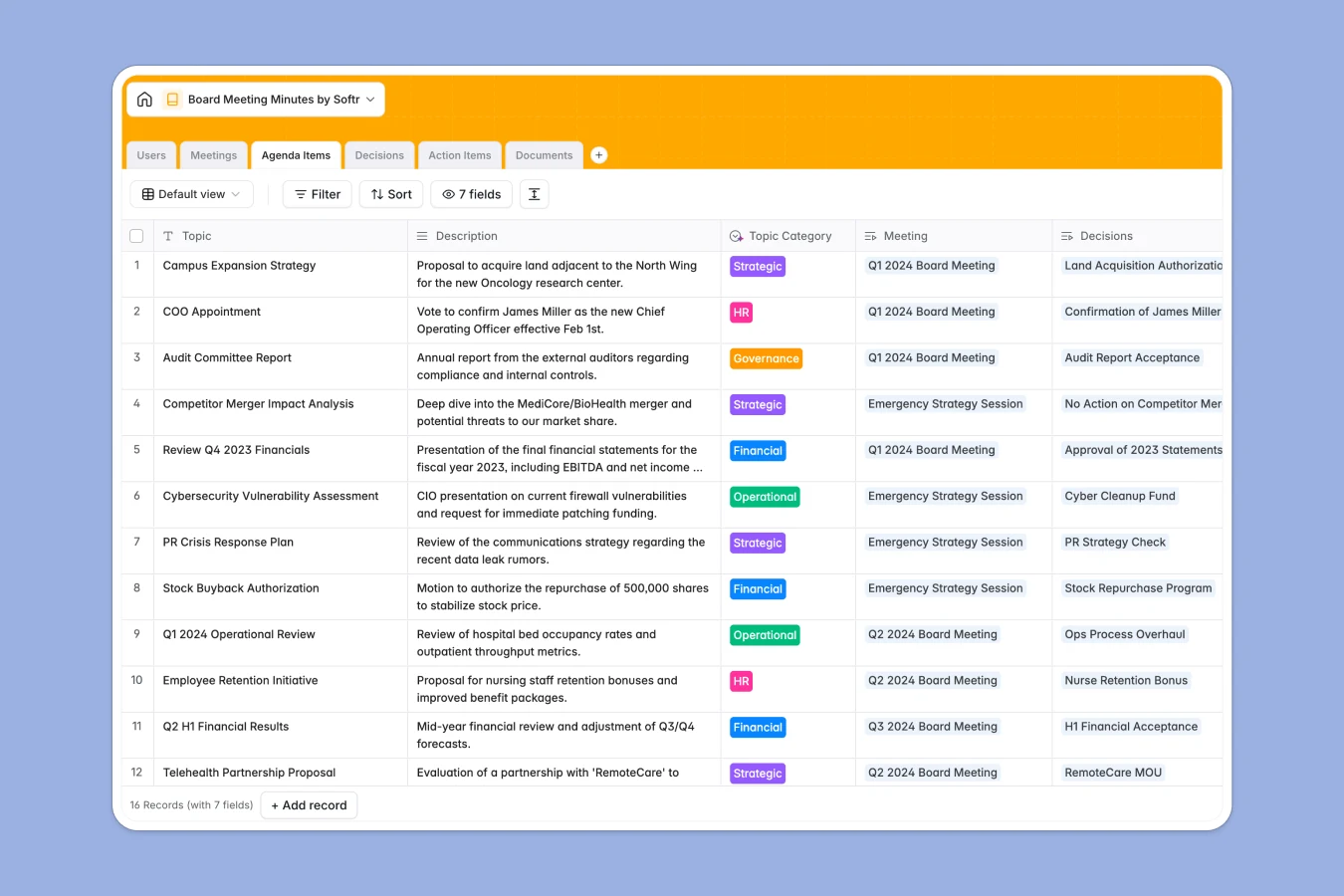
Your Board Meeting Minutes database at a glance
This template provides a secure, structured way to document corporate governance. It moves beyond simple text documents by linking every decision, action item, and document back to specific meetings and agenda items for full accountability.
The system is built on connected tables for Meetings, Agenda Items, and Decisions. When you record a vote or assign a task, it automatically links to the relevant board member and meeting date, creating an audit-ready trail without manual cross-referencing.
Built-in AI features automate the tedious parts of record-keeping. The system can instantly generate formal legal wording for resolutions, summarize raw notes into executive summaries, and categorize agenda topics automatically.
Why managing board minutes in spreadsheets breaks down
Most boards rely on a mix of disjointed Word documents, emails, and spreadsheets to manage governance. This makes it nearly impossible to look back and quickly find "all decisions made regarding budget" or "all open action items for the CEO" without opening dozens of files.
What a structured database changes
A database enforces relationships between your data. Instead of typing a name into a cell, you select a board member from your directory, ensuring that tasks and attendance records are always accurate. Documents are stored directly alongside the meeting context, not lost in email threads.
This structure ensures long-term compliance and easy retrieval of information. This is exactly what Softr Databases are designed for—keeping complex business relationships clean, connected, and scalable.
What you can do with this template
You can maintain a pristine minute book where every resolution is formally tracked. Attach board packs and financial reports directly to the relevant agenda items so members have context right where they need it.
With Database AI agents, you can standardize your records effortlessly. The template includes agents that turn rough notes into professional minutes and draft precise legal phrasing for approved resolutions automatically.
-
Users
Manage board members and staff with contact details and AI-sourced professional bios
-
Meetings
Schedule sessions and generate formal board minute summaries using AI-powered analysis
-
Agenda Items
Organize discussion topics with AI-automated classification into strategic and governance categories
-
Decisions
Log resolutions and use AI to generate precise formal legal phrasing for corporate records
-
Action Items
Track meeting tasks with assignees and AI-generated concise titles based on descriptions
-
Documents
Centralize board packs and financial reports linked to specific meeting sessions
Who is this Board Meeting Minutes database for
This template is designed for organizations that need strict governance and clear record-keeping:
- Corporate Secretaries: Ensure all statutory requirements are met and resolutions are accurately worded and stored.
- Non-Profit Boards: Track volunteer attendance, committee decisions, and historical actions in one accessible location.
- Startup Founders: Keep investors and advisors aligned with structured updates and transparent decision logs.
- Executive Assistants: Streamline the preparation of board packs and the distribution of follow-up tasks.
How to take it further
Customize the database
Every board operates differently. You might want to add a "Committee" field to the Users table or include a "Proxy Vote" option in the Decisions table. Since this is a native Softr Database, adding these fields takes just a few clicks.
Import your historical records
Don't leave your history behind. You can import past meeting logs and member directories via CSV to create a single source of truth for your organization's entire governance history from day one.
Build a secure Board Portal
When you are ready to give members direct access, use the interface builder to create a private portal. You can set granular users and permissions so that board members can view board packs and upcoming agendas, while only the Secretary can edit the official minutes.
-
1
-
2
-
3
-
4
Frequently asked questions
-
What is a board meeting minutes database?
-
Why use a no-code database to build a governance tool?
-
How can AI help managing data for board meetings?
-
Can I build a private app with this database?
-
Is this template free?
-
How is this different from using Google Docs or Word?
Start building today. It's free!
Build and launch your first app in under 30 minutes.