


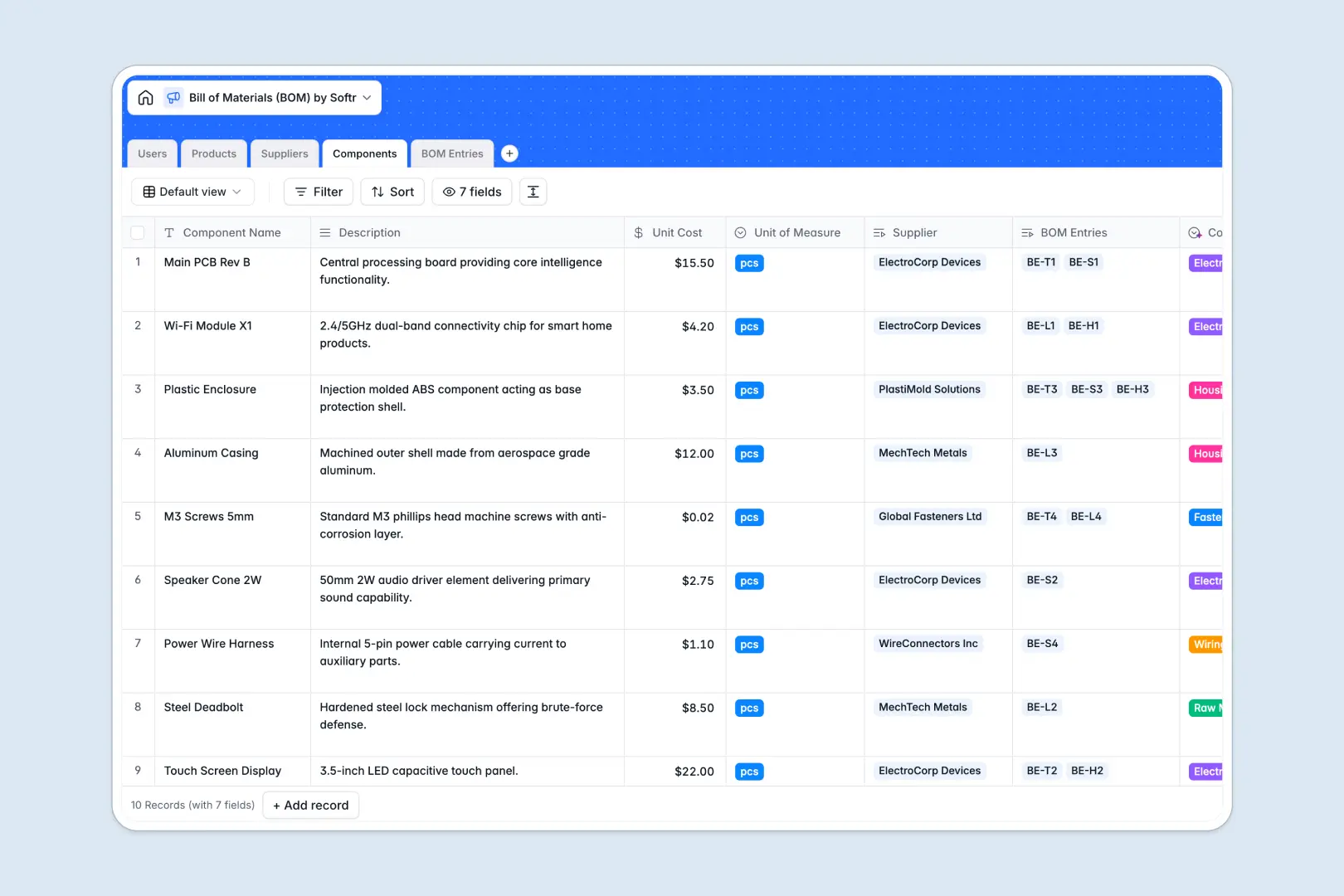
Your Bill of Materials database at a glance
This template gives manufacturing and operations teams a structured way to track assemblies, parts, costs, and vendors. It organizes your entire bill of materials hierarchy so you can calculate accurate unit economics and eliminate supply chain bottlenecks.
Everything connects logically across dedicated tables. Products connect to individual Components through BOM Entries, allowing exact quantity tracking, unit cost lookups, and automated rollup calculations of total product costs alongside managed Suppliers.
Native AI features handle repetitive data entry automatically. The database summarizes material requirements, classifies component categories based on technical descriptions, and enriches vendor profiles by analyzing supplier websites.
Why assemblies break when managed in disconnected tabs
Managing complex assemblies with raw spreadsheets inevitably leads to mismatched part numbers, broken cost formulas, and outdated vendor pricing across different versions.
What a structured database changes
A relational system enforces strict data types for currencies, part numbers, and quantities. Every component exists as a single source of truth, so updating a vendor price once updates every product assembly referencing that part.
Instead of brittle lookup formulas that break when columns move, native relationships connect products directly to required materials. This is exactly what Softr Databases are designed for: giving you full relational integrity while keeping data simple to maintain.
What you can do with this template
Calculate accurate production costs automatically by rolling up component costs across custom quantities and units of measure. You can link each part directly to primary suppliers and monitor lead times or tier ratings in real time.
With built-in Database AI agents, you can extract vendor details directly from their URLs and auto-categorize raw components into standardized buckets as soon as they are added.
-
Users
System users including product managers, supply chain managers, and engineers
-
Products
Finished goods and assemblies featuring AI generation for product marketing copy
-
Suppliers
Vendors supplying raw materials with AI automated web research and background info
-
Components
Raw materials and parts utilizing AI classification to assign item categories
-
BOM Entries
Junction records detailing component quantities with AI material summaries
Who is this Bill of Materials database for
This template is designed for teams building physical products who need accurate cost tracking and part traceability:
- Hardware Product Managers: Track total product cost rollups, manage component lifecycles, and plan launch schedules accurately.
- Supply Chain Managers: Organize vendor ratings, maintain direct supplier links, and monitor component sourcing streams.
- Manufacturing Engineers: Structure multi-part assemblies, define units of measure, and ensure clean production specs.
- Operations Leads: Keep real-time visibility over inventory costs without managing disjointed file copies.
How to take it further
You can adapt this template immediately to match your manufacturing process. Add custom fields for lead times, minimum order quantities, CAD attachments, or compliance statuses directly in the visual editor.
Import your existing part catalogs and vendor records in seconds using CSV bulk uploads, or set up API connections to sync data continuously from external ERP or inventory systems.
When your team is ready, turn this database into a full business tool. Using the AI app generator, you can describe the interface you need in a single prompt to automatically create custom dashboards, vendor portals, and production portals. Set granular users and permissions so engineers, procurement leads, and external suppliers see and edit only the records relevant to them.
-
1
-
2
-
3
-
4
Frequently asked questions
-
What is a bill of materials database?
-
Why use a no-code database to build a bill of materials tool?
-
How can AI help managing data for bill of materials?
-
Can I build an app with this bill of materials database?
-
Is this Bill of Materials database free?
Start building today. It's free!
Build and launch your first app in under 30 minutes.