


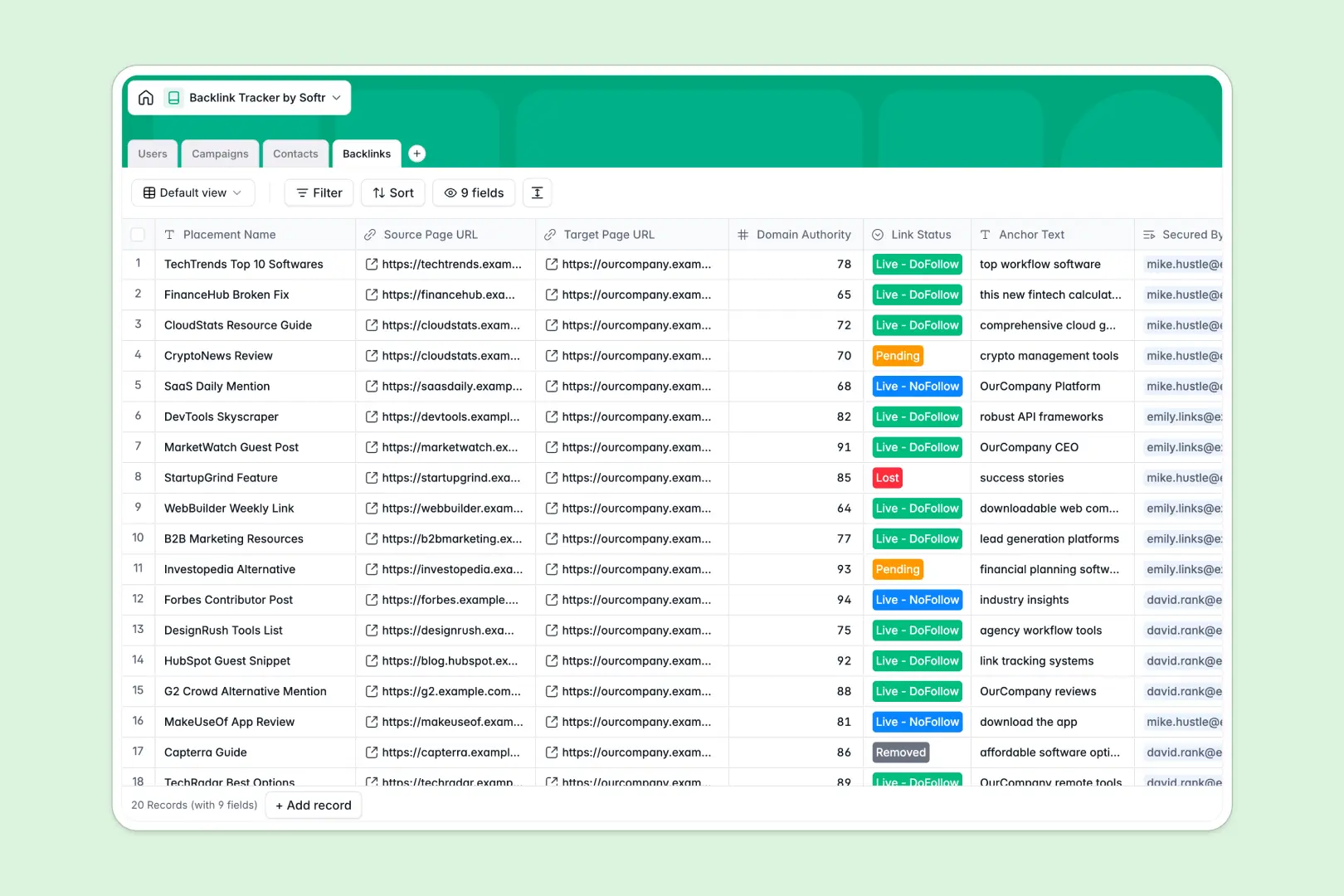
Your Backlink Tracker database at a glance
This template gives your team a centralized system to organize link-building campaigns, manage publisher contacts, and monitor active placements without manual spreadsheet clutter.
It connects four dedicated tables: Campaigns, Contacts, Backlinks, and Users. Linking records lets you instantly trace every live URL back to the exact outreach contact and high-level campaign that secured it.
Built-in AI fields automatically research domain metrics across the live web and draft personalized outreach emails directly inside your contact pipeline.
When a shared sheet becomes an unreliable outreach backend
Google Sheets makes collaboration easy, but running an active link-building engine inside a shared workbook leads to broken lookup formulas, mixed status formats, and messy multi-tab tracking.
What a structured database changes
In a structured setup, every column enforces strict field types so URLs, contact emails, and link statuses never get corrupted. Tables link together natively, letting rollup fields calculate total links built per campaign without fragile formulas.
Instead of juggling messy rows, your team works with clean relational records that stay consistent as outreach scales. This is exactly what Softr Databases are designed for.
While you can connect an existing Google Sheet to Softr as an external data source, using a dedicated native database gives your SEO team a more robust foundation.
What you can do with this template
Keep high-level SEO targets organized in Campaigns, log prospect details in Contacts, and track anchor text, domain authority, and do-follow status in Backlinks.
With native Database AI agents, you can automatically browse the web to fetch company descriptions and organic metrics for any website domain, then generate tailored pitch drafts instantly.
-
Users
Manage SEO team members, roles, campaign assignments, and performance
-
Campaigns
Coordinate high-level link building initiatives and track total links built
-
Contacts
Track webmasters with AI domain enrichment and automated AI outreach drafts
-
Backlinks
Monitor secured backlinks, domain authority, anchor texts, and link status
Who is this Backlink Tracker database for
This database helps marketing teams and link builders streamline outreach pipelines and monitor placement health.
- SEO Managers: Track high-level campaign velocity, monitor link status changes, and measure team output across active initiatives.
- Outreach Specialists: Manage publisher contacts, generate customized email pitches with AI, and record communication stages clearly.
- Digital Agencies: Organize backlink acquisition workflows across multiple client campaigns with clean ownership tracking.
How to take it further
Customize your database layout in seconds. You can add new fields for link placement costs, customize outreach status options, or adjust domain authority metrics directly in the visual editor.
Import your existing outreach data using CSV uploads or connect via API to sync link discoveries directly from your favorite SEO crawlers.
When your team is ready, generate an app with AI on top of this database in a single prompt. Softr creates custom interfaces, automated workflows, and granular users and permissions so outreach specialists only see their assigned contacts while managers oversee all campaigns.
-
1
-
2
-
3
-
4
Frequently asked questions
-
What is a backlink tracker database?
-
Why use a no-code database to build a backlink tracking tool?
-
How can AI help managing data for backlink tracking?
-
Can I build an app with this backlink tracker database?
-
Is this Backlink Tracker database free?
-
How is this database different from tracking backlinks in Google Sheets?
Start building today. It's free!
Build and launch your first app in under 30 minutes.