


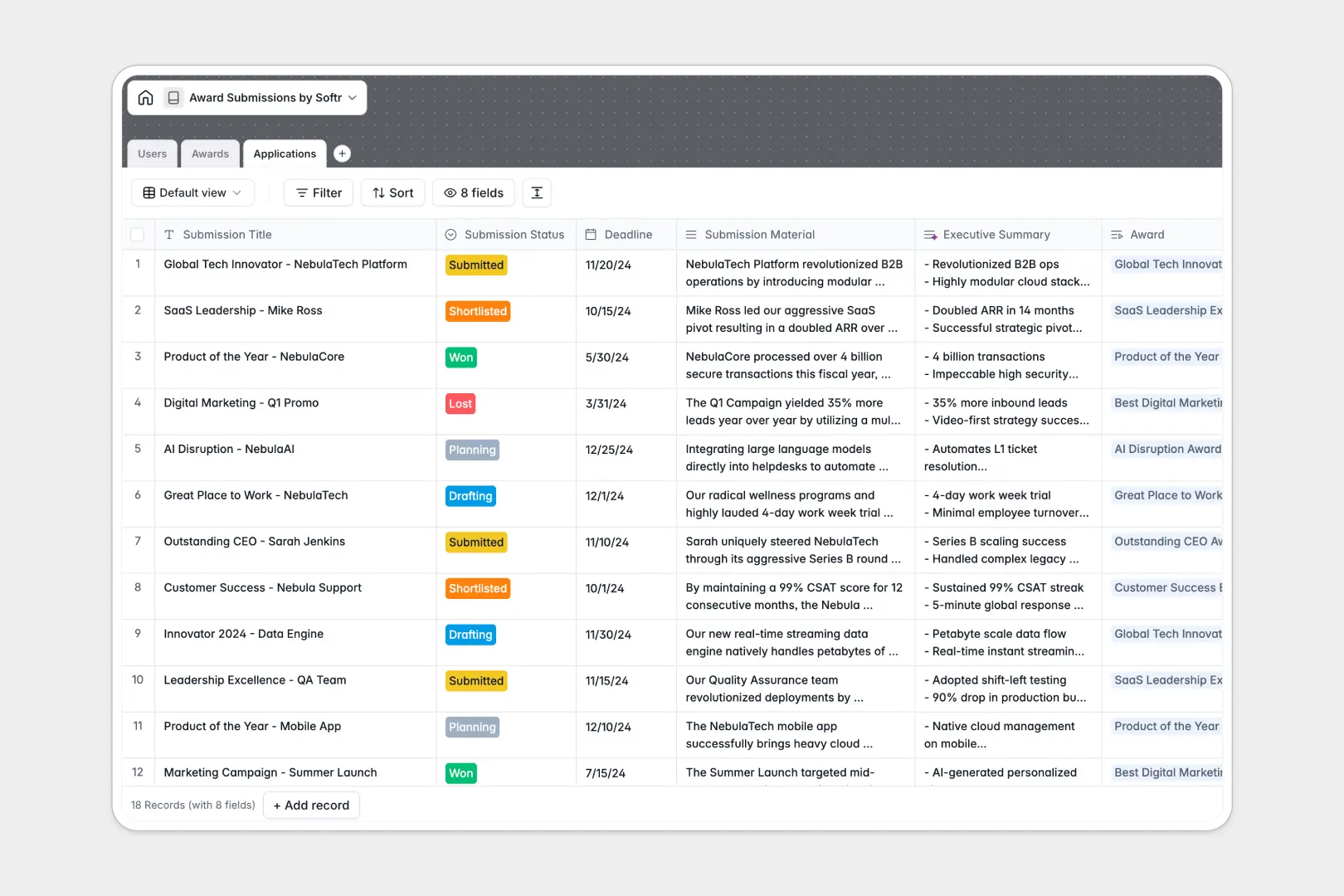
Your Award Submissions Database at a glance
This template gives you a centralized hub to track every award opportunity, applicant, and submission status. It eliminates scattered documents by keeping all your nomination materials, deadlines, and requirements natively organized.
The system uses three connected tables that securely link your internal team members to specific industry awards and their distinct applications. You can instantly see who is working on which submission without copying and pasting data across different views.
Built-in AI automatically handles the heavy lifting for your research and review workflows. It continually searches the web to summarize organizing bodies, while auto-generating helpful executive summaries of lengthy submission materials.
Why managing award submissions in spreadsheets breaks down
Tracking nomination deadlines, documents, and multiple applicants across shared spreadsheets quickly turns into a chaotic mess. Critical files get detached, status updates are missed, and version control becomes completely unmanageable.
What a structured database changes
A true database enforces clean organization so your lists scale perfectly as new opportunities arise. Submission materials stay safely attached to their specific records, while deadline dates remain strictly formatted.
Because tables are natively connected, you assign users to awards with a simple click instead of writing fragile formulas. This intuitive, structured approach is exactly what Softr Databases are designed for.
What you can do with this template
You can immediately monitor submissions from initial planning to the final shortlist, seeing exactly where each application stands. The relational structure lets you group multiple distinct applications under a single industry award effortlessly.
You can also leverage database AI agents to eliminate hands-off busywork entirely. The system automatically pulls award criteria from the live web and generates concise three-bullet summaries of submission materials for quick management review.
-
Users
Manage internal team members with roles and access to award submissions
-
Awards
List industry awards with AI-generated criteria and organizer insights
-
Applications
Track submission status and deadlines with AI-powered executive summaries
Who is this Award Submissions database for
This clear structure helps teams coordinate complex application processes without losing important details.
- Applicants: Draft materials, securely attach supporting documents, and track individual deadlines safely.
- Managers: Review automatically generated summaries of submissions before delivering final approval.
- Admins: Maintain a core directory of industry awards and manage team roles centrally.
How to take it further
You can easily customize this database to fit your exact internal review workflow. Modify the submission status select options, add new industry categories, or adjust the AI prompts to extract different summary details.
Bring your current pipeline to life by importing existing data directly into the tables. Upload a CSV of your upcoming industry awards or sync your past applications via API to centralize historical context.
When your team is ready, you can seamlessly build a complete internal portal around this data. An intuitive interface lets you create dedicated views where applicants only see their own assigned submissions.
By setting up proper users and permissions, you securely ensure managers have approval rights while restricting edits to the core directory. Starting with a perfectly organized database makes deploying these functional apps incredibly simple.
-
1
-
2
-
3
-
4
Frequently asked questions
-
What is an award submissions database?
-
Why use a no-code database to build an award management tool?
-
How can AI help managing data for award submissions?
-
Can I build an app with an award submissions database?
-
Is this Award Submissions database free?
-
How is an award submissions database different from a spreadsheet?
Start building today. It's free!
Build and launch your first app in under 30 minutes.