


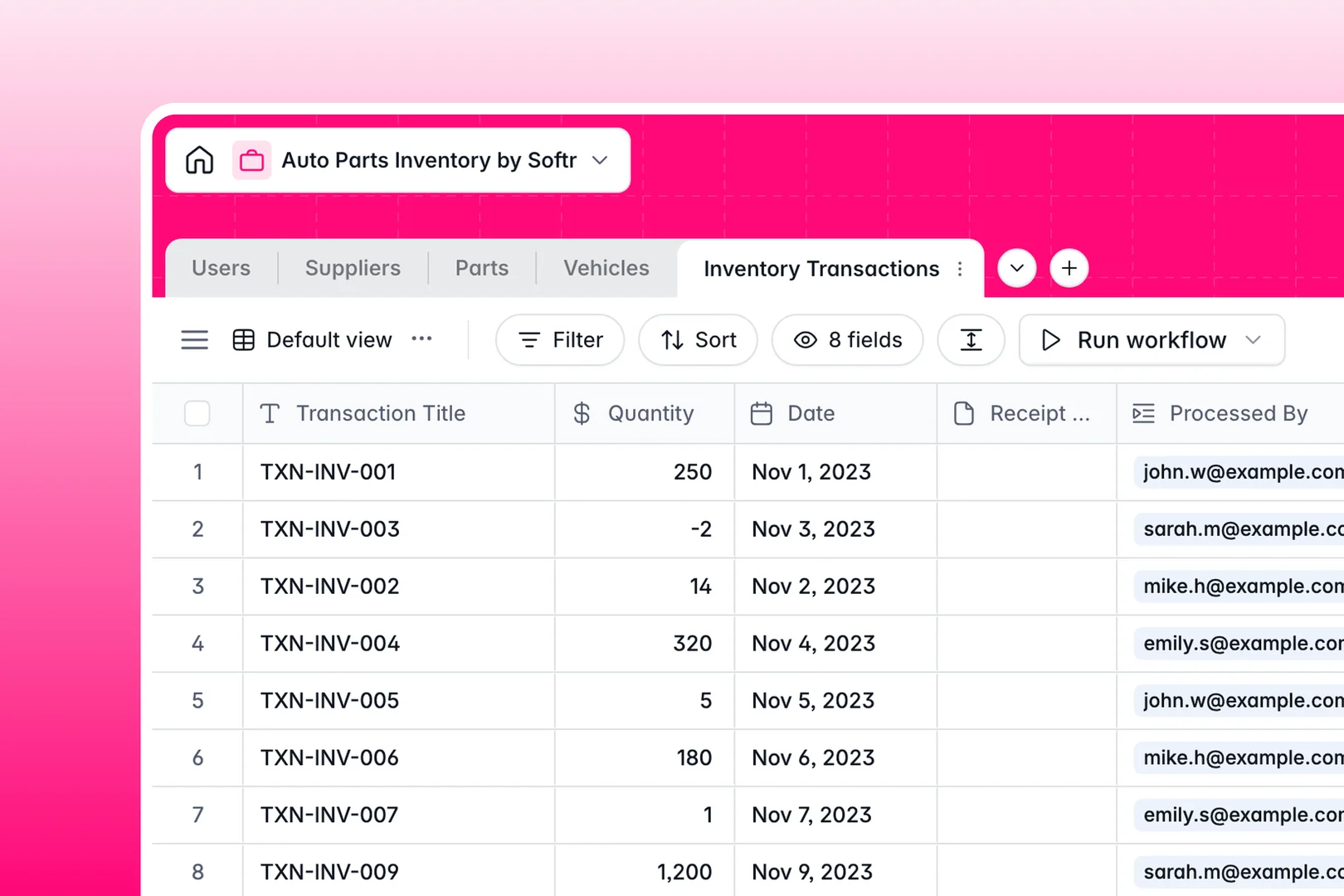
Your Auto Parts Inventory database at a glance
This template gives your team a clear, reliable system to manage automotive parts, stock adjustments, supplier profiles, and vehicle compatibility. You can eliminate stockouts, avoid ordering incorrect parts, and keep audit histories accurate.
Everything connects natively across structured tables: Parts link directly to Vehicles, Suppliers, and Inventory Transactions. Staff members in the Users table can log stock changes, which automatically reference the correct SKU and supplier details.
Built-in AI fields auto-generate part descriptions, summarize transaction logs, and fetch supplier background information using web search to keep your catalog detailed and current.
Why fragmented spreadsheets fail auto parts tracking
Managing auto parts in standard spreadsheets quickly leads to mismatched SKUs, broken lookup formulas, and expensive inventory mistakes.
What a structured database changes
In a traditional sheet, compatibility data and stock logs are easily overwritten, and static text fields do not enforce data integrity. Dates can lose formatting, and tracking which part fits which make and model requires messy duplicate entries.
A relational database keeps each entity separate: parts stay in one table, vehicle models in another, and transactions in a dedicated ledger. This is exactly what Softr Databases are designed for: giving you typed columns, real record relationships, and clean data that scales.
What you can do with this template
With this database, you can look up any part and immediately see its unit price, minimum stock threshold, compatible vehicles, and historical stock movements in one view.
Using built-in Database AI agents, you can automatically research vendor websites to enrich supplier profiles and generate consistent product descriptions whenever a new SKU is added.
-
Users
Manage warehouse staff members with assigned roles and activity logs
-
Suppliers
Organize part vendors with AI-generated company profiles and histories
-
Parts
Track auto part inventory, stock levels, pricing, and AI descriptions
-
Vehicles
Catalog vehicle models and compatibility with AI-extracted specs
-
Inventory Transactions
Log warehouse stock movements with AI-generated ledger summary digests
Who is this Auto Parts Inventory database for
This database is built for automotive businesses that need structured inventory tracking without complex software overhead.
- Auto repair shops: Match replacement parts to customer vehicle models quickly and avoid ordering delays.
- Parts distributors: Maintain accurate SKU catalogs, monitor minimum stock thresholds, and track supplier terms.
- Warehouse managers: Log stock-in and stock-out transactions with receipt attachments and clear staff accountability.
- Fleet maintenance teams: Keep essential maintenance components, fluids, and wear items stocked reliably.
How to take it further
1. Customize the database
Adapt the database to your exact workflow in seconds. Add custom fields for bin locations, update part categories, or modify supplier types to fit your specific inventory operation.
2. Import your existing data
Bring your existing stock records into the database immediately using CSV uploads, or use the API to sync transaction entries from your point-of-sale systems.
3. Build a full app around it
When you are ready, you can generate an app with AI on top of this database with a single prompt. Softr creates custom interfaces, interactive stock forms, and role-based users and permissions so warehouse technicians only see their transaction logs while managers access supplier contracts and cost reports.
-
1
-
2
-
3
-
4
Frequently asked questions
-
What is an auto parts inventory database?
-
Why use a no-code database to build an auto parts inventory tool?
-
How can AI help managing data for auto parts inventory?
-
Can I build an app with this auto parts inventory database?
-
Is this Auto Parts Inventory database free?
-
How do I import existing parts catalogs into this template?
Start building today. It's free!
Build and launch your first app in under 30 minutes.