


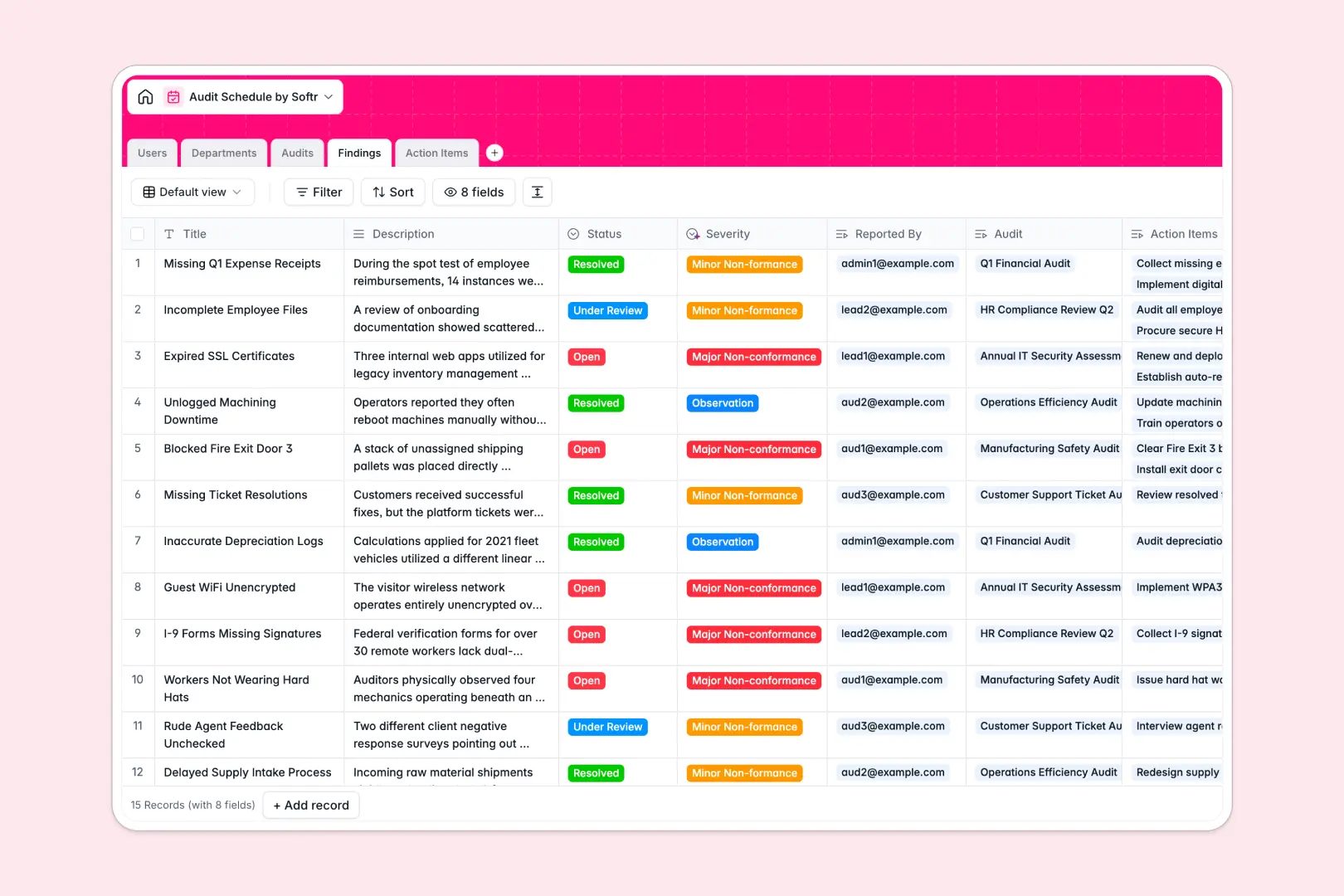
Your Audit Schedule database at a glance
This template gives compliance and quality teams a single hub to plan audit timelines, assign auditor teams, and track corrective actions to resolution.
It connects five dedicated tables: Audits, Departments, Users, Findings, and Action Items. When an auditor logs a finding, it links straight to the specific audit and department, auto-calculating total issues and generating remediation tasks.
Built-in AI fields draft audit summaries from raw execution details and evaluate finding descriptions to categorize risk severity instantly.
Moving past disconnected compliance rows and unlinked findings
Tracking compliance across static rows often leads to untracked non-conformances and broken deadlines when findings are separated from corrective tasks.
What a structured database changes
A structured database enforces clean relationships across your compliance operations. Auditors, departments, findings, and due dates stay strictly typed instead of mixing unstructured notes into loose cells.
Linking a corrective action directly to an audit finding ensures accountability without duplicating information across tabs. This is exactly what Softr Databases are designed for, giving you reliable relational tracking that scales with every compliance cycle.
What you can do with this template
Plan internal reviews, assign lead auditors, and monitor audit statuses from scheduled to closed. Track open findings alongside remediation tasks to guarantee resolution before regulatory deadlines.
Native Database AI agents automatically analyze finding notes to classify severity as minor or major non-conformances, while also writing comprehensive audit summaries.
-
Users
Manage auditor profiles, staff assignments, department roles, and schedules
-
Departments
Track business units and generate AI web-informed overview summaries
-
Audits
Schedule audit events and auto-generate AI execution summaries from findings
-
Findings
Log audit non-conformances with AI classification of issue severity
-
Action Items
Assign remediation tasks, track due dates, and monitor corrective progress
Who is this Audit Schedule database for
This template is tailored for compliance professionals and operational leaders managing structured review processes:
- Quality Assurance Managers: Maintain ISO and regulatory compliance schedules while tracking non-conformances in one place.
- Internal Audit Teams: Coordinate lead auditors, structure multi-department reviews, and manage remediation timelines.
- Department Heads: Monitor open findings, review assigned corrective action items, and ensure timely resolution.
- Operations Leads: Standardize audit logging across business units with automated severity categorization.
How to take it further
Customize the database
Adjust the schema to fit your auditing framework in seconds. Add custom audit scopes, modify severity categories, or add file attachment fields for evidence and sign-off documentation.
Import your existing data
Bring in past audit logs, department lists, and employee directories quickly via CSV import. You can also sync live compliance records programmatically using the database API.
Build a full app around it
Turn your database into a dedicated auditor portal and employee action tracker. Use Softr's AI app generator to generate client interfaces, forms, and workflows in one prompt.
Set up custom users and permissions so lead auditors can edit schedules and findings while department assignees only see and update their specific action items.
-
1
-
2
-
3
-
4
Frequently asked questions
-
What is an audit schedule database?
-
Why use a no-code database to build an audit schedule tool?
-
How can AI help managing data for an audit schedule?
-
Can I build an app with an audit schedule database?
-
Is this Audit Schedule database free?
-
Can I import previous audit history into this database?
Start building today. It's free!
Build and launch your first app in under 30 minutes.