


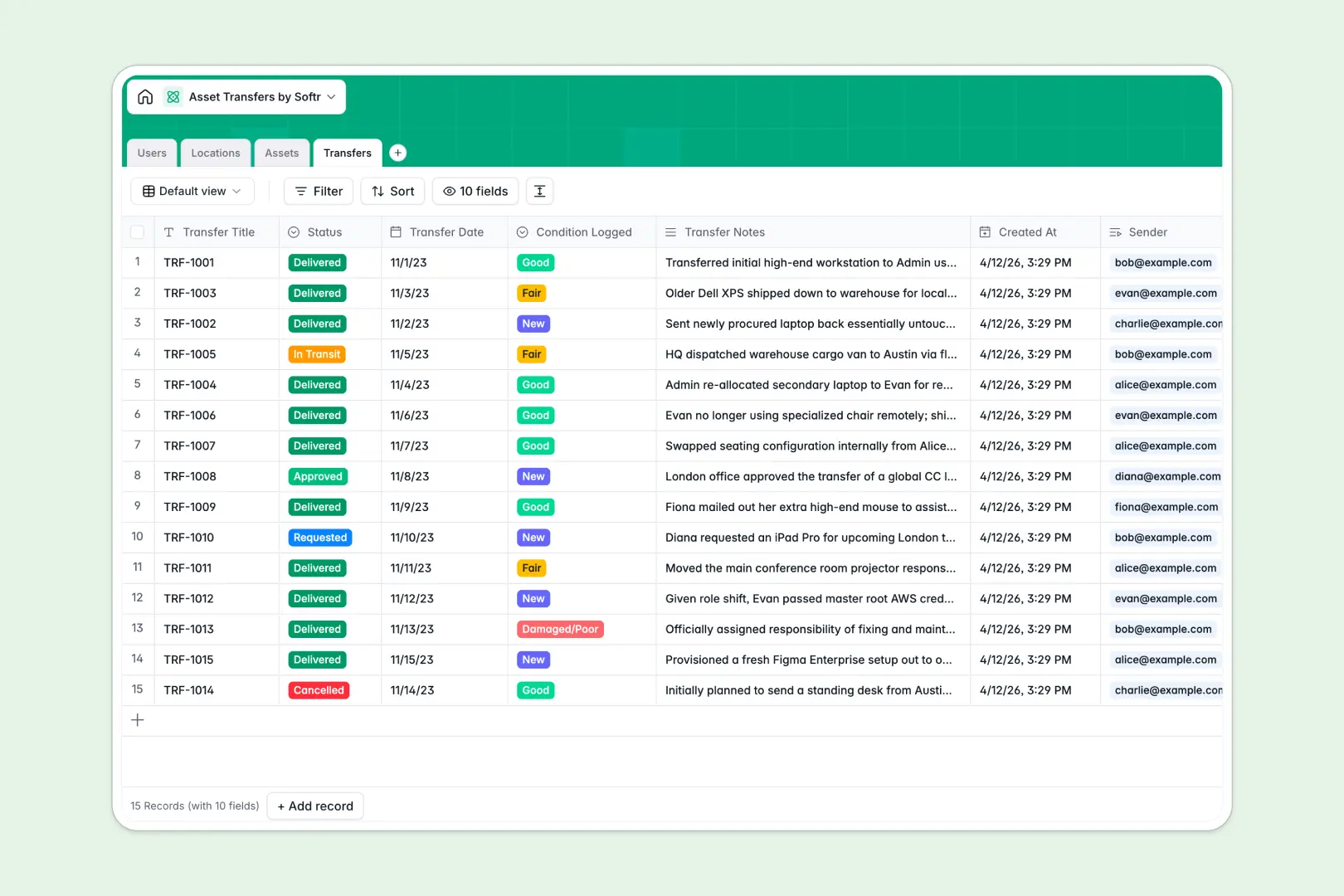
Your Asset Transfers database at a glance
This template gives you a centralized ledger to track physical company items as they move between employees and locations. It ensures you always know exactly who holds which device, its current condition, and its complete transfer history.
Structured tables for Users, Locations, and Assets are natively linked specifically to a Transfers ledger. This allows you to smoothly process handoffs, so when a laptop moves to a new office, both location and ownership tracking update seamlessly.
Built-in AI agents automatically generate detailed specification profiles for your equipment using live web searches. They also cleanly summarize long transfer logs so managers can review the context of movements rapidly.
Why managing asset transfers in spreadsheets breaks down
Tracking hardware across multiple offices using a spreadsheet quickly becomes a nightmare of broken cell references and mismanaged data. As devices change hands frequently, keeping track of who holds what requires dangerous copy-pasting that inevitably leads to lost equipment.
What a structured database changes
A proper database enforces strict data types so locations, user emails, and asset categories stay perfectly formatted as you scale. You can link a formal transfer request directly to the sender, receiver, and asset without dealing with fragile VLOOKUPs.
This clean, relational structure ensures your inventory history is always accurate and never breaks. This is exactly what Softr Databases are designed for.
What you can do with this template
Instantly log new hardware requests, track statuses during transit, and monitor condition logs as equipment changes hands. Every single movement is documented deeply, establishing unshakeable accountability across your organization.
With Database AI agents, the system performs tedious admin work for you. It effortlessly researches technical specifications for newly logged assets and pulls concise summaries from lengthy transit notes in real time.
-
Users
Manage organization members with contact details, roles, and location mapping
-
Locations
Track physical office spaces and departments where company assets are stored
-
Assets
Inventory company items with AI-powered specification profiles and value tracking
-
Transfers
Log asset movements with status updates and AI-generated event summaries
Who is this Asset Transfers database for
This template provides rapid visibility for any team managing physical hardware, devices, or fleet assignments.
- IT Departments: Monitor laptop distributions, log hardware condition changes, and process upgrades seamlessly.
- Office Managers: Track furniture and peripheral movements between physical locations or individual workstations.
- Operations Teams: Manage vehicle or heavy equipment handoffs between field employees safely.
How to take it further
You can easily customize this database to mirror your operational needs by tweaking select fields like asset categories or transfer status limits. Because this works intuitively, adding new columns for serial numbers or purchase dates takes only seconds.
Upload your existing CSV files to populate the tables immediately. Mapping your historical hardware data directly into this structure lets you align your fleet tracking under a single source of truth without downtime.
When you are ready, you can transform this ledger into a fully functional internal tool using an interface builder. Create an employee portal where staff can independently request new hardware from their phone or report damaged equipment. By configuring users and permissions, you can ensure general employees only see their assigned devices while IT administrators command the entire organizational fleet. Starting with a cleanly structured database makes deploying these advanced internal tools incredibly straightforward.
-
1
-
2
-
3
-
4
Frequently asked questions
-
What is an asset transfers database?
-
Why use a no-code database to build an asset tracking system?
-
How can AI help managing data for asset transfers?
-
Can I build an app with an asset transfers database?
-
Is this Asset Transfers database free?
-
How is an asset database different from spreadsheets like Google Sheets?
Start building today. It's free!
Build and launch your first app in under 30 minutes.