


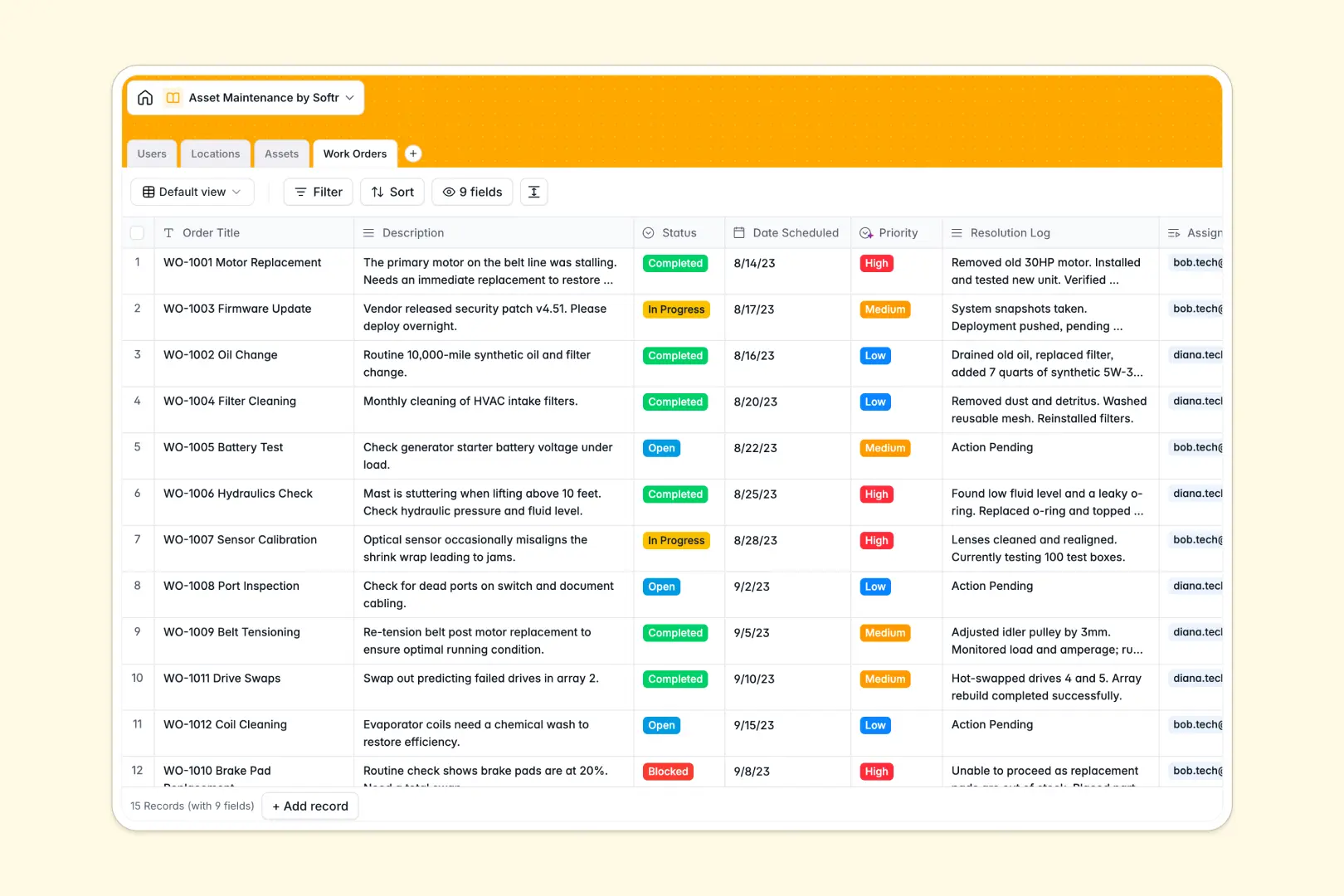
Your Asset Maintenance database at a glance
This template gives operations and facility teams a structured way to track equipment health, manage repair schedules, and keep maintenance logs up to date.
It connects four dedicated tables: Assets, Locations, Work Orders, and Users. Linking machinery directly to physical sites and assigned technicians ensures every repair history stays tied to the right machine without duplicate entries.
Built-in AI fields classify work order priority from task descriptions automatically and summarize technician resolution logs into clean bullet points upon completion.
Why blank spreadsheets fail to keep machinery running
When maintenance operations live in static spreadsheets, equipment logs quickly become disconnected from technician schedules, leading to missed service intervals and costly downtime.
What a structured database changes
In a flat spreadsheet, tracking a repair requires re-entering the machine name, location, and assigned technician across multiple rows, creating endless opportunities for typos and broken records.
A dedicated database uses typed columns and relational links to connect records permanently. When a technician updates a work order, that record automatically links to the asset profile and the physical facility history without manual copy-pasting.
This is exactly what Softr Databases are designed for, giving you a reliable backend where data integrity remains intact as your inventory grows.
What you can do with this template
You can track asset lifecycles across categories like HVAC, IT equipment, and vehicles while assigning work orders directly to specific team members.
With Database AI agents, your records maintain themselves by auto-generating asset profiles, enriching facility location details, and triaging maintenance priority based on issue descriptions.
The database is ready to use immediately, allowing your team to log repairs and track equipment status in minutes.
-
Users
Manage technicians and managers with role assignments and work schedules
-
Locations
Track facility sites using AI and web search to enrich property details
-
Assets
Monitor equipment status, categories, and AI-generated asset profiles
-
Work Orders
Manage repair tasks with AI-based priority rating and completion summaries
Who is this Asset Maintenance database for
This database is built for teams responsible for keeping facilities, machinery, and physical operations running smoothly.
- Facility Managers: Oversee site infrastructure, track asset health across branches, and coordinate vendor repairs.
- Maintenance Technicians: Access assigned work orders, log resolution notes, and view equipment service histories.
- Operations Leads: Monitor asset downtime, prioritize urgent machinery repairs, and manage inventory lifecycles.
- Fleet & IT Coordinators: Keep track of vehicle servicing schedules and hardware maintenance in one system.
How to take it further
1. Customize the database
Adjust the schema to fit your operational workflows in seconds. Add custom fields for warranty expiration dates, modify asset category select options, or introduce new work order statuses like parts on order.
2. Import your existing data
Bring in your current equipment list via CSV import to instantly populate your inventory. You can also connect via API to sync machinery records from your existing inventory tools without manual data entry.
3. Build a full app around it
Turn this database into a complete maintenance portal whenever you are ready. Use the AI app generator to produce interfaces, technician mobile views, and workflows from a single prompt, then refine it visually.
With granular users and permissions, technicians can update only their assigned tasks on mobile while facility managers maintain full visibility over all locations and machinery.
-
1
-
2
-
3
-
4
Frequently asked questions
-
What is an asset maintenance database?
-
Why use a no-code database to build an asset maintenance tool?
-
How can AI help managing data for asset maintenance?
-
Can I build an app with this asset maintenance database?
-
Is this Asset Maintenance database template free?
-
How do I import existing equipment data into this template?
Start building today. It's free!
Build and launch your first app in under 30 minutes.