


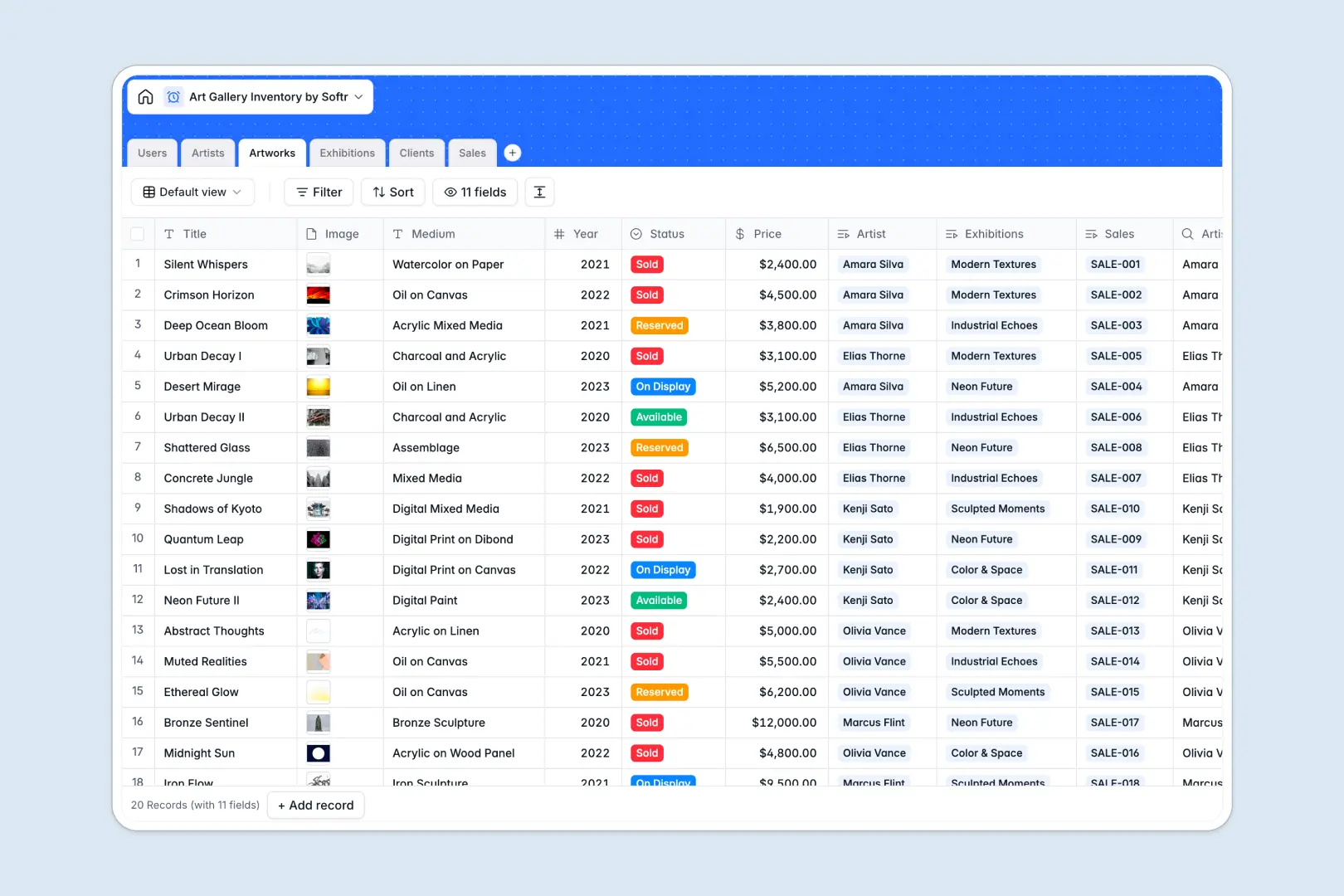
Your Art Gallery Inventory database at a glance
This template centralizes your entire gallery catalog, linking every piece of art to its creator, exhibition history, and collector transactions. It helps gallery teams maintain accurate pricing, track piece availability, and manage client relationships seamlessly.
Six dedicated tables: Artworks, Artists, Exhibitions, Clients, Sales, and Users, organize your operations into connected records. When a piece sells, the transaction links directly to the collector profile and updates total investment metrics automatically.
Built-in AI capabilities draft artistic blurbs for catalog entries, summarize exhibition pitches, and research artist biographies from live web profiles to save curation time.
When artwork status and collector history outgrow basic tables
A simple list can log a title and price, but it falls apart when you need to connect pieces to recurring exhibitions, track multiple editions, and log client purchasing history simultaneously.
What a structured database changes
In a structured database, every column enforces strict data types, ensuring high-resolution image attachments, precise currency fields, and structured status tags remain clean and reliable.
Native relationships allow you to link an artwork to an artist profile and a sales record without duplicate entries or broken formulas. Total artist works and collector lifetime spend calculate automatically through built-in rollups.
This is exactly what Softr Databases are designed for, giving you a structured foundation that adapts to complex gallery operations.
What you can do with this template
Update artwork availability across states like Available, Reserved, On Display, or Sold, ensuring your sales reps never double-book a piece. Connect client profiles to completed transactions to track patron purchase history at a glance.
Automate your cataloging with Database AI agents that generate promotional blurbs and compile professional artist biographies automatically as new works arrive.
-
Users
Manage gallery staff roles, assignments, curated shows, and sales activity
-
Artists
Track creators and portfolio metrics with AI-generated web-researched bios
Who is this Art Gallery Inventory database for
This database is built for commercial art spaces, independent curators, and collection managers needing structured cataloging.
- Gallery Directors: Maintain complete oversight of represented artists, high-value inventory, and aggregate sales revenue.
- Curators: Coordinate upcoming exhibitions, assign featured artworks, and draft compelling show descriptions.
- Sales Representatives: Check piece availability instantly, log client inquiries, and generate attached invoice records.
- Independent Artists: Manage personal portfolios, track piece locations across shows, and record direct collector sales.
How to take it further
Tailor the template by adding custom fields such as framing dimensions, consignment split rates, or storage warehouse locations. You can also adjust the status choices to match your specific consignment or acquisition workflows.
Bring in your historical catalog instantly using standard CSV uploads, or connect your existing inventory system via API to keep artwork listings synchronized across channels.
When you want to give staff and collectors dedicated portals, generate an app with AI on top of this database. Configure granular users and permissions so sales reps manage client lists while public visitors only view available artworks in a secure interface.
-
1
-
2
-
3
-
4
Frequently asked questions
-
What is an art gallery inventory database?
-
Why use a no-code database to build an art gallery inventory system?
-
How can AI help managing data for an art gallery inventory?
-
Can I build an app with an art gallery inventory database?
-
Is this Art Gallery Inventory database free?
-
Can I track consigned artworks and exhibition dates?
Start building today. It's free!
Build and launch your first app in under 30 minutes.