


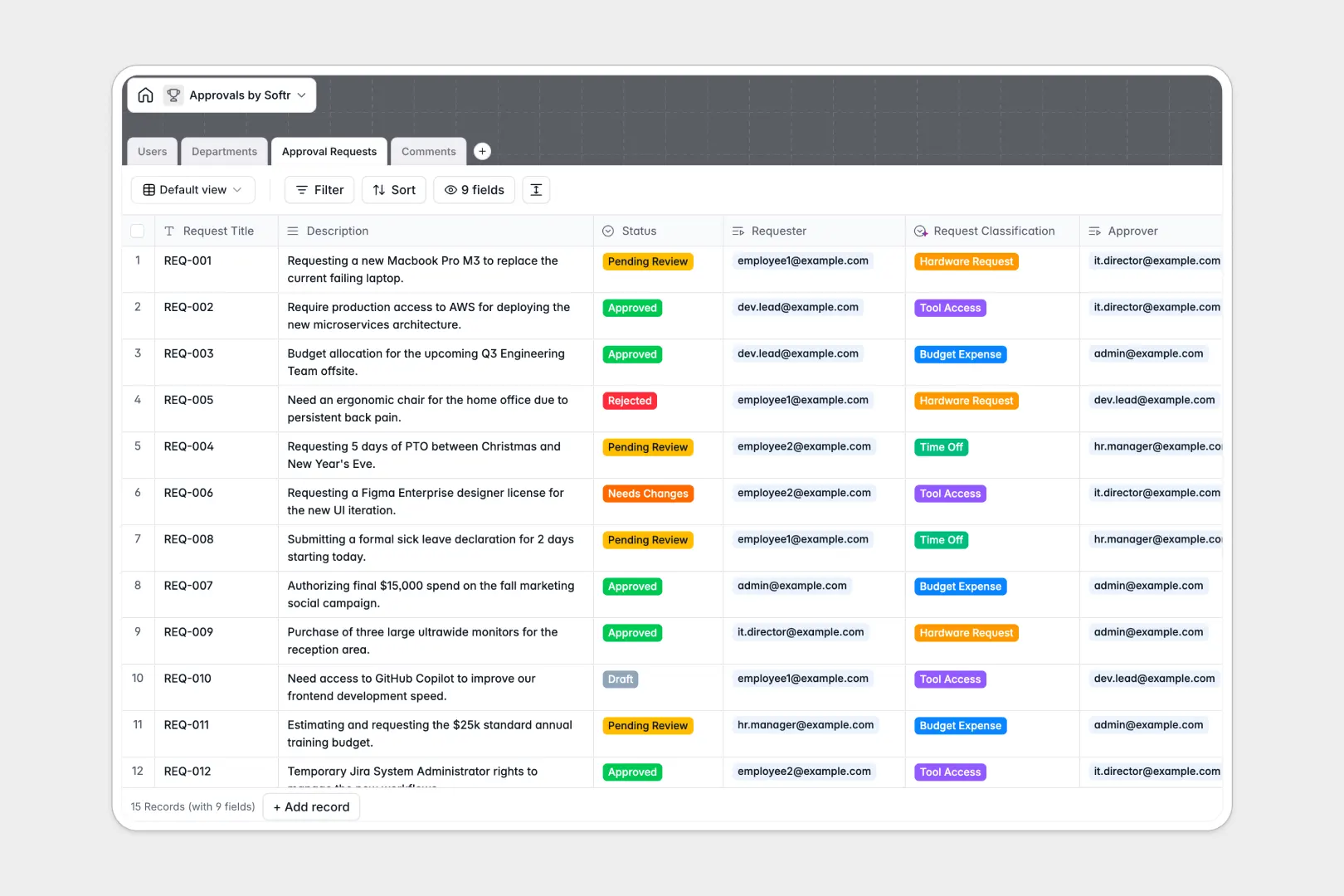
Your Approvals Database at a glance
This template gives you a centralized system to track, manage, and resolve every internal request. Stop chasing managers for sign-offs in chat logs and email threads.
It connects Approval Requests directly to Users, Departments, and an ongoing trail of Comments. Because it relies on relational tables, you always know exactly who requested what, who needs to approve it, and its current status.
Built-in AI instantly classifies incoming requests based on user descriptions and evaluates the sentiment of feedback comments, keeping your queue organized without manual triage.
Why managing approvals in spreadsheets breaks down
Tracking requests in spreadsheets usually ends in chaos. Rows get accidentally overwritten, status columns fall out of sync, and attaching feedback threads to a specific decision becomes impossible.
What a structured database changes
In a structured system, data types are strictly enforced so drop-downs stay consistent and relationships between items actually work. You can link a pending hardware request directly to the IT department without relying on broken VLOOKUPs.
This is exactly what Softr Databases are designed for. Every request, user, and department lives in its own table, but they connect seamlessly to give you a single source of truth.
What you can do with this template
You can immediately log requests, assign approvers, and track real-time statuses from "Draft" to "Approved." Department heads can efficiently view only the requests relevant to their teams.
Thanks to native Database AI agents, this template categorizes submissions on the fly. You simply describe what you need, and the system automatically tags it as an expense, time off, or hardware request.
-
Users
Manage individual profiles, system roles, and department assignments
-
Departments
Organize organizational units and track total approval volumes per group
-
Approval Requests
Track requests with AI classification based on descriptions and status
-
Comments
Log feedback and use AI to analyze sentiment of communication threads
Who is this Approvals Database for
This system is built for teams that need to standardize how requests are submitted, reviewed, and approved.
- Operations Managers: Centralize cross-team requests and eliminate bottlenecks in decision-making.
- IT Departments: Track hardware and software access requests linked directly to employee profiles.
- HR Teams: Standardize time-off approvals and keep a clean audit trail of manager sign-offs.
- Finance Leaders: Review, approve, or reject budget expenses with all justifications attached in one place.
How to take it further
You can customize this database in minutes to fit your exact workflows. Modify the status dropdowns, add new request classifications, or adjust the AI prompt to categorize items based on your specific company policies.
If you already have a backlog of pending requests, import them via CSV. Your historical approvals and active queue will map perfectly into the new relational structure.
When you are ready to scale, you can easily build an app on top of this structure. You could create an employee portal where staff naturally submit requests and a dedicated manager dashboard for reviewing them.
By utilizing native users and permissions, you can ensure employees only see their own requests while department heads see everything under their purview. Starting with a well-structured database makes building these secure, full-stack apps effortless.
-
1
-
2
-
3
-
4
Frequently asked questions
-
What is an approvals database?
-
Why use a no-code database to build an approvals system?
-
How can AI help managing data for approvals?
-
Can I build an app with this approvals database?
-
Is this Approvals Database free?
-
How does this differ from tracking approvals in spreadsheets?
Start building today. It's free!
Build and launch your first app in under 30 minutes.