


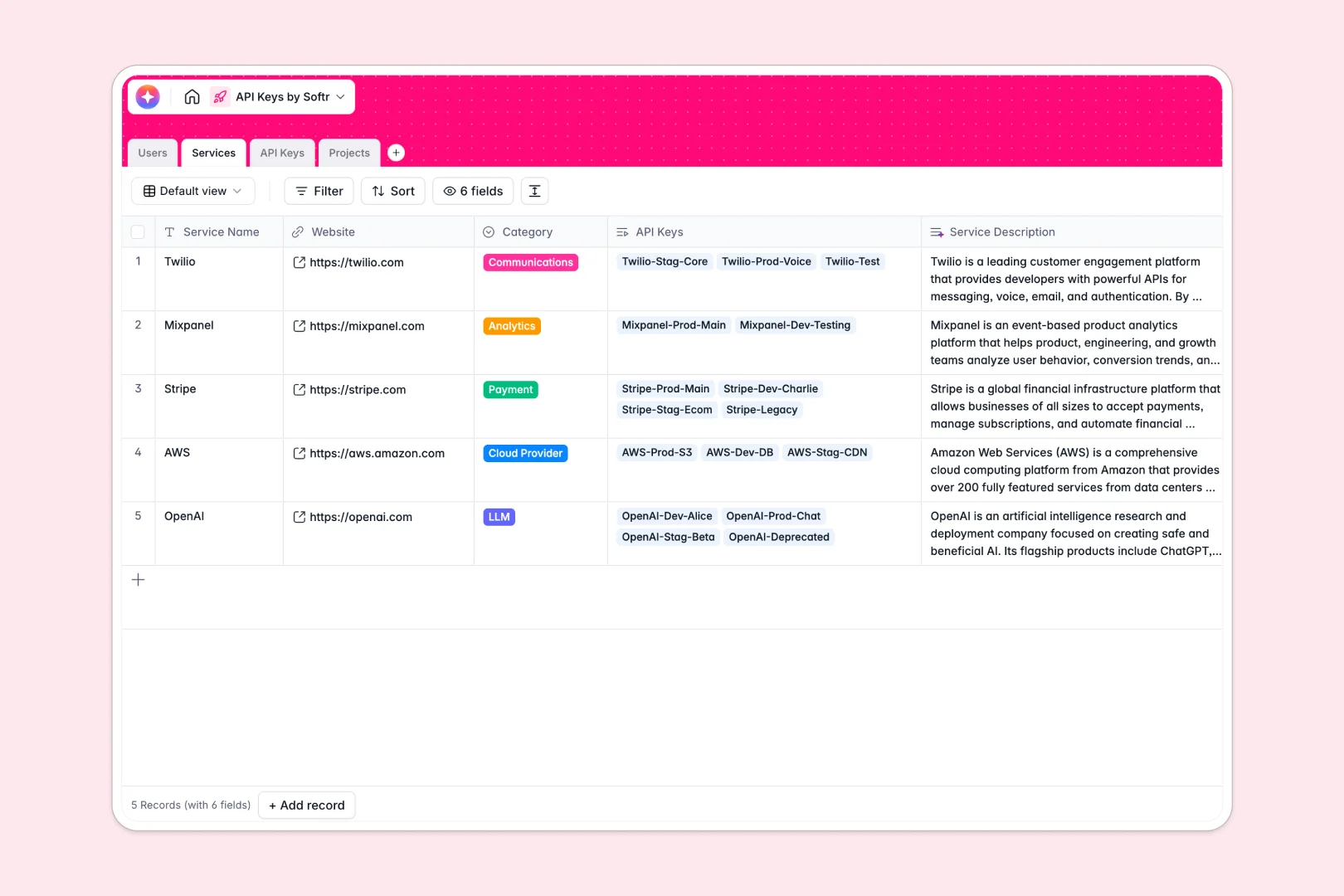
Your API Keys Database at a glance
Track, secure, and manage third-party credentials without the chaos of scattered notes. This template acts as your team's central repository to monitor active keys, environments, and expirations effortlessly.
It connects your Users, Services, and Projects to individual API keys natively. You can instantly see who is assigned to a specific key, what project it belongs to, and whether it's in Production or Staging without writing a single VLOOKUP.
Plus, built-in Database AI agents automatically summarize service providers via live web search. They also continuously classify the security risk of each key based on its active status and current environment.
Why managing API credentials in spreadsheets breaks down
When dev teams rely on spreadsheets to store sensitive keys, data gets fragmented quickly. Rows are accidentally deleted, and tying a token to the exact developer scaling it becomes a manual nightmare.
What a structured database changes
A proper database creates rigorous structure where every column serves a specific purpose. Expiration dates stay strictly formatted dates, access roles remain locked via drop-downs, and environments are cleanly segmented.
Instead of copying and pasting service details across rows, you establish one central record that links directly to multiple unique tokens. This is exactly what Softr Databases are designed for—giving you reliable infrastructure as your tech stack grows.
What you can do with this template
You can instantly log your LLM, payment, and cloud provider keys while linking them directly to the developers responsible.
The template automatically calculates total keys registered per service and assesses security risks on the fly. You get a ready-to-use, auditable system to prevent expiration outages and keep unauthorized users out.
-
Users
Manage team members with roles and track their linked API key usage
-
Services
List API providers with AI-generated summaries of their platforms
-
API Keys
Store secrets with AI security risk analysis based on environment context
-
Projects
Organize applications using AI to generate architectural blueprints
Who is this API Keys database for
This template provides immediate structure for teams wrestling with scattered platform integrations.
- Engineering Leads: Connect production keys to specific microservices while monitoring strict expiration timelines.
- IT Administrators: Maintain an auditable log of who holds access to sensitive cloud provider and payment gateway credentials.
- Project Managers: Bridge the gap between external platform subscriptions and internal application development effortlessly.
How to take it further
You can customize this database instantly by tweaking the environment fields or creating new categories for third-party APIs. Since it's a native database, renaming columns or adding new project links takes merely seconds.
Don't start from scratch—upload an existing CSV of your active tokens to immediately populate the tables. The database's intuitive structure will instantly format and align your legacy data perfectly.
When you're ready, seamlessly turn this data into a secure internal developer portal using Softr's interface builder. By applying strict users and permissions, you can ensure junior devs only see Staging keys while Admins control Production tokens. Ultimately, a well-structured database makes launching custom internal apps incredibly straightforward.
-
1
-
2
-
3
-
4
Frequently asked questions
-
What is an API keys database?
-
Why use a no-code database to build an API management tool?
-
How can AI help managing data for API keys?
-
Can I build an app with an API keys database?
-
Is this API Keys database free?
-
How is an API keys database different from Google Sheets?
Start building today. It's free!
Build and launch your first app in under 30 minutes.