


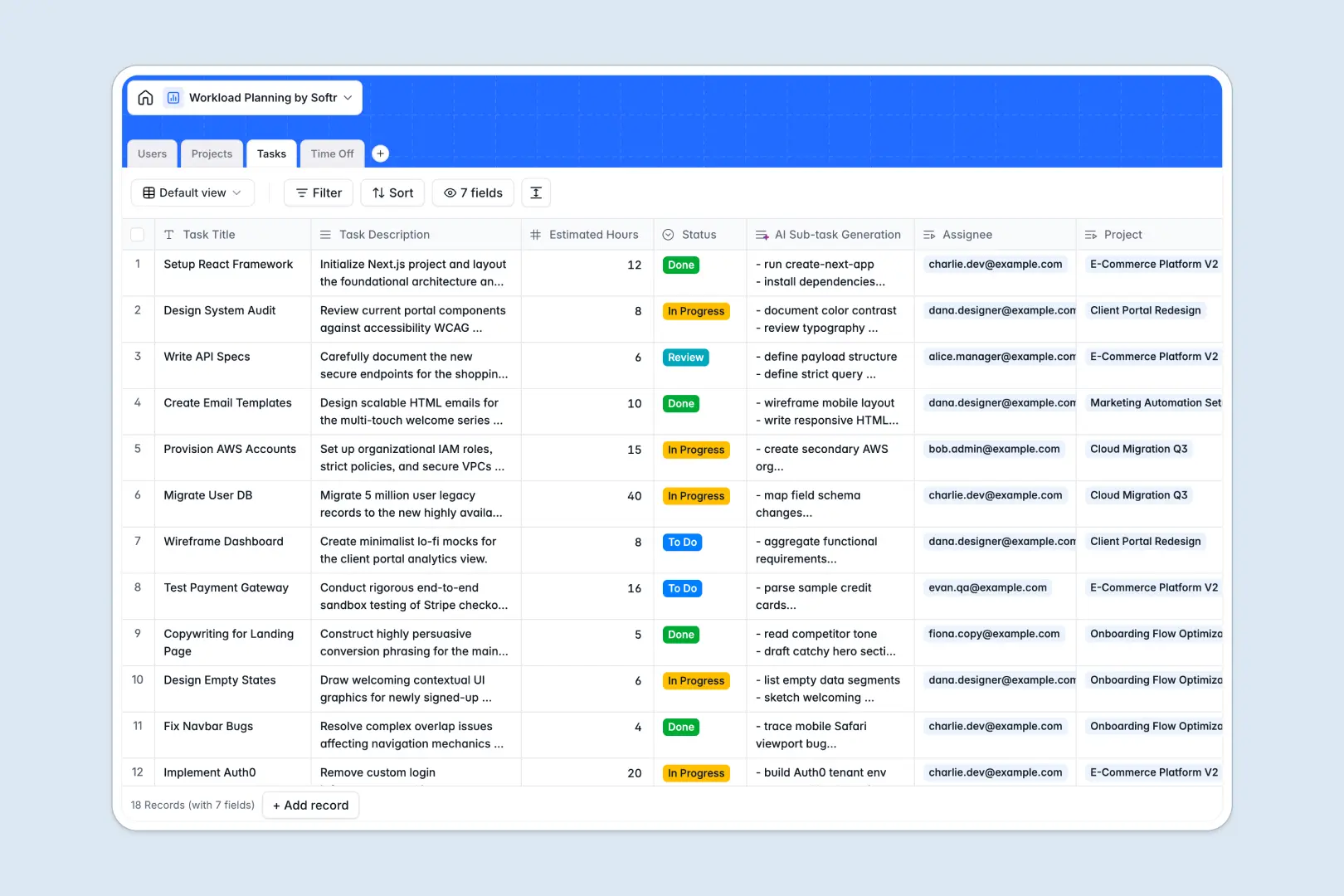
Your Workload Planning database at a glance
This template provides a clear structure to track team capacity, manage project phases, and coordinate individual tasks side-by-side. It eliminates the guesswork from resource scheduling by connecting how much time people actually have to the deliverables assigned to them.
Your database connects four main tables: Users, Projects, Tasks, and Time Off. Because these tables are natively related, you can see a team member's total assigned hours and their planned vacations in the same view that you use to assign work.
Built-in AI features help speed up project setup. The database can automatically generate risk assessments based on project briefs and instantly draft checklist sub-tasks for any new item.
Where workload planning outgrows Airtable
Many teams naturally start tracking projects and assignments in Airtable because they need relational database features like linked records and rollups instead of flat spreadsheets. But as your team actually starts using the system day-to-day, a few key friction points appear.
What changes with a database built for apps
Airtable functions great as an admin tool, but sharing it with your entire team quickly gets expensive due to per-seat pricing. The moment you need collaborators to view, edit, or update their own time-off requests or task statuses, your monthly costs jump.
This is exactly what Softr Databases are designed to solve. You get the same powerful relational foundations—like linking tasks to projects and aggregating total assigned hours—but with unlimited collaborators on all plans. You can share access with your entire department without worrying about per-seat licensing fees.
Gain control over your team workflow
With this template, you can track complex projects without hitting the ceiling. You can easily manage high-level initiatives, monitor estimated hours, and utilize built-in AI fields to automate repetitive administrative tasks.
Instead of paying for complex extensions or external automation tools to make your data manageable, you can run Database AI agents directly within your tables to draft task outlines and predict delivery risks dynamically.
-
Users
Manage team member profiles, roles, availability, and tasks assignment
-
Projects
Track initiatives with status overview and AI-generated project risk reviews
-
Tasks
Manage individual assignments with AI-powered sub-task generation features
-
Time Off
Log vacation days and sick leaves to calculate capacity and availability
Who is this Workload Planning database for
- Project Managers: Keep project timelines realistic by balancing your team’s real capacity against task estimates.
- Operations Leads: Track team availability and vacation requests in one unified workflow.
- Agency Founders: Monitor total assigned hours per team member to optimize resource allocation.
- Department Heads: Align multiple moving parts, from project briefs to daily checklists, without cluttering spreadsheets.
How to take it further
Customize your database structure
Modify selection values, add custom fields like skill tags, or adjust the status columns to map exactly to your project workflow. Since it’s a native Softr Database, structural updates take seconds.
Import your team's existing data
Avoid manual typing by uploading your current user directories, projects, or tasks directly using CSV import. You can also connect external systems via API to run automated syncs.
Build a full app around your workload planning
When your team is ready, you can elevate this database into a complete internal portal. Use the drag-and-drop interface builder to design a custom workspace.
You can set up granular access control so team members only see their assigned tasks and edit their own time-off requests, while managers retain bird's-eye visibility over all projects. Delivering an app on top of a well-structured database makes your daily operations simple.
-
1
-
2
-
3
-
4
Frequently asked questions
-
What is a workload planning database?
-
Why use a no-code database for workload planning?
-
How can AI help with managing workload planning?
-
Can I build an app with this workload planning database?
-
Is this workload planning template free to use?
-
How is this different from an Airtable template?
Start building today. It's free!
Build and launch your first app in under 30 minutes.