


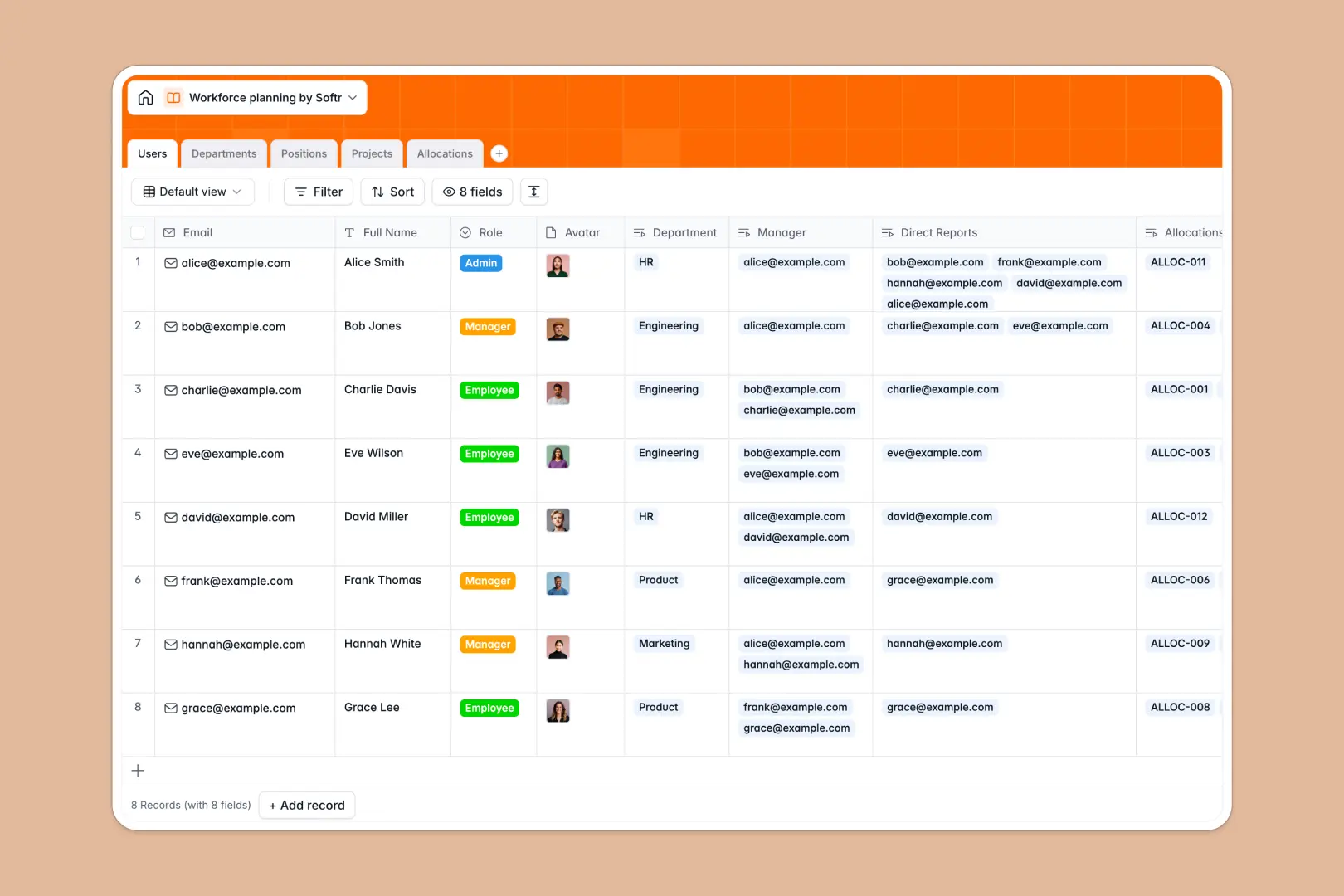
Your Workforce Planning Database at a glance
This template gives you complete control over your team’s headcount and project capacity. It connects team directories, cross-functional departments, and upcoming organizational hires to balance workloads without manual headache.
By linking employee directory records directly to project allocations, you instantly see who is over-allocated, which departments need more headcount, and how to distribute project roles strategically.
With built-in AI fields, this database automatically generates job descriptions for new roles and synthesizes complex project scopes to keep your planning and hiring pipelines moving.
What to check before building your workforce planning base in Airtable
When organizing headcount, project schedules, and sensitive salary ranges, choosing the right platform determines how easily your team actually collaborates.
While databases are the right tool for tracking headcount growth instead of fragile spreadsheets, modeling teams in Airtable often brings hidden friction.
What changes with a database built for apps
Managing department structures should not get expensive as your organization grows. Airtable’s pricing model bills you for every collaborator who needs edit access, fast scaling up your software bills.
With Softr Databases, you get unlimited collaborators on all plans. You can share your resource planning, project assignments, and hiring tracking with department heads and project managers without worrying about spiraling monthly costs.
Additionally, you get higher scale ceilings and faster API performance natively, proving a more resilient option as your headcount grows into thousands of records.
What you can do with this template
This database provides five connected tables covering Users, Departments, Positions, Projects, and Allocations. It helps you manage staffing capacity percentages while calculating automatic rolls for employee counts per department.
Using native Database AI agents, this template automatically drafts professional job descriptions when you add a planned role or generates executive summaries from live project scope details. This keeps your recruiting and production workflows aligned automatically.
-
Users
Track current employees with their respective roles, details and reports
-
Departments
Manage business units with employee counts and AI-generated mandate summaries
-
Positions
Plan hiring pipelines with target dates and AI-generated job descriptions
-
Projects
Manage company initiatives using AI executive summaries and resource mapping
-
Allocations
Track staff capacity assignment limits and timelines per project
Who is this Workforce Planning Database for
- Operations Leaders: Model headcount requirements, track actual project allocation percentages, and predict future hiring needs.
- HR & People Partners: Keep track of reporting structures and use AI to automatically generate draft descriptions for open roles.
- Project & Delivery Managers: Allocate team capacity to active initiatives to prevent burnout and spot staffing bottlenecks early.
How to take it further
Customize the database
Adjusting this template only takes a few seconds. You can edit the dropdown choices for hiring statuses (like planned or approved), append customized salary range columns, or update employee roles to match your unique org structure.
Import your existing data
Instead of starting from zero, import your active employee roster and project spreadsheet in a few clicks using CSV uploads or secure API connections to quickly populate your database structure.
Build a full app around it
When your team expands, don't force managers to browse raw database tables. Use the AI app generator to generate a secure application context on top of this exact planning data in minutes.
By leveraging granular users and permissions, you can build custom portals where managers view their direct reports, staff request project transfers, and internal recruiters update open headcount statuses without risking sensitive employee files.
-
1
-
2
-
3
-
4
Frequently asked questions
-
What is a workforce planning database?
-
Why use a no-code database to build a workforce planning system?
-
How can AI help managing data for workforce planning?
-
Can I build an app with this workforce planning database?
-
Is this workforce planning template free?
-
How is this workforce template different from an Airtable template?
Start building today. It's free!
Build and launch your first app in under 30 minutes.