


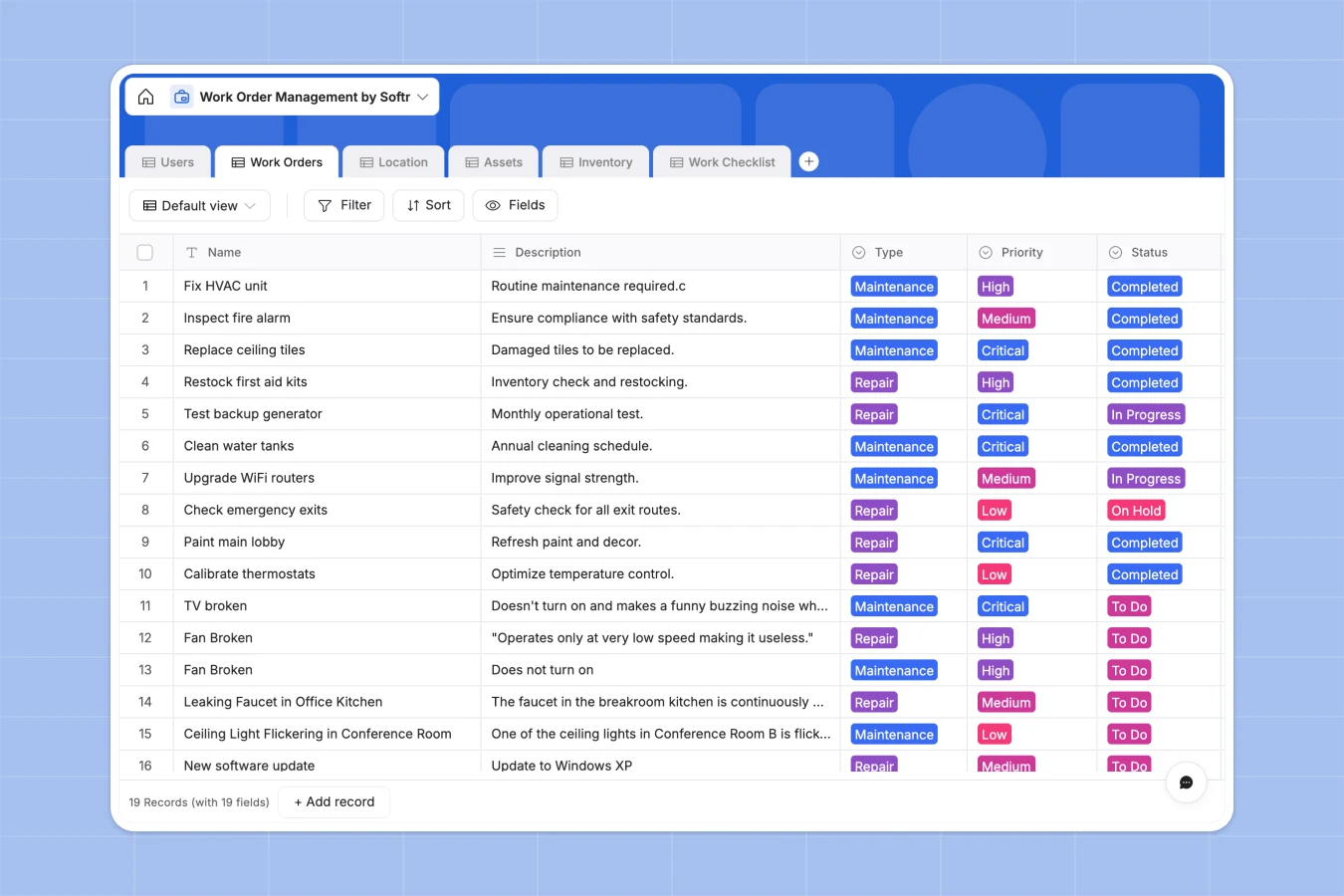
Your Work Order Management database at a glance
Take complete control of your maintenance requests, equipment directories, and spare parts stock without complex setups. This template simplifies how teams receive requests, assign tasks to technicians, and log real-time maintenance updates.
Your work orders connect natively to dedicated tables for Locations, Assets, and Inventory. This relational design ensures that scheduling a repair instantly ties the task to the exact room location, the technician's checklist, and the specific replacement hardware used.
What to check before building your work order management base in Airtable
Airtable is an incredibly capable relational tool, and you are entirely right to want a relational database over a messy spreadsheet. However, managing work orders across a moving team of managers and field technicians brings specific bottlenecks on that platform.
What changes with a database built for apps
While Airtable handles data relations beautifully, sharing your system with multiple on-the-field technicians and operators gets expensive fast because of per-seat collaborator pricing. Softr Databases solve this pressure by including unlimited collaborators on all plans so your deskless team can update their tasks without multiplying your software bill.
Additionally, field technicians rarely want to navigate spreadsheet grids on their mobile screens. Softr blends structured relational tables with a native interface builder and action-oriented workflows under one roof, making it the ideal starting point for active teams.
What you can do with this template
This template allows you to prioritize high-incidence issues, link incoming jobs to active checklists, and trace exactly which parts are occupied during a repair. You can track asset condition indicators, purchase history, and upcoming maintenance schedules in an incredibly clean view.
Furthermore, Database AI agents can automatically process technician logs to calculate task durations, summarize equipment operating manuals, or notify team leads when inventory quantities drop below custom reorder thresholds.
-
Users
Manage maintenance technicians, managers, and staff with contact details
-
Work Orders
Track maintenance and repair tasks with priorities, status, and assignments
-
Location
Organize campus buildings, floors, and rooms with mapped facility assets
-
Assets
Monitor equipment health, technical specs, and recurring maintenance dates
-
Inventory
Track spare parts, tools, and consumable quantities with stock alerts
-
Work Checklist
Define specific operating procedures and safety checks for work orders
Who is this Work Order Management database for
This system is designed for operational continuity across any business handling physical infrastructure or machinery:
- Facilities Managers: Oversee maintenance requests, manage multiple building profiles, and track recurring service dates.
- Heads of Operations: Balance spare part inventories, monitor supplier details, and control overhead capital spent on repairs.
- Field Technicians: Instantly access assigned checklists, update work order statuses on the run, and view location blueprints.
How to take it further
Customize the database
You can modify this template visually in a few clicks to mirror your exact operations. Customize status definitions, inject new asset categories like HVAC or plumbing, add custom fields for serial codes, or adjust priority ratings with ease.
Import your existing data
Bring in your historical work orders, supplier contacts, and asset registers using our simple CSV import tool. You can also connect external systems via API to run automated syncs instantly.
Build a full app around it
When you are ready, turn your raw records into an interactive user portal. Use Softr's AI app generator to generate an app with AI that instantly connects to this template's tables.
By leveraging granular users and permissions, you can ensure that administrators manage inventory budgets while technicians on-site only see their individual mobile work queues and specific task checklists.
-
1
-
2
-
3
-
4
Frequently asked questions
-
What is a work order management database?
-
Why use a no-code database to build a work order management system?
-
How can AI help managing data for your work orders?
-
Can I build an app on top of this work order database?
-
Is this Work Order Management template free?
-
How is this work order database different from an Airtable template?
Start building today. It's free!
Build and launch your first app in under 30 minutes.