


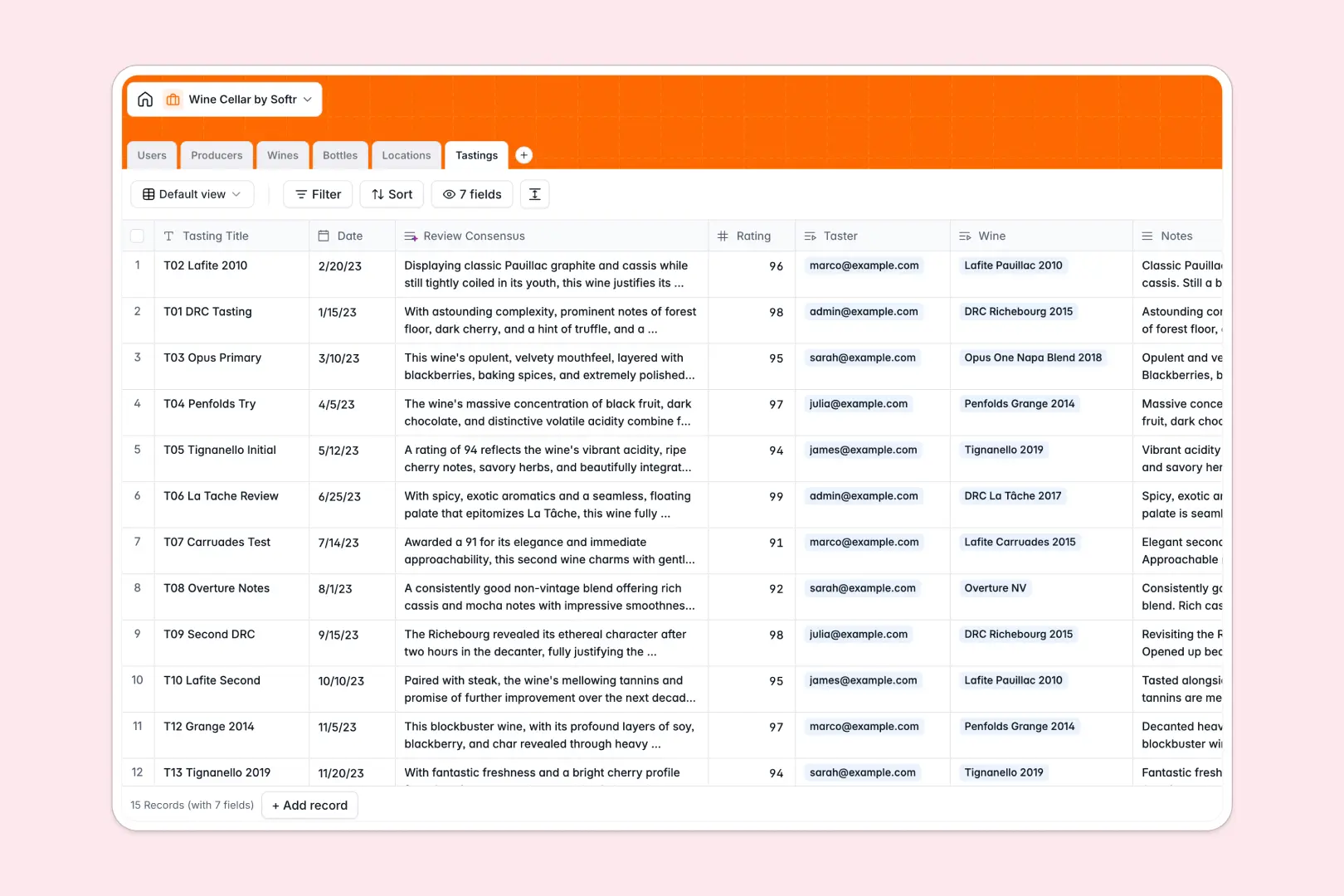
Your Wine Cellar Database at a glance
This template helps collectors and boutique hospitality teams organize and monitor wine inventory across multiple locations in real time. Prevent lost bottles and ensure you always know what is ready to be uncorked.
Everything is connected in one system. The database cleanly links individual Bottles to specific Locations (like a wine fridge or off-site warehouse), Producers, and historical Tastings.
Built-in AI fields draft expected tasting profiles and synthesize guest reviews, turning raw data into an interactive guide for your collection.
What to check before building your wine cellar base in Airtable
Relational databases are the right choice for wine collections because you need to connect bottles to physical fridges, specific producers, and tasting sheets.
But before committing to Airtable, consider how your team and budget will scale as your collection grows.
What changes with a database built for apps
Airtable charges per user as soon as someone needs edit access, which quickly becomes expensive when sharing your cellar with family members, staff, or guests. With Softr Databases, you get unlimited collaborators on all plans.
Instead of exposing a raw grid, your cellar database is ready to be transformed into a secure portal. You can easily control who sees high-value vintages and who can update bottle statuses.
What you can do with this template
Instantly organize physical inventory, storage capacities, and tasting records in one clean, scalable platform.
Leverage built-in Database AI agents to automatically research winemaker histories and write expected tasting summaries as soon as you enter a new bottle.
-
Users
Track system users managing the wine collection and tasting reviews
-
Producers
Manage wineries and generate AI-powered producer summaries and history
-
Wines
Catalog wine labels and vintages with detailed AI tasting profiles
-
Bottles
Track individual physical bottle inventory, location, and purchase costs
-
Locations
Organize physical wine cellar slots, storage types, and room capacities
-
Tastings
Record reviews and notes with AI-generated review consensus text
Who is this Wine Cellar database for
- Private Collectors: Track purchases, vintages, and physical storage slots for home cellars.
- Boutique Sommeliers: Monitor inventory across off-site storage venues and log tasting reviews for guest recommendations.
- Wine Clubs & Communities: Share a collaborative catalog where members submit ratings while admins manage storage layouts.
How to take it further
Customize the database
Add fields for specific wine regions, purchase prices, or shelving locations. Modifying field types and lists is straightforward because it runs on a native Softr Database.
Import your existing data
Bring your current spreadsheet inventories over instantly using the CSV importer, or connect vendor APIs to automate bottle tracking.
Build a full app around it
When your cellar is ready to share, use the interface builder to turn your database tables into a visual application.
Create a gorgeous search interface for your guests while keeping administrative controls restricted using users and permissions. Well-structured databases make building tailored interfaces simple.
-
1
-
2
-
3
-
4
Frequently asked questions
-
What is a wine cellar database?
-
Why use a no-code database to build a wine cellar system?
-
How can AI help managing data for my wine cellar?
-
Can I build an app with this wine cellar database?
-
Is this Wine Cellar database free?
-
How is this template different from an Airtable template?
Start building today. It's free!
Build and launch your first app in under 30 minutes.