


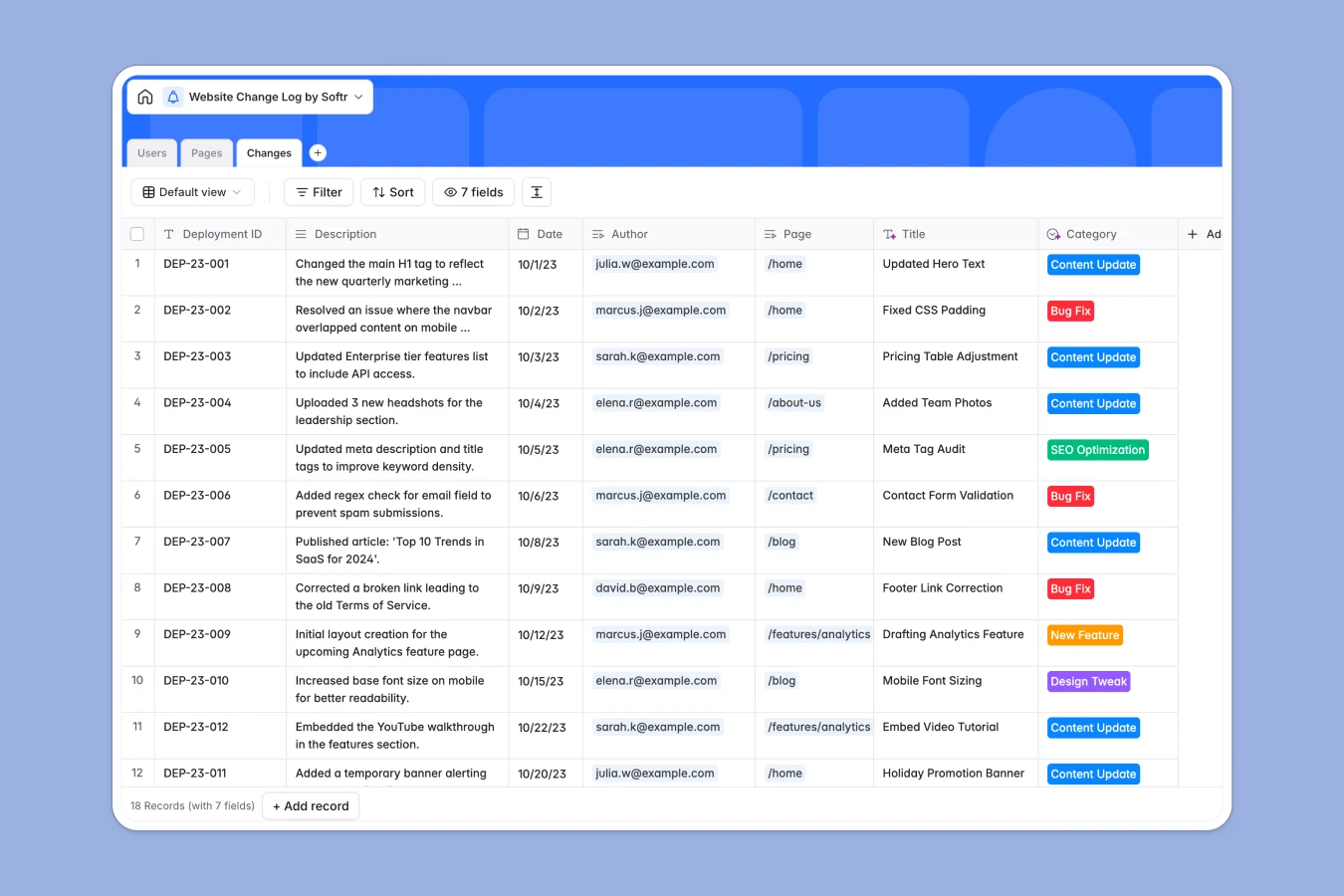
Your Website Change Log database at a glance
This template provides a clear way to track updates, bug fixes, and content edits across your entire site. Keep a complete deployments history while categorizing every single update.
The database connects three main tables: Pages, the Authors making changes, and the exact Changes log. This makes it effortless to see what changed on any URL and who deployed it.
What to check before building your website change log base in Airtable
Using a structured database to track site updates is the right decision. However, as your team grows and more stakeholders need visibility, Airtable's per-seat pricing can quickly penalize collaboration.
What changes with a database built for apps
Instead of charging for every team member who needs to log or view a change, Softr Databases support unlimited collaborators. This means anyone on your team can submit updates without driving up software costs.
Additionally, you don't need to stitch multiple tool stacks together just to build a custom submission portal. The database, user access, and frontend interfaces are built into a single platform.
What you can do with this template
You can track updates by categories like SEO optimization, bug fixes, or design tweaks while instantly rolling up metrics like total changes per page.
Plus, you can utilize Database AI agents to automatically summarize live web page contents or draft release notes directly inside your tables.
-
Pages
Track unique website pages with status, URLs and total counted changes
-
Users
Manage authorized team members with platform roles, status and emails
-
Changes
Log individual deployment history detailing update categories and authors
Who is this Website Change Log database for
This database is built for product owners and marketing teams who need a reliable record of site updates.
- Product Managers: Maintain a clear deployment history to trace back bugs and monitor feature releases easily.
- SEO Specialists: Track optimization dates to measure organic performance shifts against exact update milestones.
- Marketing Operations: Coordinate content updates and ensure the entire team is aware of messaging alignments.
How to take it further
1. Customize the database
Customize this database by updating the Select choices for Category or Status fields to match your team's specific release pipeline.
2. Import your existing data
Quickly migrate your existing changelog data by importing a CSV file or using an API to synchronize deployments.
3. Build a full app around it
When your team scales, use this database to build an app. Softr's AI Co-Builder can instantly generate a secure portal with visual dashboards and clean forms based on this schema. This allows you to define granular permissions so developers can write logs while clients simply view updates.
-
1
-
2
-
3
-
4
Frequently asked questions
-
What is a website change log database?
-
Why use a no-code database to build a website change log system?
-
How can AI help managing data for website change log?
-
Can I build an app with website change log database?
-
Is this website change log template free?
-
How is this website change log different from an Airtable template?
Start building today. It's free!
Build and launch your first app in under 30 minutes.