


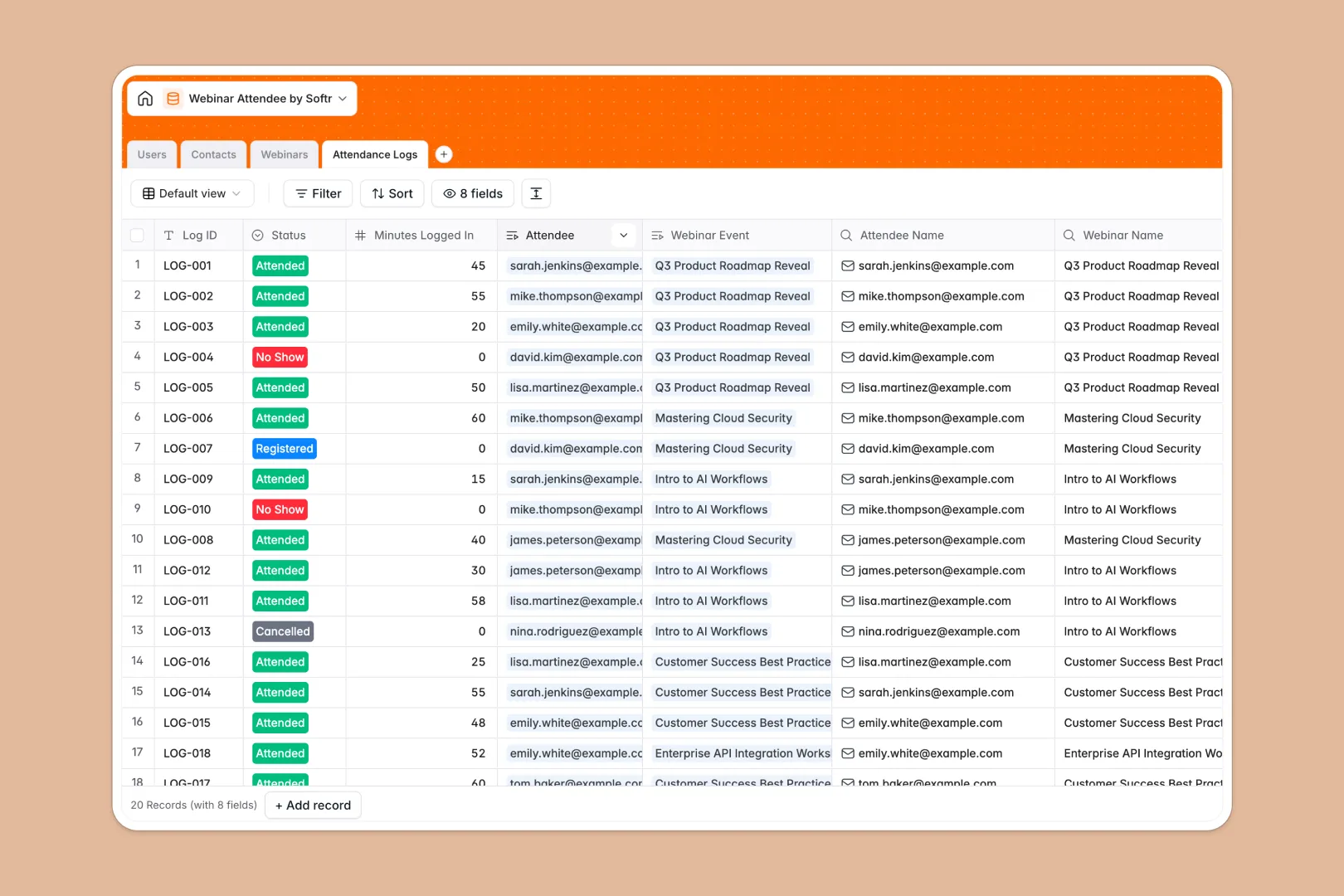
Your Webinar Attendee database at a glance
This template gives you a central hub to manage planned events, registrants, internal hosts, and event performance. It coordinates your team and your audience data in a clean, unified structure.
The database connects tables for Users (your hosts), Contacts (your attendees), Webinars, and Attendance Logs. Because these tables are linked, you can instantly see who registered, who showed up, and how long they stayed.
Built-in AI features automatically research modern job titles for your sign-ups and categorize each attendee's engagement to save your team manual post-event analysis.
What to check before building your webinar attendee base in Airtable
You are right to want a real relational database for keeping track of your webinar performance. It requires structured relationships to match multiple contacts to specific events. However, before you commit your workflow to Airtable, there are critical growth and cost limitations to consider.
What changes with a database built for apps
Airtable charges per collaborator as soon as team members need editing access, meaning your costs stack up fast just for giving event hosts or sales reps update permissions.
Softr Databases are built for teamwork, offering unlimited collaborators across all lists and structures. Rather than forcing you to stitch separate subscription portals or forms on top of your tables, the database is natively integrated into a platform where you can configure frontend access, run workflows, and manage client-facing applications.
What you can do with this template
With this template, you can track historical webinar metrics, handle attendance logistics, and manage internal notes for future sessions. Native rollup functions automatically calculate registration counts and average lookback metrics so you don't have to write complex spreadsheet formulas.
You can also launch automated workflows using Database AI agents to evaluate raw engagement data, define user categories, and research company profiles in real time.
-
Users
Track team members, hosts, and moderators managing webinars
-
Contacts
Manage registrants with details and AI-enriched job titles
-
Webinars
Schedule events with details and AI-generated promotional copy
-
Attendance Logs
Track webinar attendance and use AI to evaluate engagement levels
Who is this Webinar Attendee database for
- Event Organizers: Coordinate webinar hosts, save presentation notes, and monitor registrations across all campaigns.
- Marketing Teams: Track total sign-ups, organize past attendee lists, and use AI to generate fresh promotional copy.
- Sales Representatives: Filter contacts by computed engagement levels to run high-priority sales outbound playbooks.
How to take it further
Customize the database
You can easily tailor this template to fit your event flow. Add matching select options for event categories, modify lookup metrics, or change fields to track specialized survey answers.
Import your existing data
Transitioning from other tools takes moments. You can bulk-upload existing registrant Excel sheets using CSV imports, or use the database API to sync live registration forms in real time.
Build a full app around it
When your team is ready to scale, you can easily use an AI app generator to turn your well-structured database into a fully custom app. Build a secure host portal where internal team members manage scheduled times, or create attendee dashboards to securely check event recordings.
This system uses granular users and permissions to control who edits or views specific internal records, ensuring safe data handling.
-
1
-
2
-
3
-
4
Frequently asked questions
-
What is a webinar attendee database?
-
Why use a no-code database to build a webinar attendee system?
-
How can AI help managing data for webinars?
-
Can I build an app with this webinar attendee database?
-
Is this webinar attendee template free?
-
How is this template different from an Airtable template?
Start building today. It's free!
Build and launch your first app in under 30 minutes.