


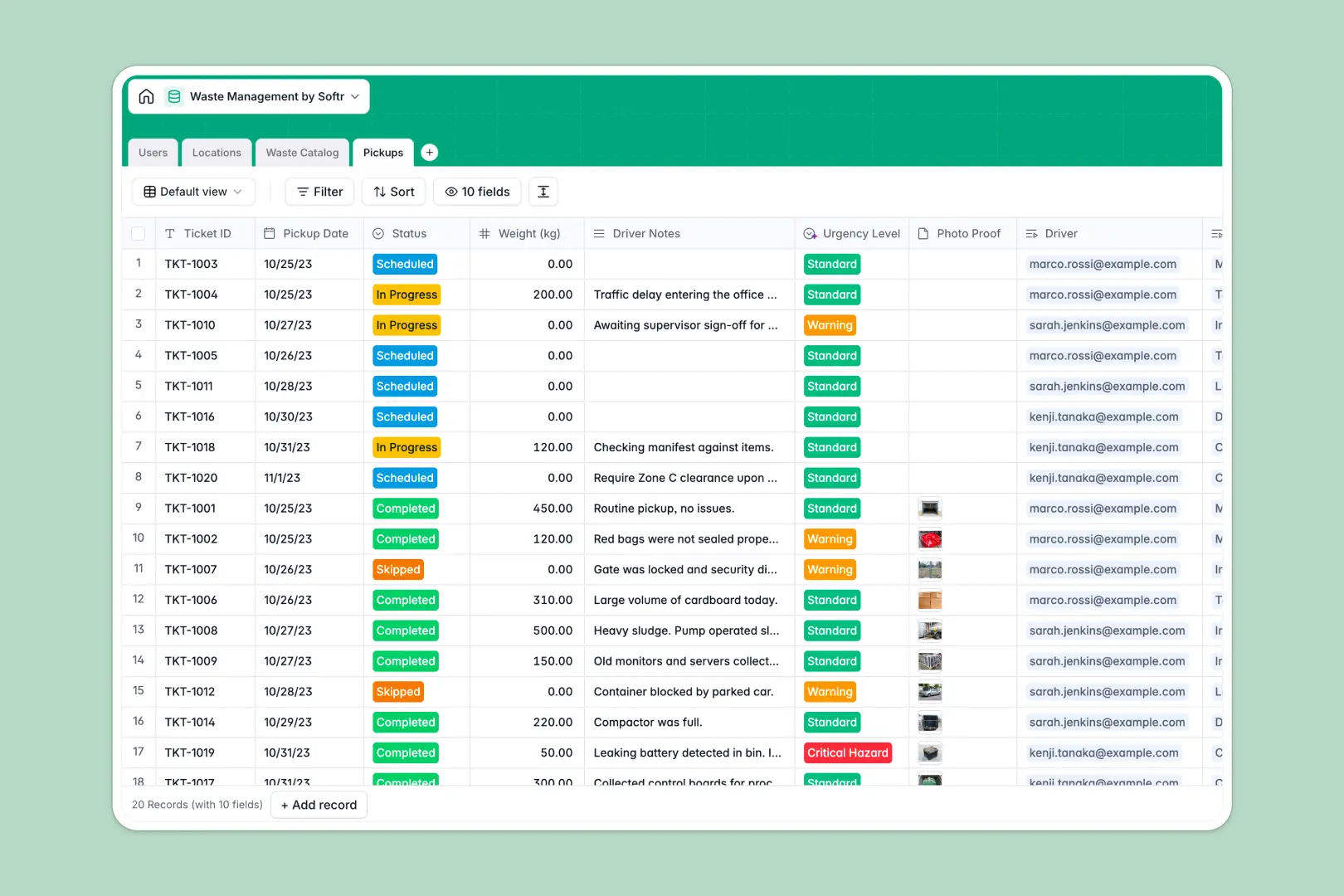
Your Waste Management database at a glance
This template makes waste logistics straightforward by providing a central system to schedule collections and monitor compliance. Keep track of materials, site constraints, and field activities in one place.
The database links four dedicated tables: Users (for drivers and managers), Locations, a Waste Catalog, and Pickups. This structural layout means every collection ticket is immediately linked to a specific site and correct disposal instructions.
Native intelligence saves dispatchers time. Built-in GPT-4 models automatically summarize site access notes into driver safety briefs and flag high-urgency reports automatically.
What to check before building your waste management base in Airtable
Airtable is a capable relational database, but running field operations on it often reveals unexpected barriers as your team grows. From licensing costs for dispatchers and drivers to the complexity of building field interfaces, the setup can quickly become expensive and rigid.
What changes with a database built for apps
Scaling waste operations shouldn't punish you with high per-seat software pricing when adding drivers or external dispatch partners. Softr Databases include unlimited collaborators on all plans so you can scale access without escalating costs.
Instead of stitching together external portals, forms, and custom code, everything you need sits in a single ecosystem. This allows you to scale up to 200,000 records smoothly without hitting early API or scaling ceilings.
Automate field work directly in your tables
This template uses Database AI agents directly inside your records to streamline safety workflows. It automatically pulls compliant disposal instructions based on waste types and filters driver notes for critical hazards.
By combining relational tracking with automated workflows, you can eliminate manual double-entry and get drivers moving faster with clear, compliant checklists.
-
Users
Manage drivers, managers, and staff with roles and assignments
-
Locations
Track client sites with AI-generated safety hazard briefs for drivers
-
Waste Catalog
Define waste types utilizing AI to research legal disposal guidelines
-
Pickups
Log waste collection jobs and use AI to classify hazard levels
Who is this Waste Management database for
Designed for operations looking to digitize paper manifests or complex database workflows.
- Operations Managers: Coordinate scheduling, track total waste volume, and monitor driver dispatch in real time.
- Safety Officers: Ensure hazard classifications are up to date and automatically generate driver-specific site safety briefs.
- Dispatchers & Drivers: Log weights, submit photo proofs, and receive customized instructions directly from the field.
How to take it further
Customize the database
You can easily adjust this schema to fit your operations. Add custom fields such as vehicle details, modify waste classification select options, or update safety parameters to match local regulations.
Import your data
Bring in your historical pickup logs or client site directories using a fast CSV upload. You can also hook up your scales and telemetry tools directly using our robust developer API.
Build a full app around it
When you're ready to put this in the hands of field workers, you can easily build an app on top of this. Describe the platform you need in a single prompt—like a driver mobile portal or a customer dashboard—and the AI Co-Builder will instantly generate the interfaces.
You can set up strict users and permissions so drivers only view their assigned pickup routes on their phones, while administrators have access to full-scale operations dashboards. Having a well-structured database means developing these custom apps takes only a few minutes.
-
1
-
2
-
3
-
4
Frequently asked questions
-
What is a waste management database?
-
Why use a no-code database to build a waste management system?
-
How can AI help managing data for waste management?
-
Can I build an app with this waste management database?
-
Is this Waste Management template free?
-
How is this template different from an Airtable template?
Start building today. It's free!
Build and launch your first app in under 30 minutes.