


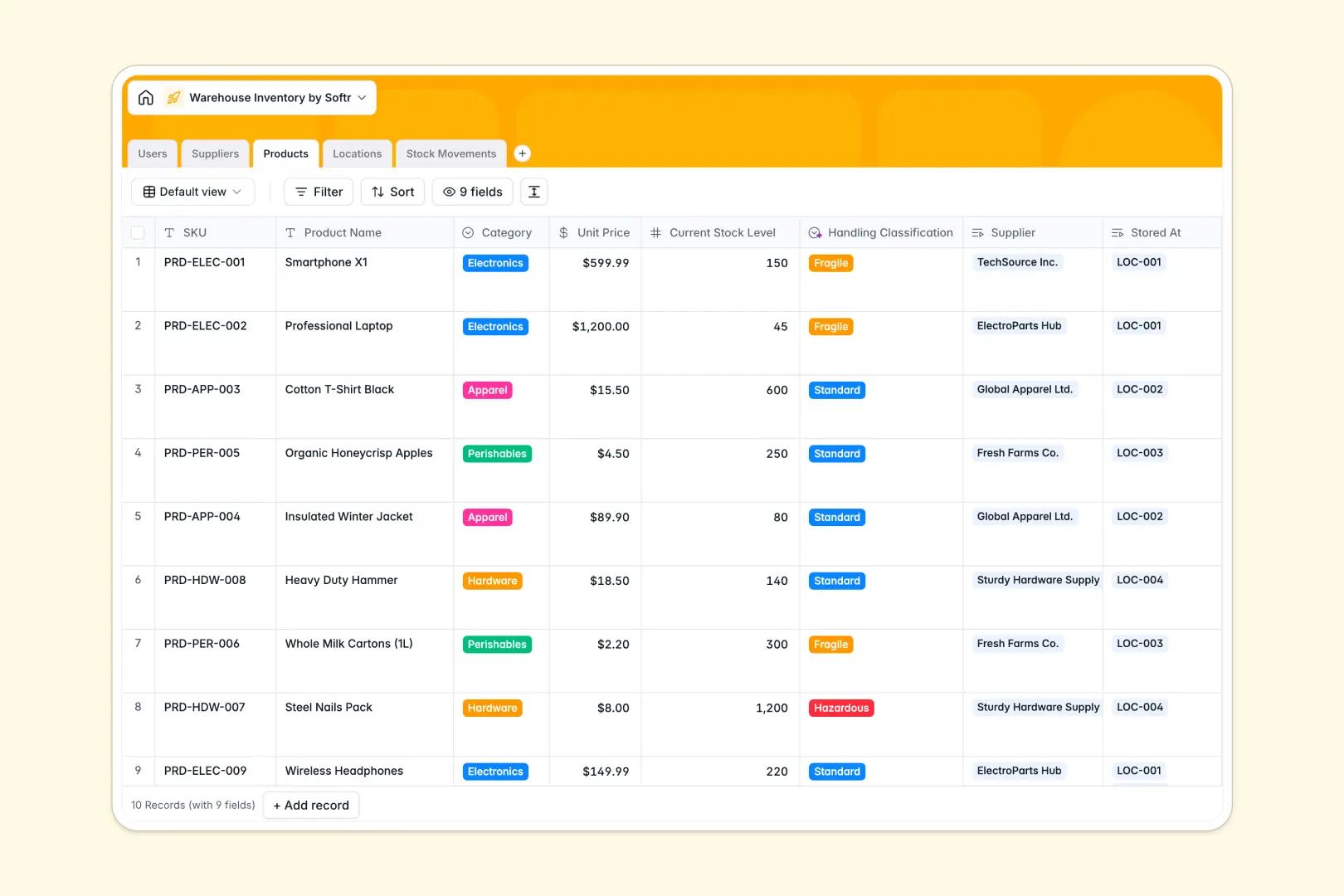
Your Warehouse Inventory Database at a glance
This template provides a comprehensive system to organize stock movements, monitor warehouse zones, and handle suppliers. Track SKU quantities, locations, and inbound or outbound logs in real time.
Five relational tables—Products, Suppliers, Locations, Stock Movements, and Users—keep your data cleanly structured. Changing a product's location or supplier automatically updates across the entire system safely.
Built-in AI fields help you enrich supplier profiles from the web and automatically classify handling rules based on product names.
What to check before building your warehouse inventory base in Airtable
When managing complex logistics, you need a flexible relational setup, but traditional database tools charge per teammate. If you share your Airtable database with managers and pickers who need editing access, per-seat costs escalate rapidly.
What changes with a database built for apps
Choosing a database built for team collaboration alters how your operations run. Every teammate can update logs directly without adding to your software bill, as Softr Databases include unlimited collaborators on all plans.
You also get higher performance margins, with a generous record cap and high API speeds to handle active barcode scanning, logging, and automated integrations.
This is a complete platform that houses your database, workflows, and access controls in one clean environment, preventing the need to stitch multiple external tools together.
What you can do with this template
- Track stock journeys: Log every receipt and shipping movement directly against SKUs, automatically adjusting active stock counts in your Locations and Products tables.
- Automate product classification: Leverage Database AI agents to read names and categorize items into Standard, Fragile, or Hazardous groups automatically.
- Manage details accurately: Store supplier contact cards alongside live SKU counts to handle reorders before items Sell out.
-
Users
Manage warehouse employees, system roles, and assigned tasks
-
Suppliers
Track vendor details and generate AI profiles from company websites
-
Products
Manage catalog items with stock details and AI handling classifications
-
Locations
Organize physical layouts with specific zones and bin allocations
-
Stock Movements
Track relocations with inventory history and automated AI log summaries
Who is this Warehouse Inventory database for
- Warehouse Operations Managers: Keep absolute visibility over stock counts, bin locations, and processing employees.
- Logistics & Inventory Specialists: Register inbound shipments, process outbound orders, and manage supplier details easily.
- Procurement Officers: Track vendor profiles, evaluate supplied goods, and trigger reorders on a clean dashboard.
- Third-Party Logistics Providers: Organize different storage zones and easily delegate picker assignments across aisles.
How to take it further
Customize the database
This template works right away, but you can tailor it visually in seconds. Adjust location options to match your exact physical aisles or add new custom fields for batch numbers and expiration dates without writing code.
Import your existing data
Move away from Excel or Airtable by importing your current stock lists via CSV in just one click, or use our API to synchronise active product data from external logistics tools.
Build a full app around it
When your team is ready, you can build an app on top of this exact database. Using the Softr AI Co-Builder, describe the system you need in one plain sentence to instantly generate secure portals with tailored users and permissions.
This lets you create custom mobile interfaces for pickers to register stock movements on the go, while management views a high-level administrative dashboard.
-
1
-
2
-
3
-
4
Frequently asked questions
-
What is a warehouse inventory database?
-
Why use a no-code database to build a warehouse inventory system?
-
How can AI help managing data for warehouse inventory?
-
Can I build an app with this warehouse inventory database?
-
Is this warehouse inventory template free?
-
How is this template different from a warehouse inventory template in Airtable?
Start building today. It's free!
Build and launch your first app in under 30 minutes.