


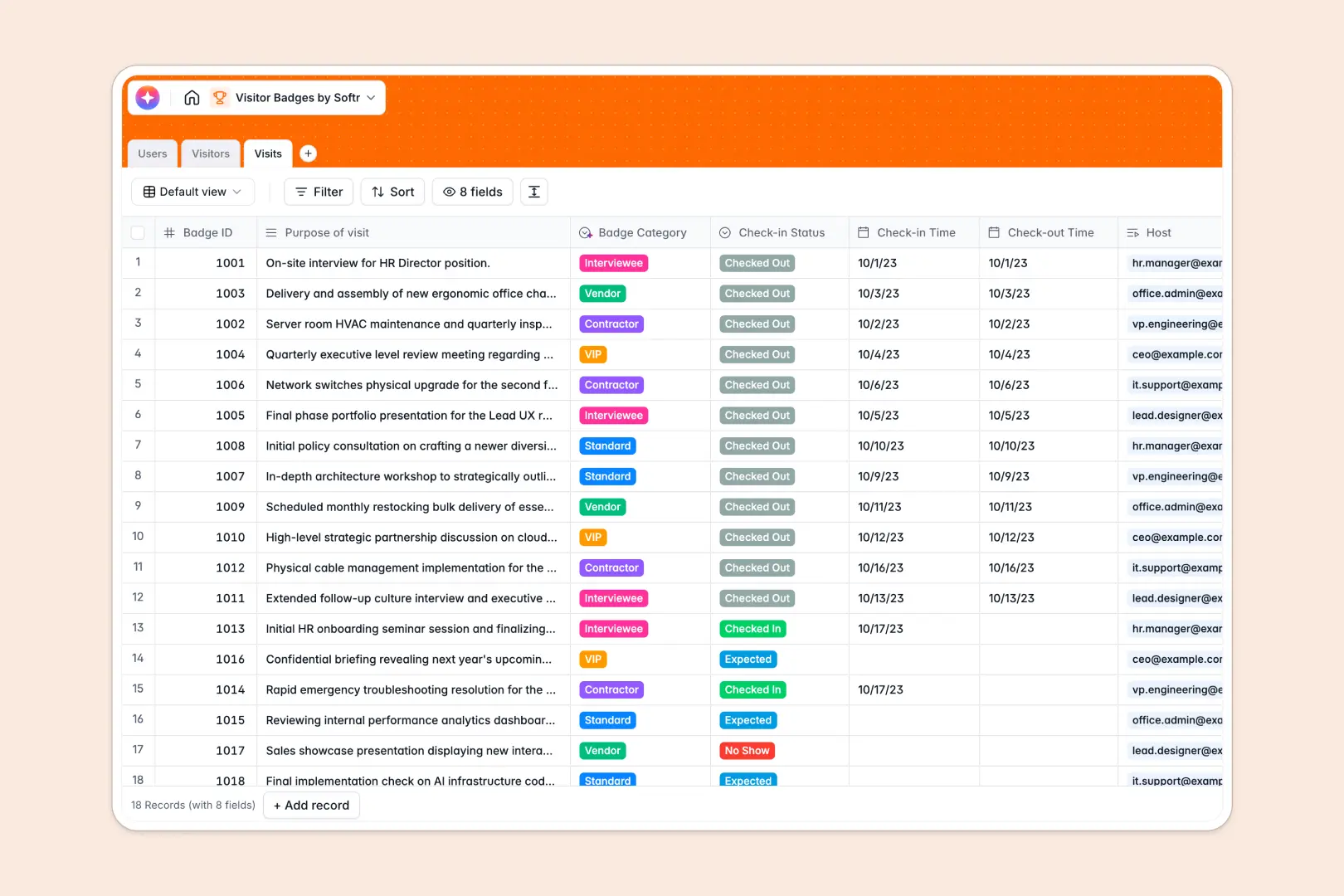
# Your Visitor Badges database at a glance
Manage guest arrivals, print cards, and log hosts inside this ready-to-use template designed for office security and reception desk teams.
The structure links visitors, host employees, and digital visits seamlessly so you always know who is on-premise and why.
Integrated intelligence automatically enriches company profiles and classifies visitors into categories based on their purpose of visit.
# What to check before building your visitor badges base in Airtable
Managing visitor check-ins requires a neat database, but it also relies heavily on the people using it—like receptionists and security guards. While building your visitor table in Airtable gives you good relational structure, the real friction starts when your operations scale up.
What changes with a database built for apps
Airtable charges per collaborator, which means giving editing access to every employee who hosts a meeting quickly becomes incredibly expensive.
With Softr Databases, your team can manage visitor logins without seat-based pricing penalties because all plans include unlimited collaborators. It offers the same reliable relational connections but is built to scale up to millions of records.
What you can do with this template
Log real-time visitor logs, map host employees to specific meetings, and log check-in statuses at a glance.
Use Database AI agents to research guest organizations and automatically categorize visitors cleanly as they register.
-
Users
Track employees hosting visitor sessions with their roles and departments
-
Visitors
Manage guests with contact info, photos, and AI-generated company insights
-
Visits
Log guest sessions with timing and AI-classified badge categories
# Who is this Visitor Badges database for
Manage security access and office operations smoothly with tailored fields for key team structures:
- Office Managers: Keep a master record of building access, coordinate front-desk logistics, and trace historical visits.
- Security Teams: Verify visitor photos, monitor real-time check-in statuses, and allocate badge IDs efficiently.
- HR Specialists: Track host employees, auto-fill company backgrounds, and support employee-visitor coordination effortlessly.
# How to take it further
Customize the database: Add customized visitor categories, add columns for dietary requirements, or modify check-in status options to match your office procedures.
Import your existing data: Bring in your past guest logs by uploading a CSV or sync databases using our flexible API in minutes.
Build a full app around it: Turn your tabular records into a front-desk check-in kiosk or visitor portal. You don't need any complex engineering—use the AI app generator to generate client-facing registration pages and host dashboards instantly in one prompt. From there, you can configure granular users and permissions visually to dictate which fields receptionists, hosts, or administrators can see and modify.
-
1
-
2
-
3
-
4
Frequently asked questions
-
What is a visitor badges database?
-
Why use a no-code database to build a visitor badges system?
-
How can AI help managing data for visitor badges?
-
Can I build an app with visitor badges database?
-
Is this visitor badges database free?
-
How is this template different from an Airtable template?
Start building today. It's free!
Build and launch your first app in under 30 minutes.