


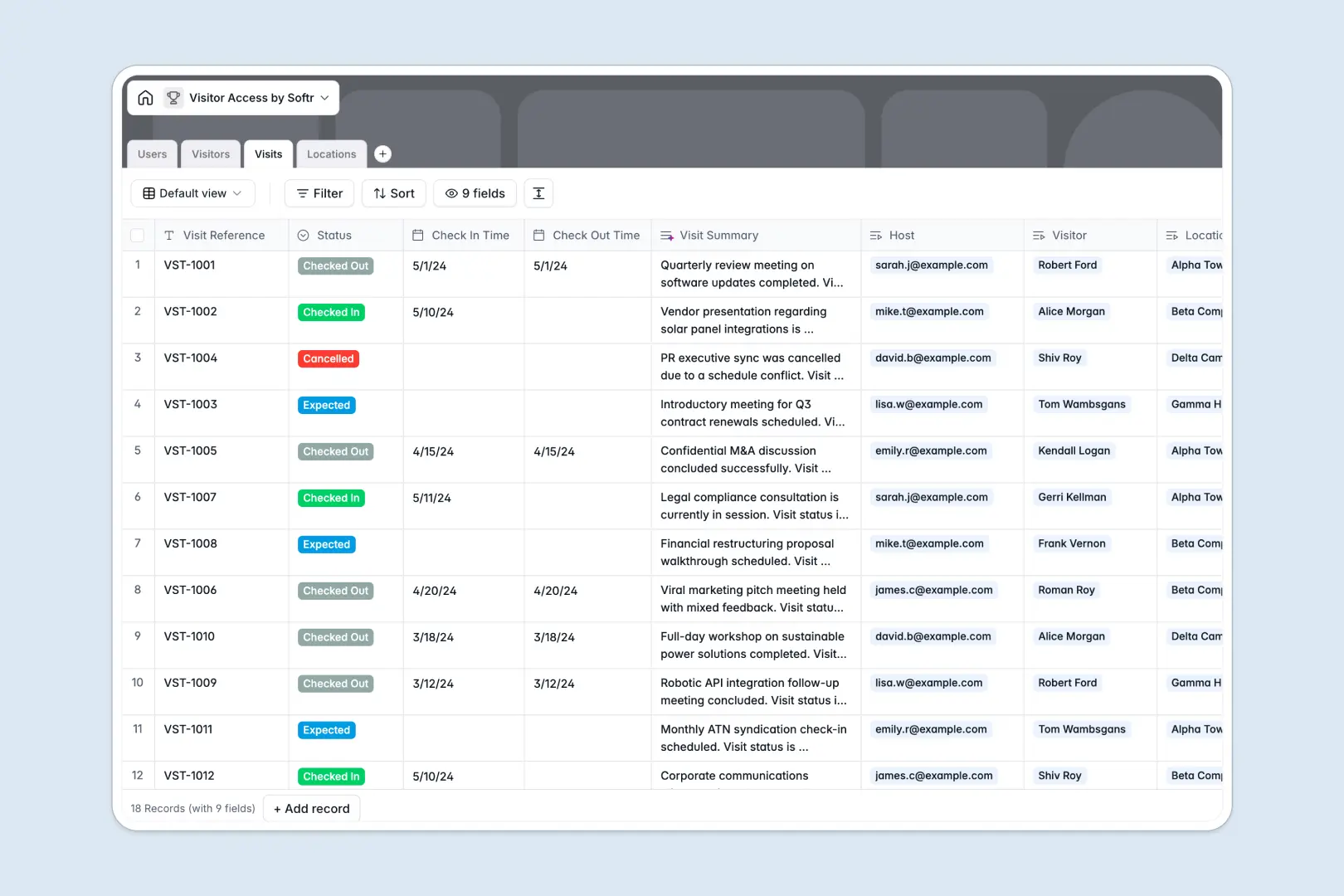
Your Visitor Access Database at a glance
This template provides a robust way to log, track, and manage physical office visits across multiple buildings. It replaces manual paper sign-in sheets with a reliable electronic logging system that protects guest privacy.
By connecting your Users (internal hosts), Visitors, Visits, and Locations into a single relational structure, your front desk can always verify who is in the building and which employee is hosting them.
This database leverages built-in AI to automatically research guest companies and summarize host visit notes in real time, saving receptionist time during peak hours.
What to check before building your visitor access base in Airtable
Airtable is a strong relational database, but tracking busy office locations and guest logs on that platform can quickly expose structural and financial pain points.
What changes with a database built for apps
First, per-seat pricing makes sharing a visitor system highly expensive if every receptionist, building host, and admin needs access to input visit notes. Softr Databases allow unlimited collaborators on all plans, letting you invite your entire workforce as hosts without expanding your software bill.
Second, security operations shouldn't run out of a raw spreadsheet view. Building custom dashboards or guest portals in Airtable often requires stitching together external login builders, portals, and sync scripts. Softr provides the database, UI portal builder, and permissions within one unified ecosystem.
How this template streamlines visitor logs
- Relational Logs: Connect hosts directly to visitor profiles and specific physical locations, eliminating duplicate data entries and broken search queries.
- Automated Intelligence: Utilize native Database AI agents to generate instant visitor summaries and enrich company details without needing manual external searches or scripts.
-
Users
Manage internal staff and hosts with permissions, contact info and locations
-
Visitors
Track guest profiles with contact data and AI-enriched company overviews
-
Visits
Log guest check-ins and generate concise visit summaries with AI
-
Locations
Organize physical offices, checkpoint buildings and local contact numbers
Who is this Visitor Access database for
This template is designed for physical office operations, facility administrators, and security teams looking to digitize their guest check-in systems.
- Office Administrators: Speed up guest registry checkpoints, check photo IDs, and track host notification details in real time.
- Facility & Operations Leaders: Audit visitor metrics and building occupancy trends across multiple corporate office locations easily.
- IT & Security Teams: Establish a secure, centralized audit trail of all physical building entries and user access logs.
How to take it further
1. Customize the database
Add custom security levels, configure check-in protocols, or add specific fields for vehicle license plates directly inside your Softr Database in seconds.
2. Import your existing data
Move your historical log sheets or employee roster securely using the bulk CSV importer, or connect an API to sync with your HR directory automatically.
3. Build a full app around it
When you are ready to transition from tables to a portal, use the AI app generator to turn these tables into a live self-service guest check-in dashboard. Using advanced users and permissions, you can grant receptionists database editing access while general employees can only see their specific invitees. A structured database ensures your custom security application builds seamlessly.
-
1
-
2
-
3
-
4
Frequently asked questions
-
What is a visitor access database?
-
Why use a no-code database to build a visitor access system?
-
How can AI help managing data for visitor access?
-
Can I build an app with visitor access database?
-
Is this visitor access template free?
-
How is this template different from an Airtable template?
Start building today. It's free!
Build and launch your first app in under 30 minutes.