


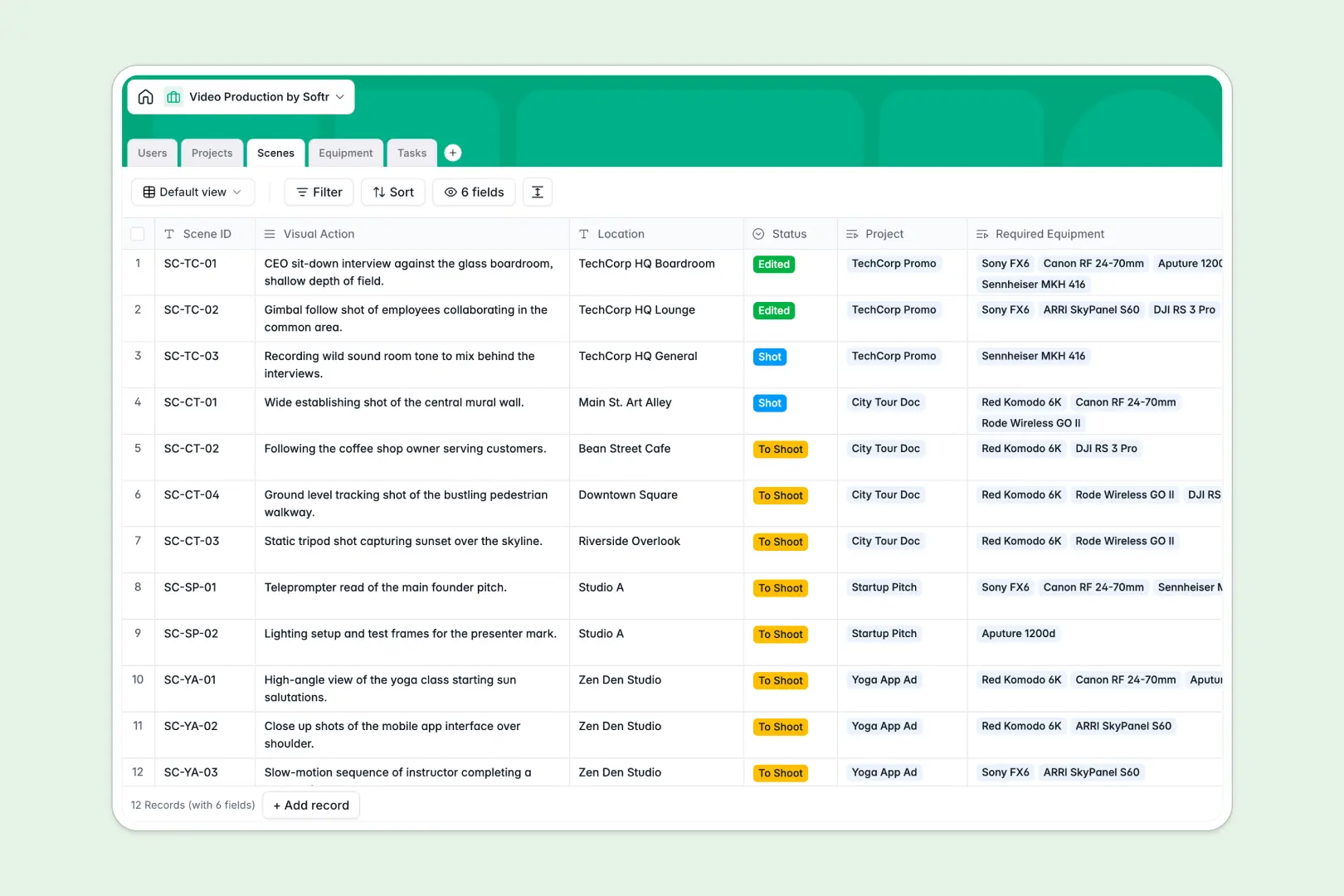
Your Video Production database at a glance
This template allows video teams and production agencies to simplify how they plan and track shoots.
It connects clients, crew members, and scenes with the exact camera, audio, or lighting gear required for each setup.
Built-in AI fields automatically summarize project briefs, extract technical specifications for equipment, and classify crew tasks.
What to check before building your video production base in Airtable
If you are managing complex shoot schedules, multiple camera packages, and various crew roles, you already know the value of a structured database over static spreadsheets.
Both platforms manage relationships easily. However, look at how pricing and collaboration scale when you share that database with your extended production crew, contract editors, and external clients.
What changes with a database built for apps
Unlike platforms that charge per-seat fees for basic edit access, Softr Databases let you invite unlimited production staff, freelancers, and clients to collaborate without unexpected bill increases.
This makes it simple to run databases with up to 200,000 records, complete with lightning-fast API responses.
By keeping interfaces, user access levels, and back-end logic under one roof, you don't need to stitch multiple third-party tools together to let clients review project progress.
What you can do with this template
Connect projects directly to specific scene IDs, visual action plans, and task deadlines.
Save hours of manual entry by letting Database AI agents automatically research manufacturer websites to pull live technical specifications for your camera or lighting packages.
Use pre-configured relational links so that when client requests change, task assignments and shoot schedules update instantly.
-
Users
Track crew, clients, and staff with contact details and project roles
-
Projects
Manage video stages and generate AI-powered summaries of project briefs
-
Scenes
Organize shot lists, locations, and equipment requirements per project
-
Equipment
Track production gear status with web-sourced AI technical specs
-
Tasks
Manage project action items with AI-driven task categorization
Who is this Video Production database for
- Production Agencies: Keep complex multi-project shoots organized, map crew members to assignments, and monitor delivery statuses.
- Independent Filmmakers: Coordinate camera packages, track scene setups, and manage daily task lists from scripting to final editing rounds.
- In-house Creative Teams: Streamline reviews and easily communicate project milestones and scene progress directly with internal stakeholders.
How to take it further
Customize the database
Define your own production pipeline stages by customizing select field values under Project Status or Scene Status. Add custom columns for rental rates, location scouting photos, or raw footage URLs with a click.
Import your existing data
Migrate from raw shot lists or supplier inventory spreadsheets easily by uploading your CSV files. You can also sync live camera inventories from other systems using the Softr API.
Build a full app around it
Turn this database into an interactive portal for your team and clients. Describe the portal in a simple prompt, and Softr's co-builder will instantly design your client portal or task dashboard on top of this exact schema.
With the interface builder, you can structure client review screens and internal crew views visually. Use granular permissions to ensure freelancers only view their assigned tasks, while clients only see their own project briefs.
-
1
-
2
-
3
-
4
Frequently asked questions
-
What is a video production database?
-
Why use a no-code database to build a video production system?
-
How can AI help managing data for video production?
-
Can I build an app with this video production database?
-
Is this video production Airtable template alternative free?
-
How is this template different from an Airtable template?
Start building today. It's free!
Build and launch your first app in under 30 minutes.