


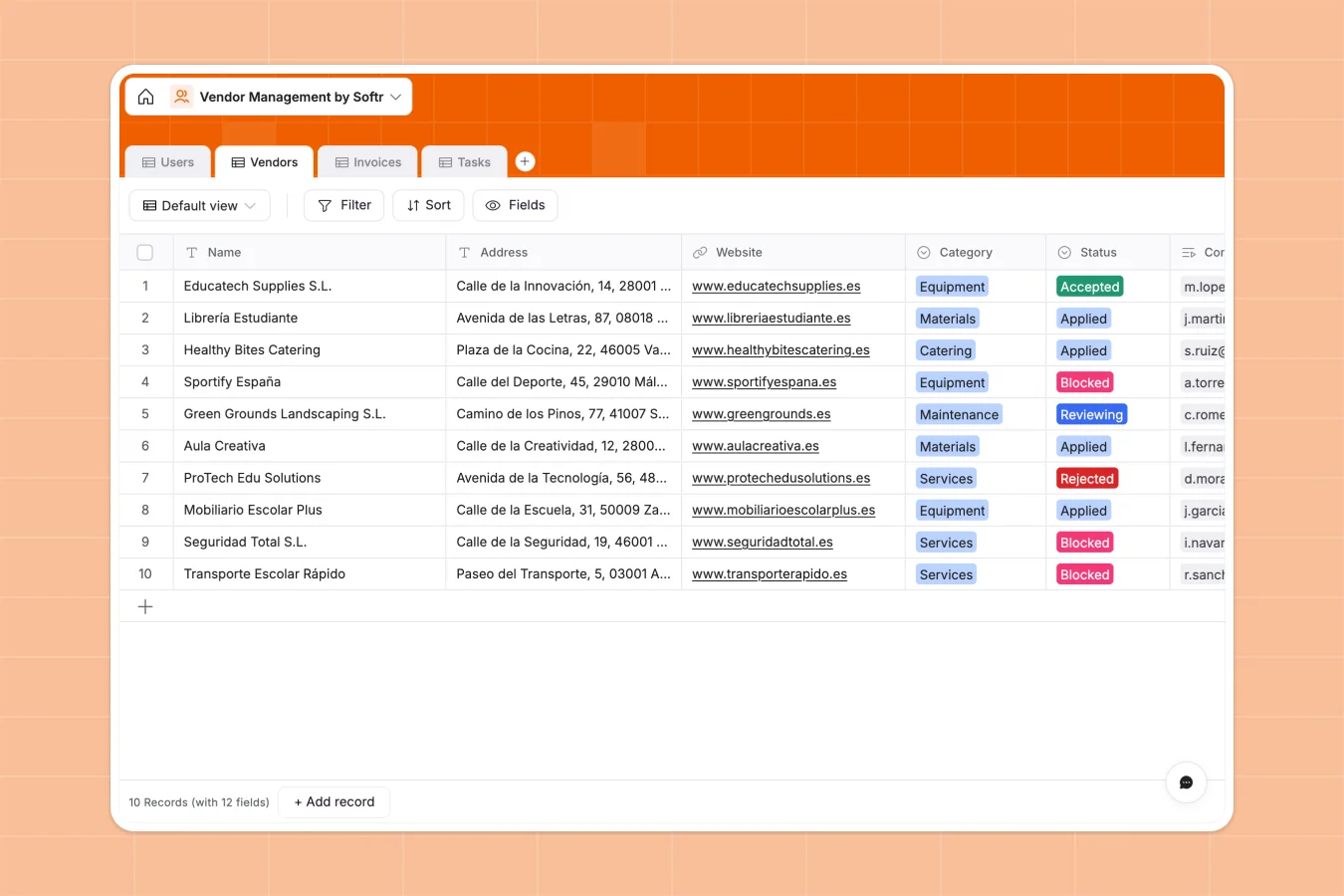
Your Vendor Management database at a glance
This template provides a central hub to manage vendor profiles, track active contracts, and log invoice collections without operational friction. It helps team leads monitor relationships and tasks in a unified view.
Your data is logically organized into connected tables like Vendors, Invoices, and Tasks. This relational model ensures you can link complex invoices and specific responsibilities straight to the corresponding supplier profile.
What to check before building your vendor management base in Airtable
Airtable is a capable relational engine, but managing external vendor networks often puts a strain on per-seat pricing structures and platform limits.
What changes with a database built for apps
Softr Databases let you build functional relations between vendors, users, and tasks. However, unlike traditional systems, sharing this database with your external suppliers does not require you to pay heavy per-seat licensing fees for every external collaborator. This is exactly what Softr Databases are designed for.
You also operate with generous record ceilings and rapid API request rates, ensuring your operational data always loads instantly as your vendor directory grows.
What you can do with this template
You can organize suppliers into clear categories like Equipment, Services, or Catering while monitoring task completion statuses in real time. Dynamic formula fields automate calculations to show gross invoice numbers instantly.
By leveraging Database AI agents, you can set up automation rules to extract tax values, summarize long contracts, and tag records directly inside your fields.
-
Users
Manage internal managers and external vendor contacts with roles
-
Vendors
Track vendor profiles, compliance documents, and verification states
-
Invoices
Handle vendor billing and expenses with automated total calculations
-
Tasks
Organize and track operations and actions requested from our vendors
Who is this Vendor Management database for
- Operations Leads: Keep secure records of active agreement attachments, insurance certificates, and current status reviews.
- Finance Teams: Track details of gross invoices and categorize payment statuses cleanly.
- Project Managers: Assign precise tasks to specific supplier profiles and monitor fulfillment progress across teams.
How to take it further
1. Customize the database
Adjust default category dropdowns like Catering or Maintenance to fit your precise sourcing needs. You can easily add customized rating fields or custom tax formulas directly within your tables.
2. Import your existing data
Import your spreadsheets of legacy supplier records using the built-in CSV upload utility. You can also deploy API sync configurations to run data updates automatically.
3. Build a full app around it
When you are ready to build a system for your team, you can use Softr's interface builder to construct a custom vendor portal. Set exact access control rules so external vendors see only their assigned invoices and tasks while internal directors view the full dashboard.
-
1
-
2
-
3
-
4
Frequently asked questions
-
What is a vendor management database?
-
Why use a no-code database to build a vendor management system?
-
How can AI help managing data for vendor management?
-
Can I build an app with this vendor management database?
-
Is this Vendor Management Database template free?
-
How is this template different from a vendor management template in Airtable?
Start building today. It's free!
Build and launch your first app in under 30 minutes.