


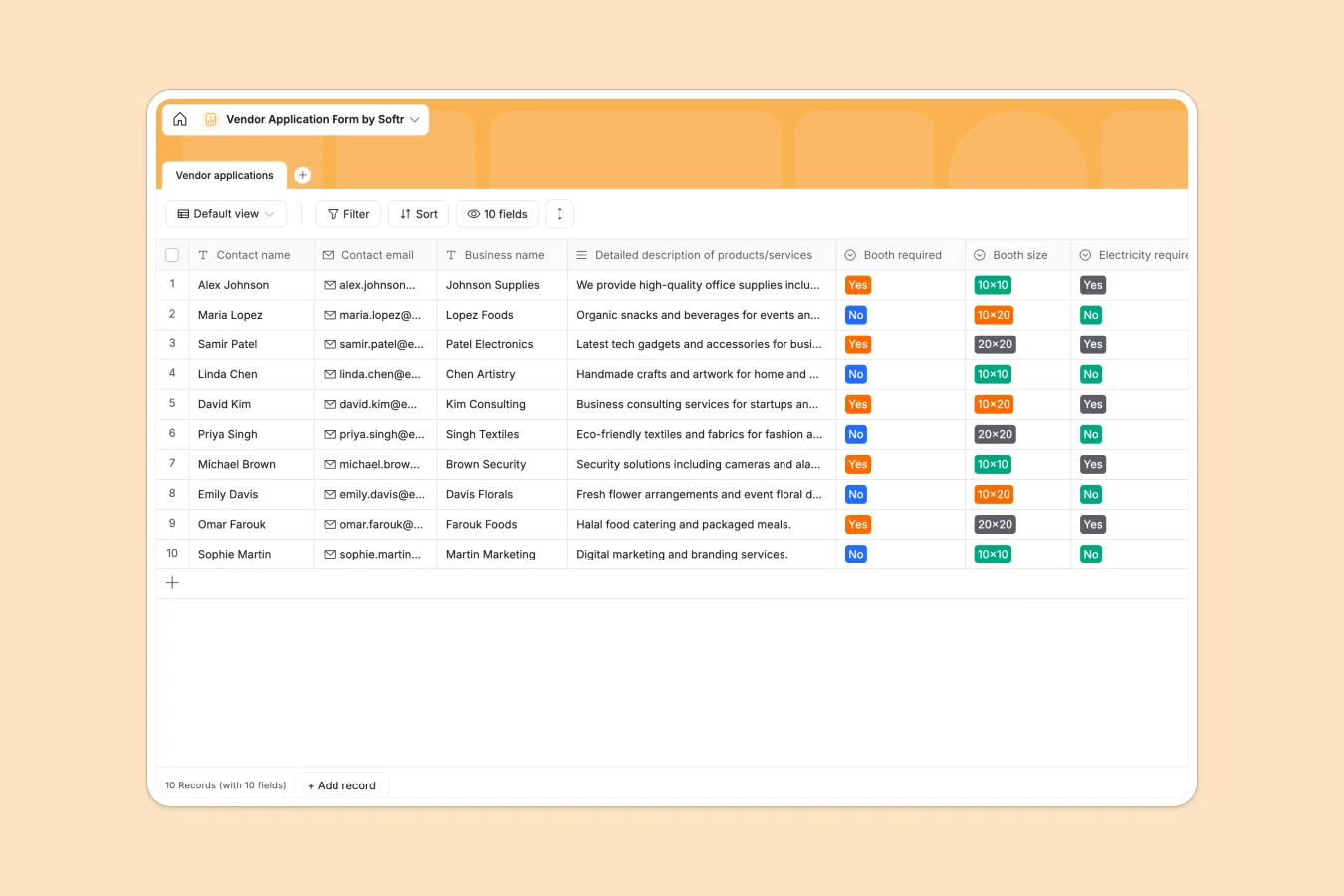
Your Vendor Application database at a glance
This responsive template helps event organizers collect, organize, and evaluate incoming vendor applications without administrative chaos. It acts as a single, structured hub for coordinator teams to manage vendor offerings, coordinate booth setups, and review agreements.
Everything stays organized within a dedicated Vendor applications table. Key columns capture essential details like business names, product descriptions, booth sizes, and security signatures, ensuring no detail slips through the cracks.
What to check before building your vendor application base in Airtable
When managing a high volume of vendor applications, coordination tools quickly hit their limits. While database structure is necessary, how you share and scale that data matters just as much.
What changes with a database built for apps
Using separate databases often leads to per-seat pricing issues when trying to share applications with external review committees or partners. It forces teams into choosing between expensive software licensing or limited data sharing.
This is exactly what Softr Databases are designed to solve. Our native database functions as a robust relational structure and allows unlimited collaborators on all plans, so your entire team can review submissions without extra costs.
What you can do with this template
This template allows you to collect booth dimensions (such as 10x10 or 20x20) and electrical requirements in dynamic, pre-defined columns. No mixed data types or accidental deletions can occur.
You can also run Database AI agents inside your fields to automatically tag vendor categories, summarize product catalogs, or verify signed application attachments, saving hours of manual workflow.
-
Vendor applications
Manage incoming vendor registrations with contact info and booth requirements
Who is this Vendor Application database for
- Event Coordinators: Easily track booth size requests and power requirements for upcoming festivals.
- Market Managers: Maintain a structured list of approved vendors and their primary contact information.
- Conference Organizers: Review business summaries and collect digital signatures in one secure space.
- Operations Teams: Export clean logistics data to coordinate floor plans and electrical setups seamlessly.
How to take it further
Customize the database
You can immediately rename columns, add new options to your booth size lists, or add custom fields to collect insurance paperwork. Softr makes it easy to modify standard fields directly to fit your exact event logic.
Import your existing data
If you have a historic list of event vendors in spreadsheets or other tools, pull them in within seconds. You can import via CSV or connect an API to sync your previous vendor directories without starting from scratch.
Build a full app around it
Once your database structure matches your workflow, you can easily build an app on top of it. Use the interface builder to create a portal where vendors can submit application forms themselves.
By setting up proper users and permissions, vendors will only see and edit their own application details, while your internal team gains a master dashboard to review and approve bookings dynamically.
-
1
-
2
-
3
-
4
Frequently asked questions
-
What is a vendor application database?
-
Why use a no-code database to build a vendor application system?
-
How can AI help managing data for vendor applications?
-
Can I build an app with this vendor application database?
-
Is this Vendor Application template free?
-
How is this template different from an Airtable template?
Start building today. It's free!
Build and launch your first app in under 30 minutes.