


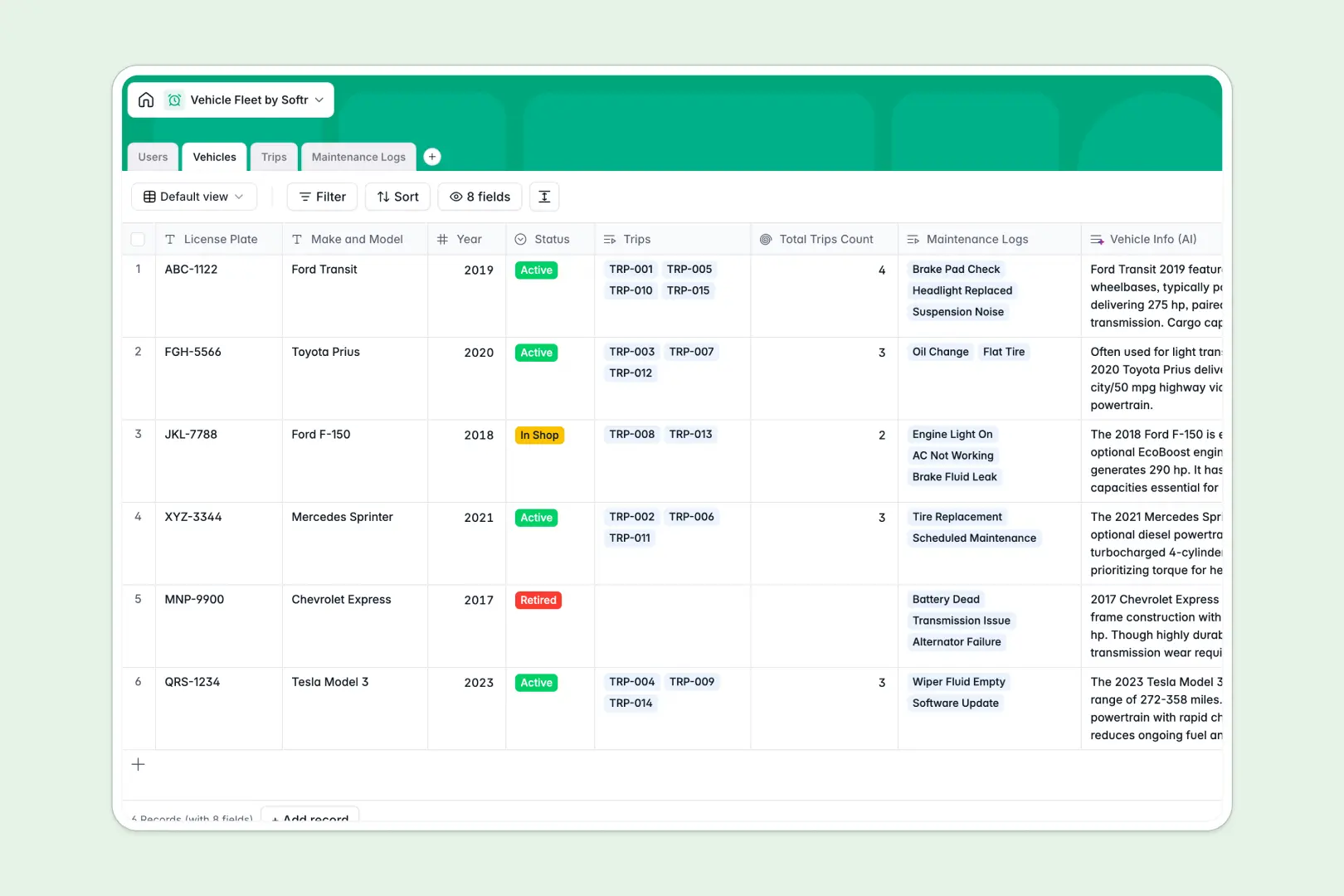
Your Vehicle Fleet database at a glance
This template provides a central location to track your entire fleet, log vehicle maintenance, record diagnostic statuses, and schedule driver trips without friction.
It connects four relational tables: Vehicles, Users (drivers and fleet managers), Trips, and Maintenance Logs. This means that when a driver records a trip or a repair log, the active status of the individual vehicle is instantly, dynamically updated.
Built-in AI fields help operational workflows. The database automatically pulls technical specs for models, generates driving trip summaries, and estimates maintenance urgency based on logs.
What to check before building your vehicle fleet base in Airtable
Managing active commercial vehicles, high daily route counts, and driver scheduling requires massive database updates, quick external access, and collaboration.
Many teams lean toward Airtable for its database structure, which is a sensible choice because you need relationship mapping rather than just flat rows. However, there are systemic issues to keep in mind before you commit.
What changes with a database built for apps
In Airtable, as soon as your drivers need to submit trip logs, update maintenance statuses, or see schedule changes, you must invite them as collaborators. This instantly triggers per-seat pricing that punishes your team as you scale.
With Softr Databases, there are unlimited collaborators on all plans. You do not get penalized for giving drivers edit access, and you can comfortably scale records to meet busy transit schedules, up to 200,000 records per database.
Furthermore, the database structure natively links your vehicles directly to real-time events. For example, selecting a vehicle in a maintenance log automatically reflects in that vehicle's availability score without using fragile formulas.
Practical workflow power
With this vehicle fleet template, updates happen naturally. Drivers can log a trip from their mobile devices, and Database AI agents automatically categorize maintenance requests by urgency level.
Since this database is ready to go, you can start tracking vehicle make, model, license plates, and active drivers immediately without spending hours configuring field validation types manually.
-
Users
Track fleet managers, admins, and drivers with contact info and roles
-
Vehicles
Manage fleet vehicle data enriched with AI-generated technical specs
-
Trips
Track vehicle journeys with details and AI-generated trip summaries
-
Maintenance Logs
Record repairs using AI to automatically assess issue urgency level
Who is this Vehicle Fleet database for
- Fleet Operations Managers: Easily track active/retired vehicles, check real-time maintenance logs, and manage driver logs.
- Logistics & Delivery Teams: Dispatch active drivers, link vehicles to destinations, and log distances to calculate mileage accurately.
- Mobile Maintenance Teams: Spot high-urgency mechanical issues instantly, manage repair costs, and track down-time statuses.
How to take it further
1. Customize the database
You can modify choose-list items like status fields (Add options like "Leased" or "Under Inspection") and add custom currency inputs to log unexpected fuel expenses easily. Customizing the database takes seconds.
2. Import your existing data
Ready to migrate your current tracking? Simply upload your vehicles' information via CSV or bulk import your driver contact details using our clean import loader to go live in minutes.
3. Build a full app around it
Once your data is loaded, you can elevate your setup into a real software portal. Use the AI app generator to generate an app with custom interfaces for your workspace in seconds.
You can set up granular users and permissions so that drivers only see their own trips and logs on mobile, while dispatch managers get a desktop directory. Building a connected fleet portal is easier when starting from a well-structured database schema.
-
1
-
2
-
3
-
4
Frequently asked questions
-
What is a vehicle fleet database?
-
Why use a no-code database to build a vehicle fleet tool?
-
How can AI help managing data for your vehicle fleet?
-
Can I build an app with this vehicle fleet database?
-
Is this vehicle fleet Airtable alternative template free?
-
How is this template different from a traditional Airtable vehicle fleet base?
Start building today. It's free!
Build and launch your first app in under 30 minutes.