


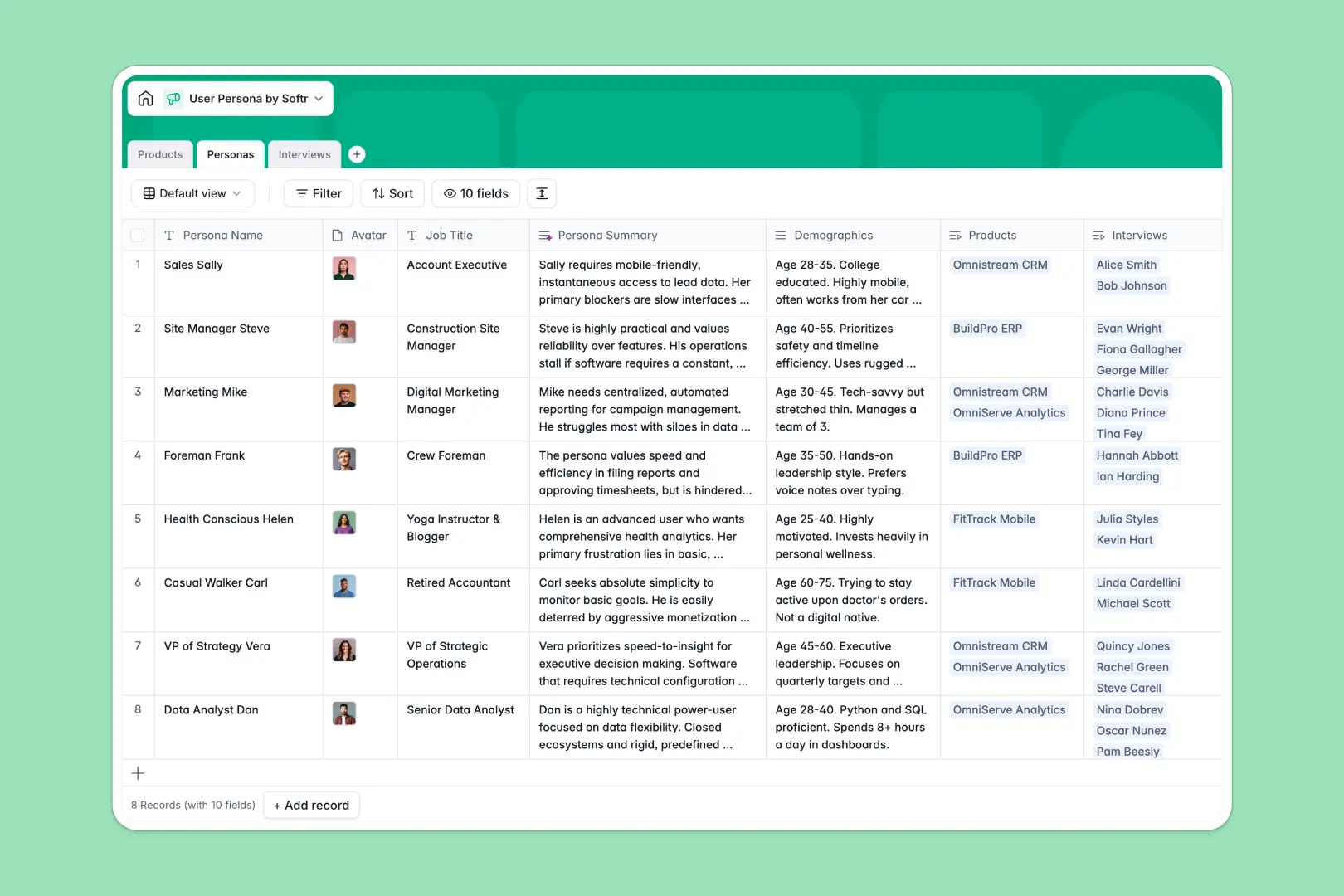
Your User Persona database at a glance
This template helps product, marketing, and design teams centralize user personas and connect them directly to real user data. Instead of keeping static profiles in PDFs, you can link personas to actual products and research interview transcripts.
Every record keeps its structure intact so you can filter by target audience, view demographic data, and see the exact pain points driving your roadmap.
With built-in AI fields, you can summarize Goals & Needs and extract top takeaways from interview transcripts automatically.
What to check before building your user persona base in Airtable
Building a user persona directory is an excellent step toward building better products. While Airtable is a solid relational base, it is helpful to look at how your team plans to use this data before committing.
What changes with a database built for apps
When your product, design, and marketing teams need to access user insights, Airtable's per-seat pricing quickly becomes expensive for view-and-edit access.
Softr Databases include unlimited collaborators on all plans. This means everyone on your team can update interviews, add personas, and edit records without adding to your monthly bill.
Additionally, you don't have to stitch external tools together when you want to share personas with external partners—the app and permissions layer are natively built right in.
What you can do with this template
With this database, you can connect user interviews directly to fictional personas and the actual software products they represent. This ensures every product decision is backed by real, clean data.
By leveraging Database AI agents, your tables will automatically generate summaries of persona pain points and instantly rate user sentiment from interview transcripts. This keeps your research actionable with zero manual copy-pasting.
-
Products
Manage software offerings and B2B SaaS products linked to target personas
-
Personas
Track target user profiles with automated AI-powered persona summaries
-
Interviews
Logs user research calls with AI sentiment analysis and key takeaways
Who is this User Persona database for
- Product Managers: Map real customer pain points and interview insights directly to product features and categories.
- UX Researchers: Centralize interview recordings, process raw transcripts, and build accurate user personas in one place.
- Product Marketers: Align your messaging with demographic data, user goals, and structured buyer profiles.
- Startup Founders: Keep target personas and early user feedback organized and accessible for the entire team.
How to take it further
Customize the database
You can easily tailor this template to your unique workflow. Add specific select options for product categories, add numeric fields for target audience size, or include custom tags for your research methodologies directly inside the database.
Import your existing data
If you have persona PDFs, spreadsheet trackers, or interview logos saved elsewhere, you can upload them instantly via CSV. You can also connect other tools via API to sync new interview logs in real time.
Build a full app around it
When you are ready to share this data across your organization, you can easily build an app on top of this database.
Using the Softr AI Co-Builder, you can describe what you need in one plain-language prompt to generate fully functional web interfaces. You can set up secure users and permissions so that researchers can submit interview data while external stakeholders only see polished persona dashboards.
-
1
-
2
-
3
-
4
Frequently asked questions
-
What is a user persona database?
-
Why use a no-code database to build a user persona system?
-
How can AI help managing data for user personas?
-
Can I build an app with this user persona database?
-
Is this User Persona database template free?
-
How is this template different from an Airtable template?
Start building today. It's free!
Build and launch your first app in under 30 minutes.