


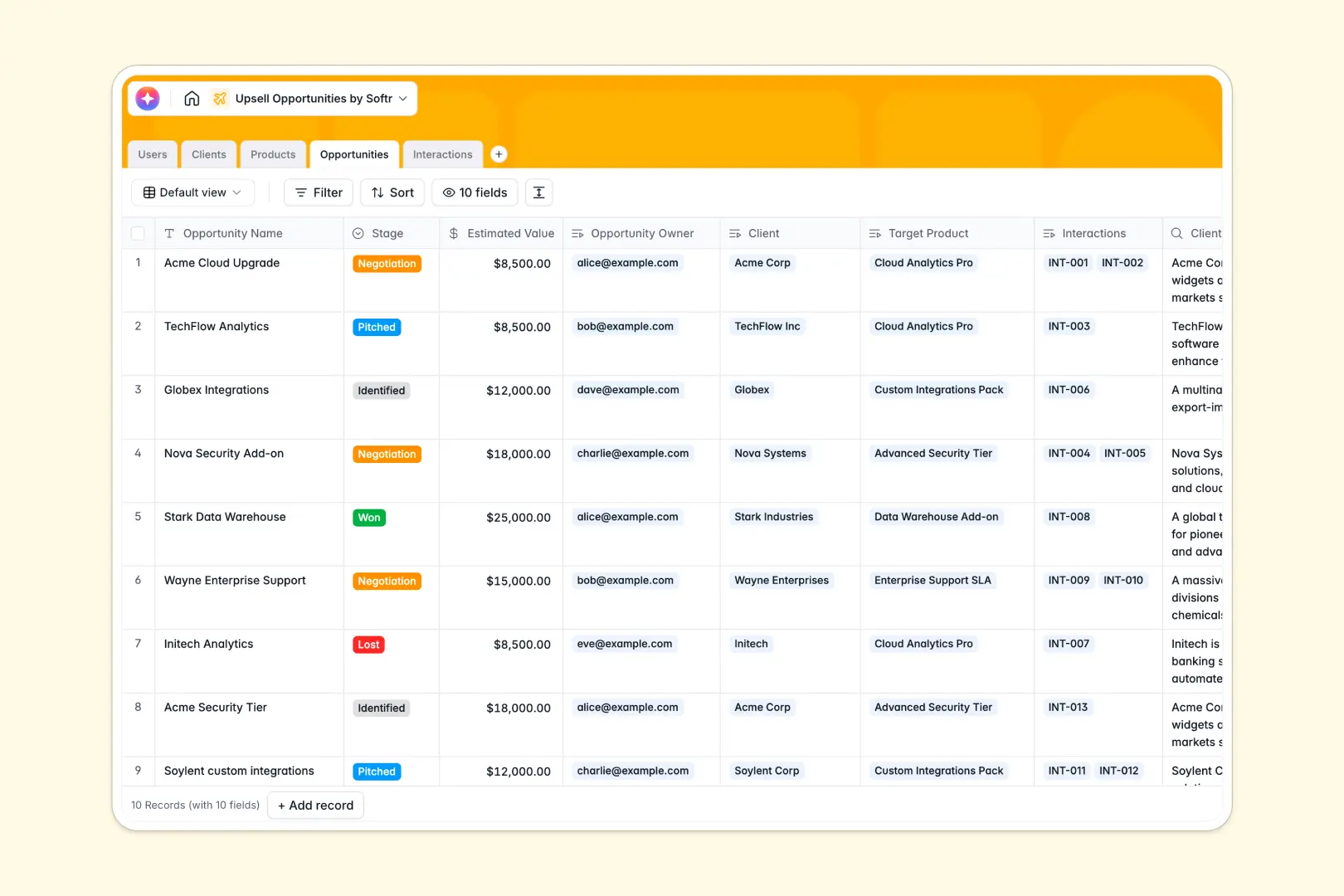
Your Upsell Opportunities database at a glance
Maximize customer lifetime value by tracking upgrade paths and deal progression in a single, organized system. This template connects your client directory, available products, active deal stages, and interaction records into a unified workspace.
Everything links together naturally. Dedicated tables for Users, Clients, Products, Opportunities, and Interactions ensure updates in one place reflect across all related accounts instantly, preventing key accounts from slipping through the cracks.
AI acts as a force multiplier inside your tables. The database automatically conducts web research on client domains to build brand profiles, extracts tasks from meeting notes, and drafts tailored pitch messaging based on historical interactions.
What to check before building your upsell opportunities base in Airtable
While creating relational tables to track extension revenue is a smart move, managing your pipeline within a standalone database tool often brings hidden bottlenecks.
Before committing to Airtable, consider how your account management team actually operates and where workflows tend to cap out.
What changes with a database built for apps
When multiple account managers need to edit target deals, view company background data, and update statuses, standard database collaboration gets expensive quickly. Softr Databases support unlimited collaborators on all plans, meaning your sales reps, customer success managers, and team leads can update deals without triggering per-seat licensing penalties.
Additionally, you don't need to stitch together separate external portals to share specific client views or restrict access. This is exactly what Softr Databases are designed for—serving as a direct foundation for complete client-facing portals or internal pipelines with native interface layouts and workflows already built in.
What you can do with this template
Take complete control over account growth workflows by matching client tiers with specific product add-ons. Team members can easily track interactive history from discovery calls to won opportunities without getting lost in complicated system interfaces.
By leveraging Database AI agents, you can also run live web queries to enrich client profiles and instantly map custom, automated pitches directly inside your pipeline.
-
Users
Track team members with roles, contact info, and managed client accounts
-
Clients
Manage customer accounts with AI-generated backgrounds and tiered tracking
-
Products
Store upsell offerings with pricing models and descriptions
-
Opportunities
Track upsell deals and auto-generate pitched layouts using AI assistance
-
Interactions
Manage interaction logs and extract actionable steps using integrated AI
Who is this Upsell Opportunities database for
- Account Management Teams: Keep client relationships organized and see which accounts are prime candidates for higher tiers or premium features.
- Sales & CS Leads: Monitor pipeline stages from identification to negotiation without manual status requests.
- Customer Success Reps: Log interaction details and quickly extract action items to stay on top of critical account follow-ups.
- Operations Managers: Centralize your team's directories, custom product catalogs, and live deal logs in one structured workspace.
How to take it further
1. Customize the database
Add or change fields instantly to match your exact business model. You can modify the Stage options to fit your internal sales process (such as adding a specialized "Security Review" step) or adjust the Current Tier designations to align with your standard offerings.
2. Import your existing data
Avoid manual typing by uploading your current lists via CSV in seconds. You can import active customer profiles directly into the Clients table, map current managers, and start using the system immediately.
3. Build a full app around it
When your team is ready, convert this database into a robust pipeline tracker. You can use the AI app generator to outline your needs in plain English and instantly produce a custom team portal.
With granular users and permissions, you can ensure account managers only view their assigned clients while administrators retain full visibility over overall pipeline values and closed-won metrics.
-
1
-
2
-
3
-
4
Frequently asked questions
-
What is an upsell opportunities database?
-
Why use a no-code database to build an upsell opportunities system?
-
How can AI help managing data for upsell opportunities?
-
Can I build an app with an upsell opportunities database?
-
Is this Upsell Opportunities template free?
-
How is this template different from an Airtable template?
Start building today. It's free!
Build and launch your first app in under 30 minutes.