


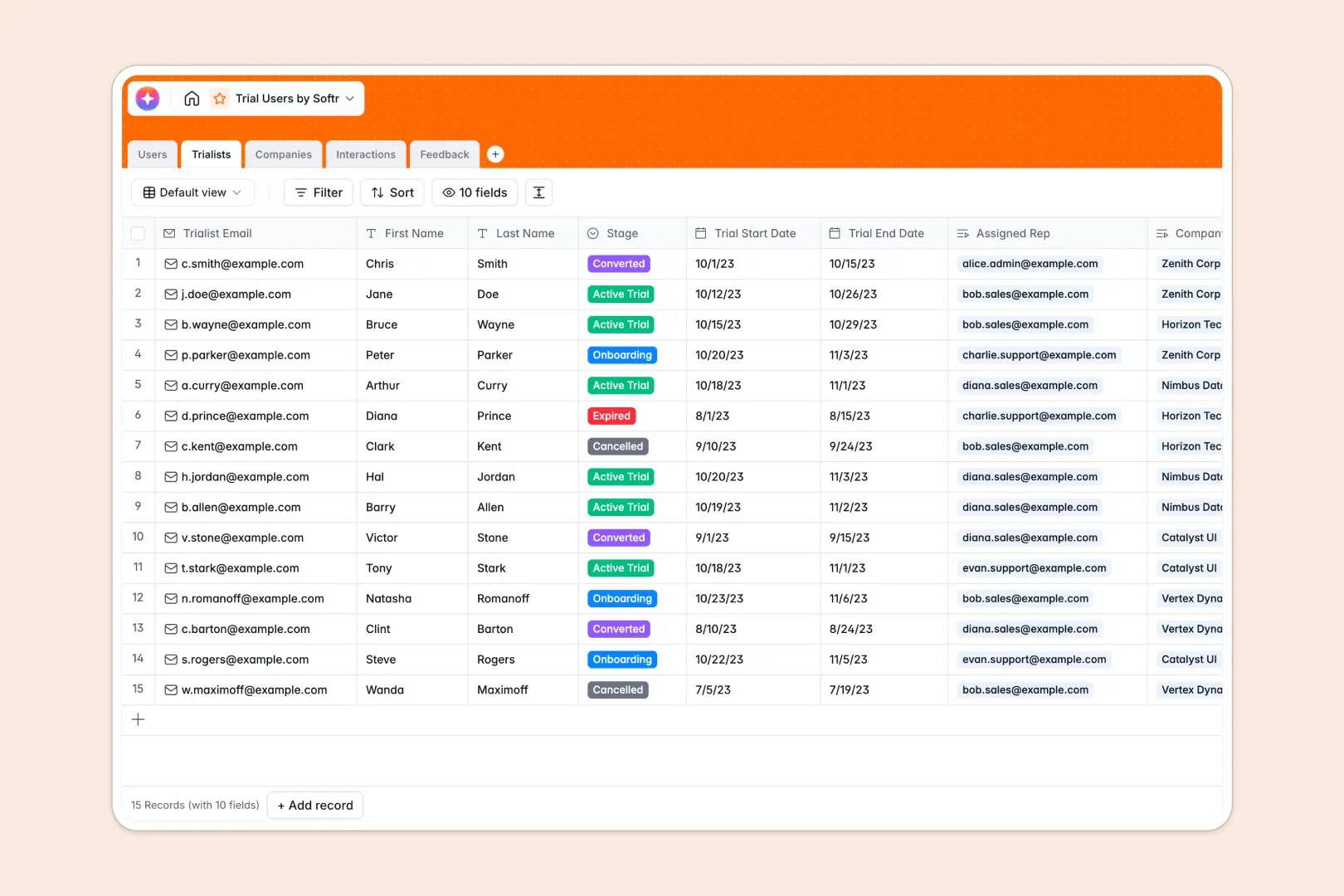
Your Trial Users database at a glance
This template allows you to centralize your trial experience, keep track of active trials, and log interaction history to ensure no customer falls through the cracks. It connects trial accounts directly to your internal sales or support team so ownership is always clear.
It separates your workflow naturally into five connected tables: Trialists, Companies, Interactions, Feedback, and Users. Your team can monitor trial stages, view company profiles, and catch customer sentiment effortlessly.
This database includes built-in AI fields that automatically research companies, draft summaries of raw call notes, and analyze user sentiment right inside your rows.
What to check before building your trial users base in Airtable
If you need to track user trials with a team, you might think of Airtable first. However, as your sales and support departments expand, per-seat licensing costs start mounting quickly for everyone who needs edit access.
What changes with a database built for apps
Starting with Softr Databases gives you the same relational capabilities of professional databases, but with unlimited free collaborators. You keep your team fully in sync without worrying about climbing monthly user fees.
Rather than forcing your sales representatives to navigate raw database tables, Softr lets you build clean custom interfaces natively above your records. It prevents layout accidents, secures private customer details, and runs fast even with up to 200,000 records.
What you can do with this template
Take complete control of trial touchpoints by linking client interactions directly to their company and assignee. You will instantly know which organizations are highly active and which require immediate outreach.
With embedded Database AI agents, the template automatically pulls rich company summaries using live web searches, extracts main action items from raw notes, and gauges emotional sentiment from user feedback.
-
Users
Track internal employees, their assigned trialists, and logged interactions
-
Trialists
Manage external prospects evaluating the product through trial stages
-
Companies
Manage B2B accounts with AI-generated research and profiles of companies
-
Interactions
Log trialist communications with AI summaries of notes and action items
-
Feedback
Collect user feedback with AI sentiment analysis of customer reviews
Who is this Trial Users database for
- Sales Development Teams: Quickly assign new trials, track conversion progress, and monitor critical trial end dates.
- Customer Success Managers: Access compiled feature feedback and call logs to proactively prevent customer churn.
- Product Managers: Gain unfiltered access to compiled user feature requests, direct ratings, and sentiment trends.
- Founders & Operators: Oversee total trial metrics, high-level conversions, and sales rep touchpoints in one unified view.
How to take it further
Customize the database
Modify default onboarding stages, change interaction types, or update sentiment options to reflect your trial process. Softr Databases let you rename columns, introduce custom formula calculations, or create focused private views with zero friction.
Import your existing data
Avoid manual typing by uploading existing trial users or companies directly using the fast CSV import wizard. You can also connect to external payment gateways or custom sign-up APIs to populate your database tables automatically.
Build a full app around it
When your team is ready, go beyond plain tables and easily build an app on top of this exact structure. Using Softr's AI Co-Builder, you can generate a complete trial tracking portal featuring custom user views, team task managers, and secure client-facing portals.
You can set up granular users and permissions to control exactly which reps see specific client fields, preventing unauthorized access while giving everyone the workspace edit tools they need.
-
1
-
2
-
3
-
4
Frequently asked questions
-
What is a trial users database?
-
Why use a no-code database to build a trial users system?
-
How can AI help managing data for trial users?
-
Can I build an app with this trial users database?
-
Is this trial users template free?
-
How is this trial users database different from an Airtable template?
Start building today. It's free!
Build and launch your first app in under 30 minutes.