


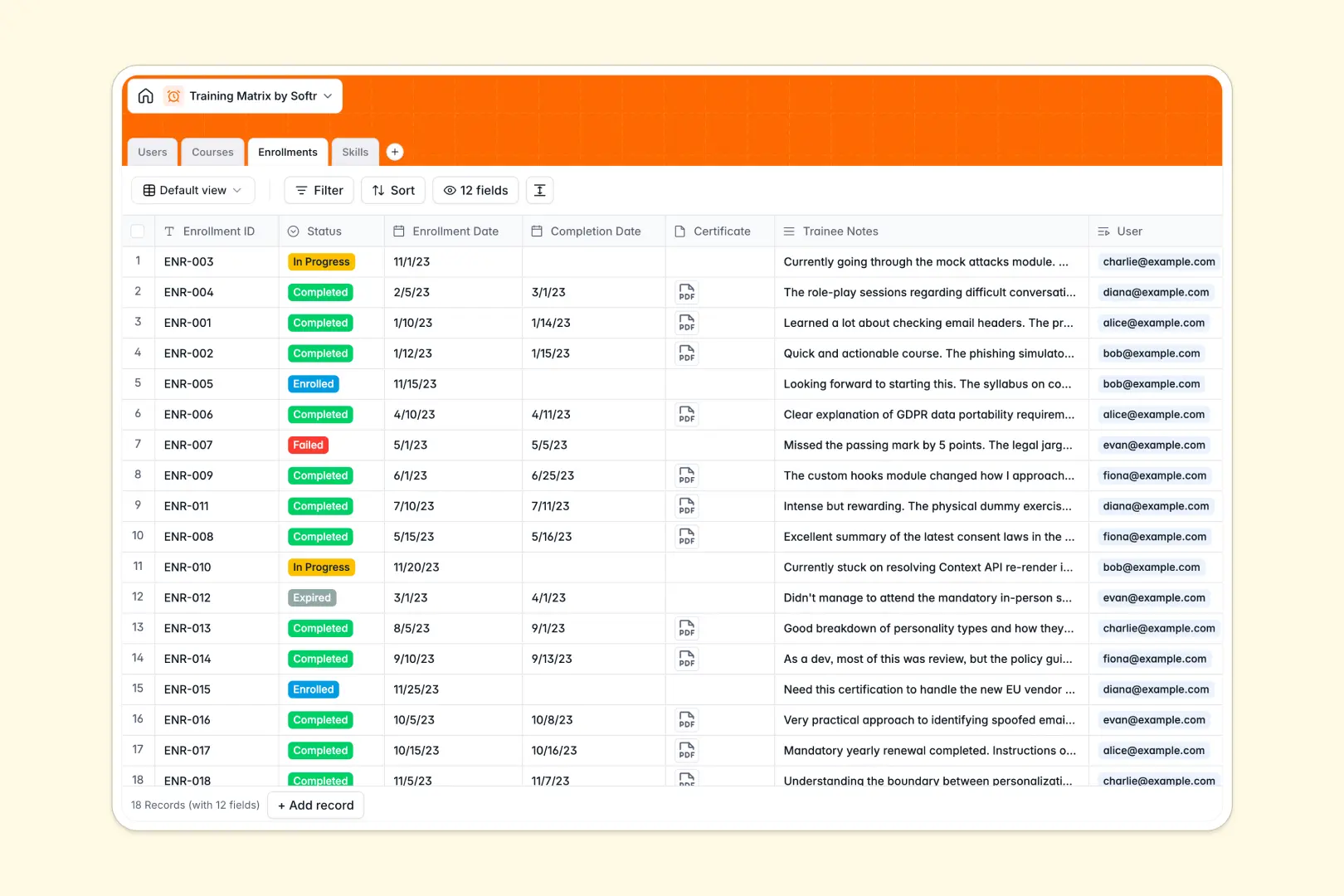
Your Training Matrix database at a glance
This template centralizes employee skills, available training programs, and live enrollments in one organized place. It removes the stress of tracking who has completed what safety or development course so you can keep your workforce compliant and fully trained.
By splitting your data into logically grouped tables for Users, Courses, Enrollments, and Skills, the system ensures everything updates instantly without manual copying. When an employee completes a course, their acquired skills and training history update dynamically across the entire database.
Built-in AI features automatically assist by compiling comprehensive course syllabi and summarizing raw feedback from trainee notes to save your administrators hours of manual work.
What to check before building your training matrix in Airtable
If you are searching for a training matrix Airtable template, you already know the value of structured data over chaotic spreadsheets. But as your training program scales across different teams and departments, several challenges often emerge.
What changes with a database built for apps
Airtable charges per collaborator, which means granting edit permissions to multiple team leads, trainers, and employees gets expensive quickly. Softr Databases offer unlimited collaborators on all plans so your entire team can participate in training tracking without spiraling costs.
Additionally, Airtable has strict record caps and requires stitching external tools together to build client-facing or employee-facing portals. This database lives on a platform designed to natively support user interfaces and strict data access rules from day one.
What you can do with this template
With this template, you can track skill classifications like Technical, Soft Skills, and Leadership alongside user roles and course enrollment statuses. Because it includes native Database AI agents, your database can automatically generate course descriptions or summarize employee notes as new records arrive.
You can also import your existing employee lists and course lists in seconds via CSV or API to get up and running instantly. It provides an efficient starting point that is ready to grow into a personalized training portal whenever you need it.
-
Users
Track team members with roles, contact info, and training history
-
Courses
Manage training programs with syllabi generated by web-powered AI
-
Enrollments
Track training progress and auto-summarize trainee notes with AI
-
Skills
Define qualifications and auto-generate definitions with AI
Who is this Training Matrix database for
- HR & L&D Managers: Easily coordinate training initiatives, assign learning tracks, and generate progress reports.
- Department Heads: Monitor team skill levels in real time to spot and bridge talent gaps immediately.
- Compliance Officers: Verify employee certifications and regulatory training records to avoid audit penalties.
- Operations Teams: Align ongoing skill acquisition updates with front-line staffing requirements.
How to take it further
1. Customize the database
Modify select dropdowns to match your specific departments (e.g., Finance, Product) or skill categories (e.g., Compliance, Health & Safety). You can quickly add new tables structure or add custom rating columns without touch a single line of code.
2. Import your existing data
Bring your existing employee schedules and training logs into Softr in minutes. Use the raw CSV importer for quick one-time bulk uploads or connect to APIs to sync data from external HR systems automatically.
3. Build a full app around it
When you are ready, you can use the Softr AI app generator to build a portal on top of this exact database. Explain what you need in plain text, and the AI will generate a user-friendly interface with custom users and permissions so managers, trainers, and employees only see what is relevant to them.
-
1
-
2
-
3
-
4
Frequently asked questions
-
What is a training matrix database?
-
Why use a no-code database to build a training matrix?
-
How can AI help managing data for your training matrix?
-
Can I build an app with this training matrix database?
-
Is this training matrix template free?
-
How is this template different from a training matrix Airtable base?
Start building today. It's free!
Build and launch your first app in under 30 minutes.