


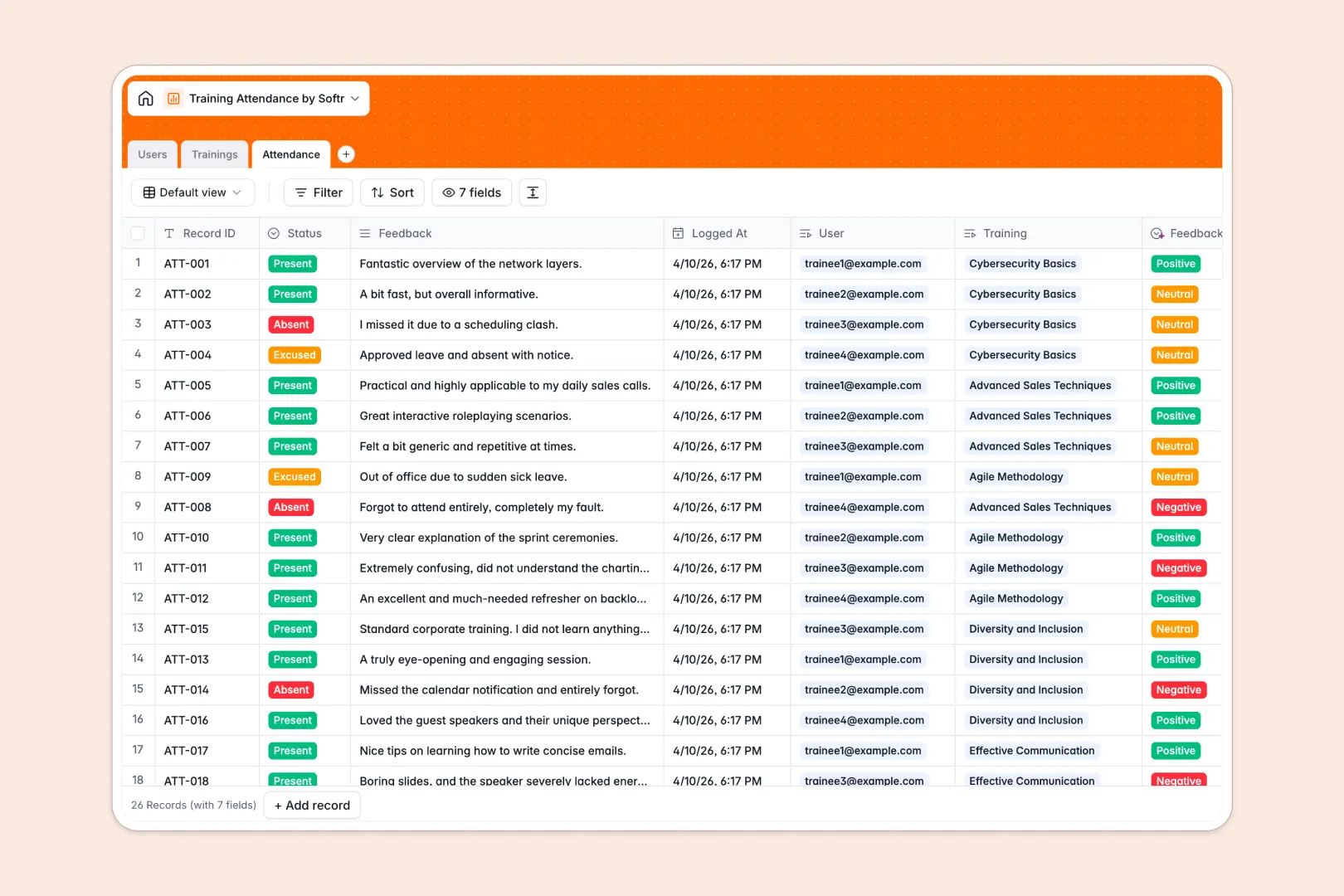
Your Training Attendance database at a glance
This template allows L&D teams and managers to coordinate schedules, track presence, and review training feedback seamlessly in one organized system. It cleanly separates and connects course details, instructor assignments, and individual attendee statuses without messy data silos.
Everything is built to be action-ready. With integrated AI fields, storing a new training session automatically generates educational details, and newly logged feedback instantly undergoes sentiment analysis.
What to check before building your training attendance base in Airtable
When trying to coordinate coordinate courses across departments, setting up a training attendance Airtable base is a common instinct. While Airtable offers strong relational structures, there are key operational realities you should consider before building.
What changes with a database built for apps
Tracking training participation with external trainers and hybrid teams gets expensive quickly under Airtable's per-seat pricing. Softr Databases include unlimited collaborators on all plans, allowing everyone to log presence, submit follow-up details, or review courses without inflating your software bill.
Additionally, you get higher scaling ceilings and faster API performance. Instead of stitching together external form plugins or portal-building add-ons to access your data, you get native interface and membership layers directly on top of your tables.
Work faster with intelligent tracking
This template eliminates boring manual work by integrating Database AI agents right inside your tables. When you input a course title, AI drafts a detailed syllabus and session description instantly.
Your feedback log also features sentiment classification. The AI reads raw student feedback and stamps it as Positive, Neutral, or Negative, saving coordinators hours of manual sentiment sorting.
-
Users
Track system users including trainees and trainers with roles and departments
-
Trainings
Manage scheduled training sessions with AI-generated syllabus descriptions
-
Attendance
Track attendance records and capture learner feedback with AI sentiment analysis
Who is this Training Attendance database for
- L&D and HR Professionals: Oversee organization-wide compliance sessions and professional development programs in one secure system.
- Corporate Trainers: Easily manage rosters, session schedules, and post-training feedback reviews.
- Department Heads: Monitor employee attendance rates and evaluate which educational workshops drive the highest engagement.
How to take it further
1. Customize the database
Tailor the structure to your exact corporate structure in seconds. You can easily add options to the department field, modify session statuses, or add columns to track training scores and certifications.
2. Import your existing data
If you have training history saved elsewhere, you can upload it instantly via CSV or sync live records using the native API. Transition your historical training records over without losing historical tracking.
3. Build a full app around it
When your organization is ready, you can easily build an app on top of this exact database. Using the AI Co-Builder, simply describe the client portal or internal training app you want, and Softr will generate the interface, automated workflows, and user roles instantly.
With granular users and permissions, you can ensure trainees only see their own attendance logs, while trainers get a dashboard to edit sessions, take dynamic attendance, and log feedback.
-
1
-
2
-
3
-
4
Frequently asked questions
-
What is a training attendance database?
-
Why use a no-code database to build a training attendance system?
-
How can AI help managing data for training attendance?
-
Can I build an app with a training attendance database?
-
Is this Training Attendance template free?
-
How is this template different from a training attendance Airtable base?
Start building today. It's free!
Build and launch your first app in under 30 minutes.