


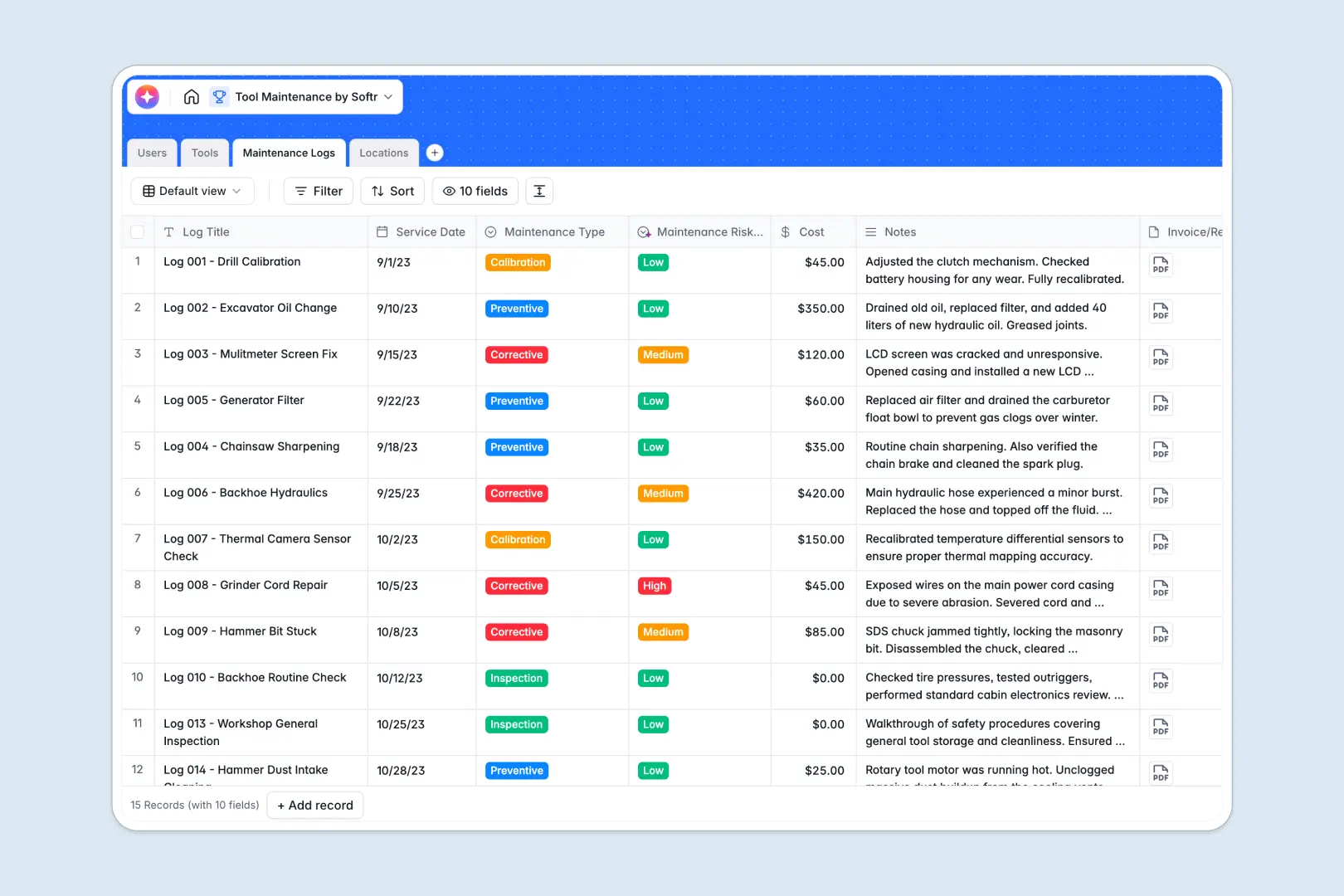
Your Tool Maintenance database at a glance
Keep track of all physical gear, current statuses, and historical repairs without the complexity of generic trackers.
The database links your physical tools directly to maintenance logs, service technicians, and storage locations for instant visibility.
Use built-in AI fields to automatically generate equipment capability summaries and classify risk levels on every incoming repair.
What to check before building your tool maintenance base in Airtable
While Airtable is a powerful tool, tracking heavy inventory across multiple operations teams exposes its main scaling roadblocks.
What changes with a database built for apps
Airtable charging per seat quickly adds up when every technician, operator, and warehouse manager needs access to update repair data.
If you want those team members to update machine status without costly per-user licenses, you normally have to stitch multiple tools together.
With Softr Databases, you can scale your records and keep everyone updated without worrying about sharing costs.
What you can do with this template
Instantly record a preventive inspection, link it to the assigned technician, and track physical tool counts across locations.
This template also leverages native Database AI agents to automatically evaluate and categorize risk levels for each service run.
-
Users
Track staff members with contact details, operational roles, and assigned tools
-
Tools
Manage equipment inventory with status tracking, locations, and AI-powered summaries
-
Maintenance Logs
Log service history, costs, with AI-evaluated risk levels and service summaries
-
Locations
Organize physical storage sites, warehouses, and access details for tools
Who is this Tool Maintenance database for
This template is optimized for any organization managing physical machinery, inventory, and technician workflows.
- Facilities & operations managers: Keep tabs on heavy machinery downtime, current operating conditions, and active service costs.
- Maintenance technicians: Log corrective actions directly, attach receipts, and review past service logs easily.
- Warehouse coordinators: Ensure real-time clarity on where tools reside and who is currently handling them.
How to take it further
1. Customize the database
Adjust the status categories to fit your specific workflow, or add fresh custom fields like serial numbers.
2. Import your existing data
Easily pull your existing equipment spreadsheets using a CSV upload directly into your new tool tracker database.
3. Build a full app around it
When your operation is ready, you can easily build an app on top of this structured database to provide custom portals for operators and technicians.
Ensure technicians only view tasks assigned to them by using granular users and permissions rules to keep on-site operations simple and clutter-free.
-
1
-
2
-
3
-
4
Frequently asked questions
-
What is a tool maintenance database?
-
Why use a no-code database to build a tool maintenance system?
-
How can AI help managing data for tool maintenance?
-
Can I build an app with this tool maintenance database?
-
Is this tool maintenance template free?
-
How is this template different from an Airtable template?
Start building today. It's free!
Build and launch your first app in under 30 minutes.