


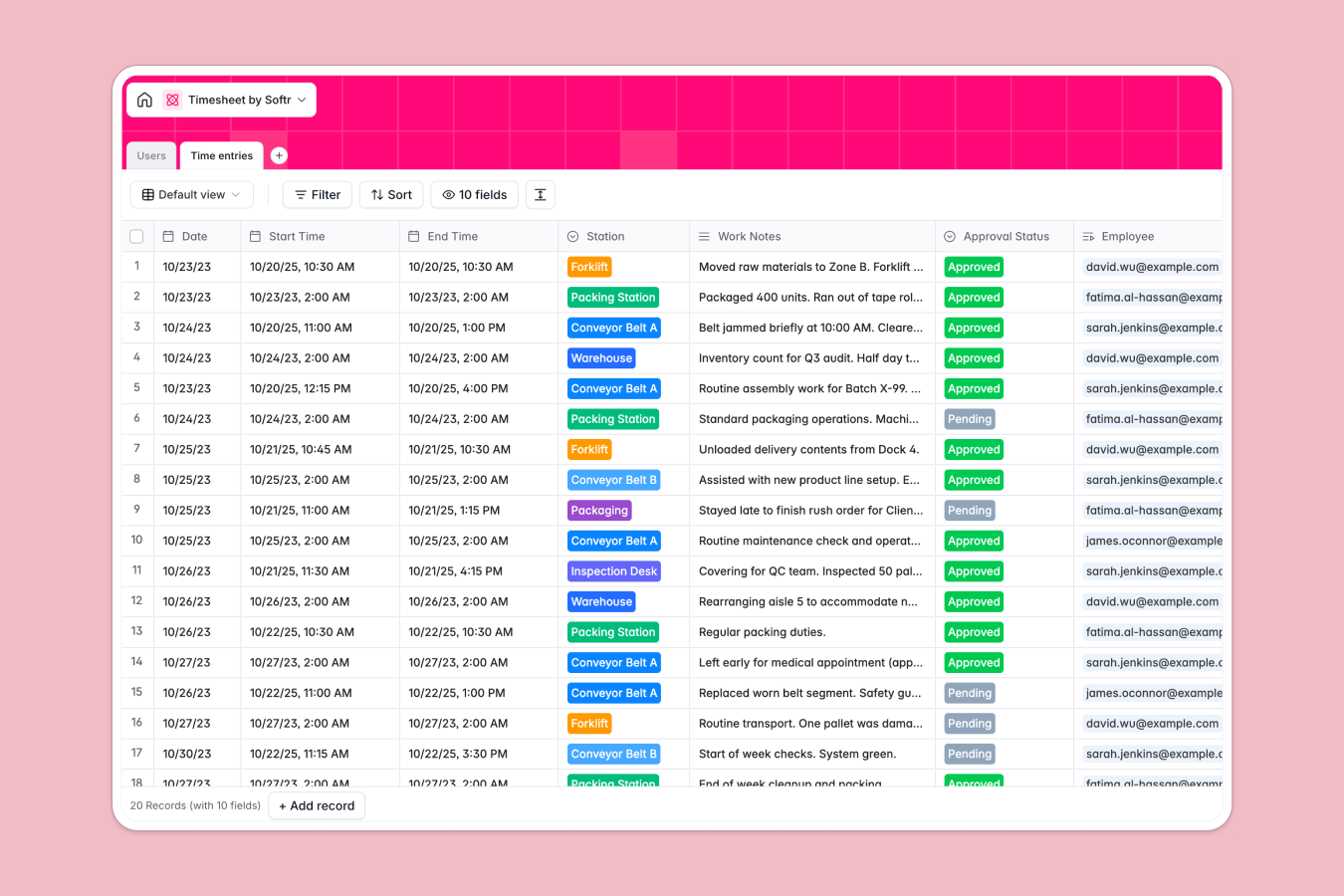
Your Timesheet Database at a glance
This template provides a reliable way to manage labor records and shift logs in one central hub. It simplifies tracking hourly rates, total shifts worked, and overall payroll-ready data without complex manual setups.
Two clean tables connect employees Directly to their daily work logs. The Users table catalogs workers, department placements, and hourly rates, while the Time entries table acts as the active registry for shift durations, work notes, and managers' approval statuses.
This system also features automated safety oversight. AI analyzes logs as shifts end, writing structured safety risk reviews into the registry so managers can spot physical bottlenecks on the floor instantly.
Where your timesheet outgrows Airtable
While Airtable is a solid relational base, using it for timesheets often hits friction when rolled out across an entire team. It runs on a per-seat pricing model that means costs spike quickly as you add every shop floor worker who needs to log entry records.
What changes with a database built for apps
Instead of paying for every user who edits or views data, Softr Databases include unlimited collaborators. This means you can scale to hundreds of factory operators recording daily logs without expanding your software budget.
Furthermore, you escape Airtable's record ceilings and API constraints. You get a database designed to act as the direct backend for real operational platforms, easily keeping up with daily entries and high-concurrency logging.
What you can do with this template
You can map users directly to their active shifts, tracking individual hourly payouts through precise relational databases fields. Because everything stays in one unified place, there are no broken lookup links or corrupted rows.
This database also utilizes built-in automation. The Database AI agents scan field comments to flag incidents, removing manual review steps and raising immediate safety exceptions.
-
Users
Manage factory employees with roles, hourly rates and department assignments
-
Time entries
Track working shifts with AI safety checks to identify machinery or safety risks
Who is this Timesheet Database for
This setup is designed for teams wanting to simplify shift tracking and manual approvals.
- Factory Managers: Track worker hours, approve logs, and manage shift allocations smoothly.
- Operations Leads: Keep work safety checks managed and monitor station utilization rates.
- HR Specialists: Access historical hour logs to process payroll accurately without errors.
How to take it further
Customize the database
You can easily adjust this setup to match your physical site layout. Adjust operational Select fields to list your own conveyor lines, machinery models, or specific administrative job codes.
Import your existing data
Transitioning takes minutes. You can import existing rosters or record sheets via direct CSV upload, instantly mapping past log structures into these relational fields.
Build a full app around it
When your team is ready, you can convert this raw structured database into a complete portal. Use our AI Co-builder to design customized employee portals and manager consoles.
You can build custom layouts using the interface builder to restrict access. Apply strict users and permissions so workers can log shifts only on their mobile devices, while office managers review them globally.
-
1
-
2
-
3
-
4
Frequently asked questions
-
What is a timesheet database?
-
Why use a no-code database to build a timesheet system?
-
How can AI help managing data for timesheets?
-
Can I build an app with this timesheet database?
-
Is this Timesheet Database free?
-
How is this timesheet different from an Airtable template?
Start building today. It's free!
Build and launch your first app in under 30 minutes.