


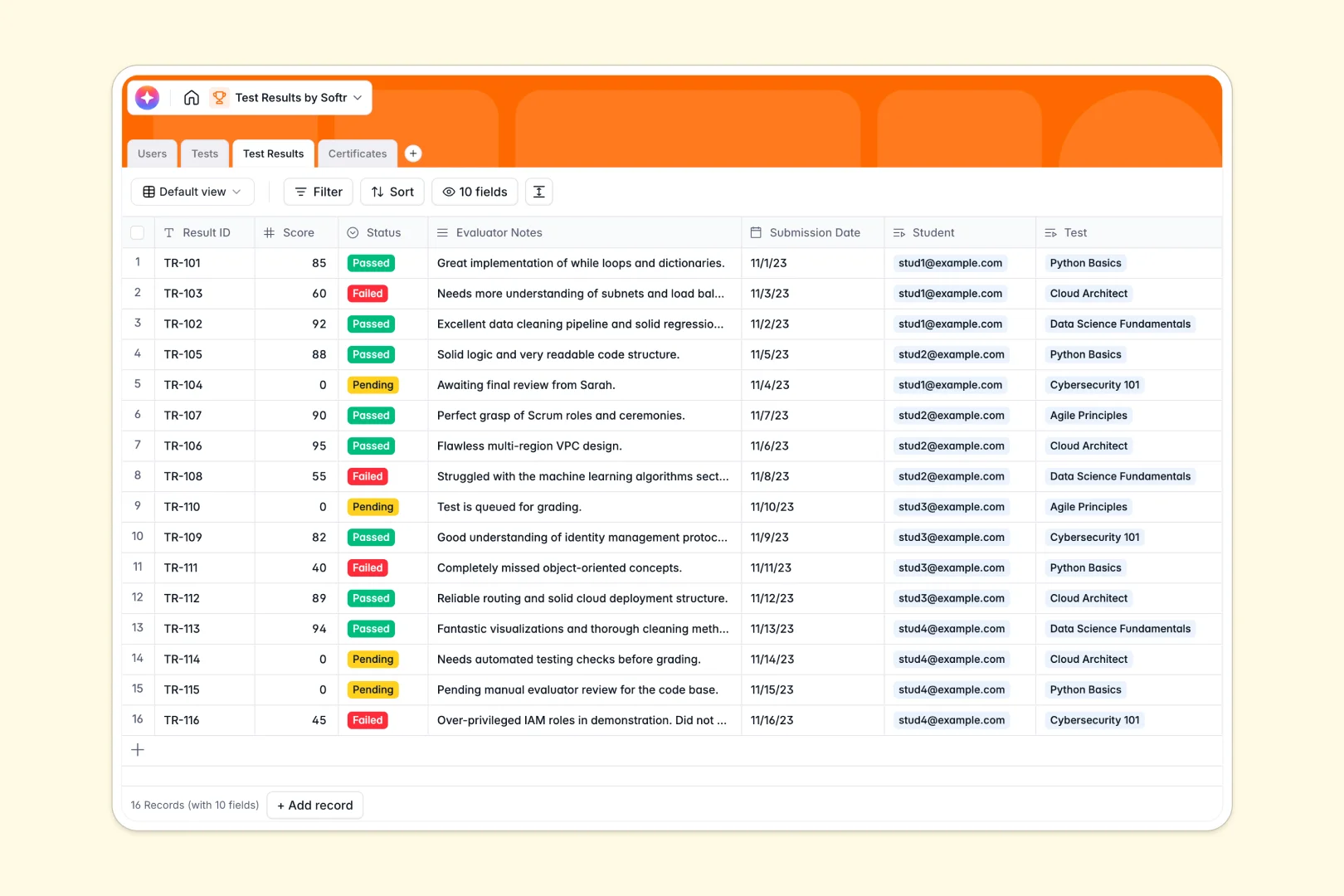
Your Test Results database at a glance
This template provides a complete system to record test results, organize student rosters, and log earned certificates in one secure place. Because it is pre-structured, you can start tracking scores and evaluation notes immediately.
The relational tables connect student profiles straight to test definitions and individual outcomes, eliminating the need to copy and paste data across separate lists.
This template also includes native AI-driven fields to automatically generate custom evaluator guidelines and draft personalized feedback letters to students based on their scores.
What to check before building your test results base in Airtable
Choosing where to run your student and test tracking is a critical decision. While Airtable offers strong relational tables, administering a training program or classroom reveals key platform constraints as your team and student base grow.
What changes with a database built for apps
Airtable charges per collaborator, meaning that giving every evaluator, grader, or administrative coordinator edit access to your records quickly becomes incredibly expensive. Softr Databases feature unlimited collaborators on every plan, allowing your entire team to manage grades without unpredictable bills.
Furthermore, administering tests requires distinct privacy levels. Instead of exposing raw backend tables or setting up complex workarounds, a template built on an app-ready platform lets you share exactly what is needed without risking database leaks.
Automated evaluation and feedback
This tracking template is equipped with built-in Database AI agents that auto-generate specialized feedback letters based on actual student scores and evaluator notes.
Transitioning from external systems is lightweight. You can import your current sheets via CSV in just a few clicks to experience structured grading immediately.
-
Users
Track students and evaluators with contact details, roles and linked system assets
-
Tests
Manage available tests and establish criteria with AI-generated evaluator guidelines
-
Test Results
Log scores and track statuses, featuring AI-generated personalized student feedback
-
Certificates
Store official credentials and credentials files issued to successful students
Who is this Test Results database for
This template is designed for administrators and educators who need a clean, structured way to monitor student and exam performance.
- Academic institutions: Track student exam histories, calculate class averages, and keep record of earned certifications in one safe system.
- Corporate trainers: Monitor employee compliance testing and professional onboarding progress without managing messy files.
- Certification bodies: Oversee test evaluators, manage minimum average scores, and track official credentials for successful candidates.
How to take it further
1. Customize the database
Tailor this database to your exact testing model. You can modify passing scores, adjust evaluation select options, rename fields, or add custom tables for unique departments directly in the visual editor.
2. Import your existing data
Bring in historical grading sheets and active student directories instantly. The CSV import tool lets you map columns to our structured fields in minutes without losing your historical data.
3. Build a full app around it
When your program is ready to scale, you can easily generate an app with AI using this database as the foundation. This allows you to build safe, dedicated student portals so individuals only see their personal grades and certificates, while using granular users and permissions to give evaluators their own secure dashboard to grade submissions.
-
1
-
2
-
3
-
4
Frequently asked questions
-
What is a test results database?
-
Why use a no-code database to build a test results system?
-
How can AI help managing data for test results?
-
Can I build an app with this test results database?
-
Is this test results template free?
-
How is this template different from an Airtable template?
Start building today. It's free!
Build and launch your first app in under 30 minutes.