


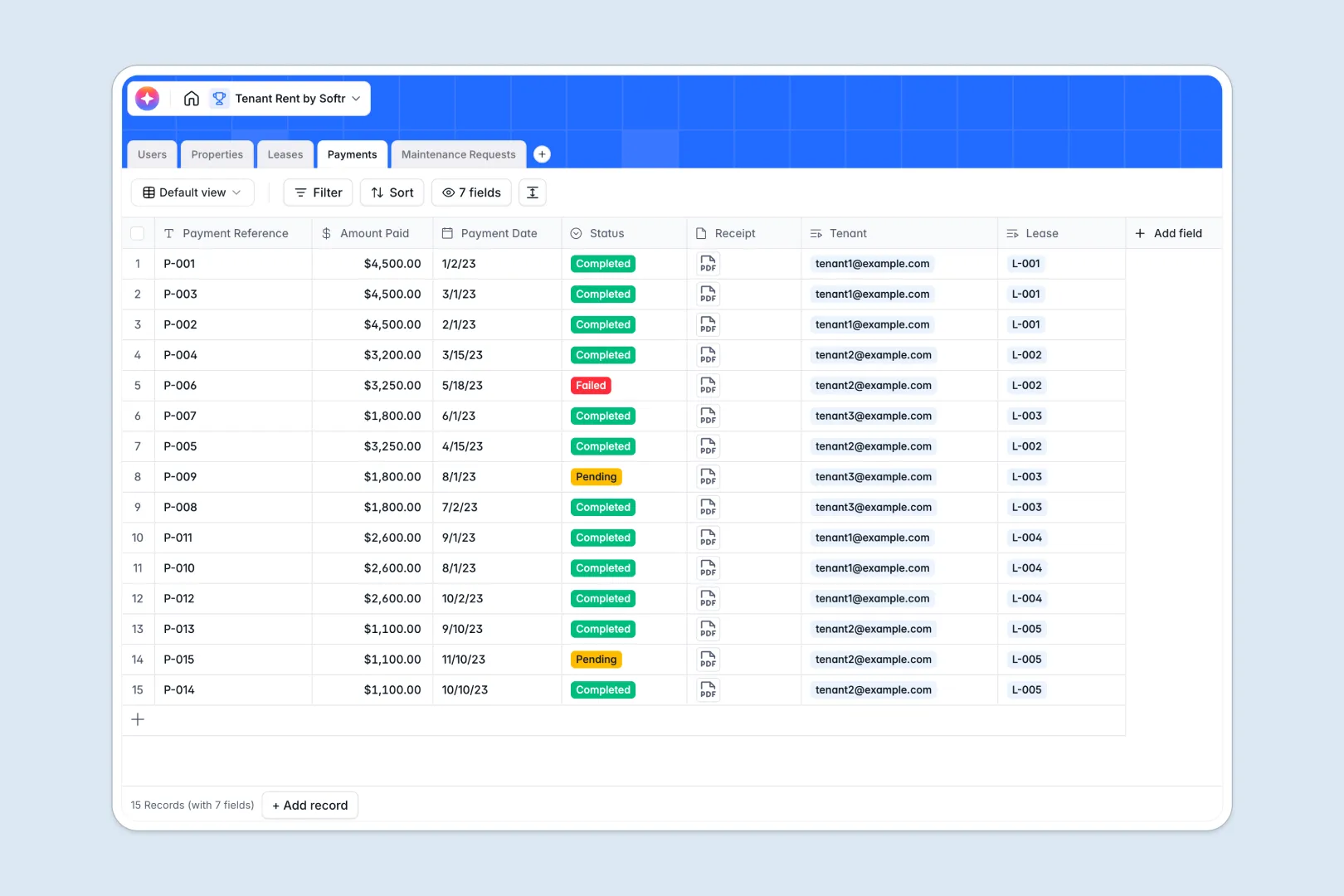
Your Tenant Rent Tracker at a glance
This template keeps your properties, leases, payments, and maintenance requests organized in a single, stress-free database. Track what's due, who has paid, and which repairs need immediate attention without digging through endless message threads.
Everything links logically. A tenant connects to their lease, which connects to the property and incoming payments. This ensures your records stay perfectly accurate as your rental business grows.
With built-in intelligence, the database summarizes lease contracts automatically and classifies the urgency of new tenant maintenance tickets the moment they are submitted.
What to check before building your tenant rent base in Airtable
While Airtable is a capable relational database, managing tenant rentals inside it long-term can introduce unexpected hurdles as your property portfolio and team expand.
Where tenant management outgrows Airtable
When managing properties, you often need to share data with landlords, maintenance contractors, and tenants. In Airtable, granting someone access to update their payment status or submit a ticket means paying for an expensive collaborator seat.
This is exactly why Softr Databases are structured differently, offering unlimited collaborators so you can scale your operations without runaway pricing. Additionally, you are not bracketed by strict record caps when your history of payments and requests begins to scale.
What you can do with this template
This template lets you log payments, manage properties, and tie contracts directly to specific tenancies. Native relationships ensure that when a tenant uploads a receipt, it instantly updates the right lease record.
Additionally, integrated Database AI agents can generate attractive property marketing descriptions from basic details and auto-triage maintenance issues on autopilot.
-
Users
Manage system users including landlords, tenants, and team admins
-
Properties
Track rental units and auto-generate marketing materials using AI
-
Leases
Store rental agreements and use AI to extract 3-point terms summaries
-
Payments
Monitor rental transactions, billing statuses, and payment receipts
-
Maintenance Requests
Resolve property issues categorizing urgency levels automatically via AI
Who is this Tenant Rent database for
- Property Managers: Streamline lease tracking and keep clean records across multiple owners.
- Independent Landlords: Manage several rental units, track monthly rent collection, and organize maintenance histories.
- Real Estate Operators: Scale your rental portfolio with a clear database ready for teammates and external contractors.
- Co-Living Communities: Keep accurate logs of tenant details, payment records, and property upkeep schedules.
How to take it further
Customize the database
You can easily adapt this template to fit your specific setup. Add custom billing frequencies, include fields for security deposit tracking, or modify repair category choices directly in your Softr Database.
Import your existing data
If you already have properties, contacts, or active leases saved in spreadsheets or old files, you can quickly import everything via CSV. This gets your database populated and functional within seconds, carrying no lock-in risk.
Build a full app around it
When you are ready to stop copy-pasting data, you can build a secure tenant portal on top of this exact database. Use the AI app generator to turn your structured tables into a fully functional web app with one prompt.
By building an app, you can grant tenants secure access to submit maintenance tickets and upload receipts visually. Complete users and permissions control guarantees that tenants only see their own leases, while landlords can view metrics across all properties.
-
1
-
2
-
3
-
4
Frequently asked questions
-
What is a tenant rent database?
-
Why use a no-code database to build a tenant rent system?
-
How can AI help managing data for tenant rentals?
-
Can I build an app with this tenant rent database?
-
Is this tenant rent template free?
-
How is this template different from an Airtable template?
Start building today. It's free!
Build and launch your first app in under 30 minutes.