


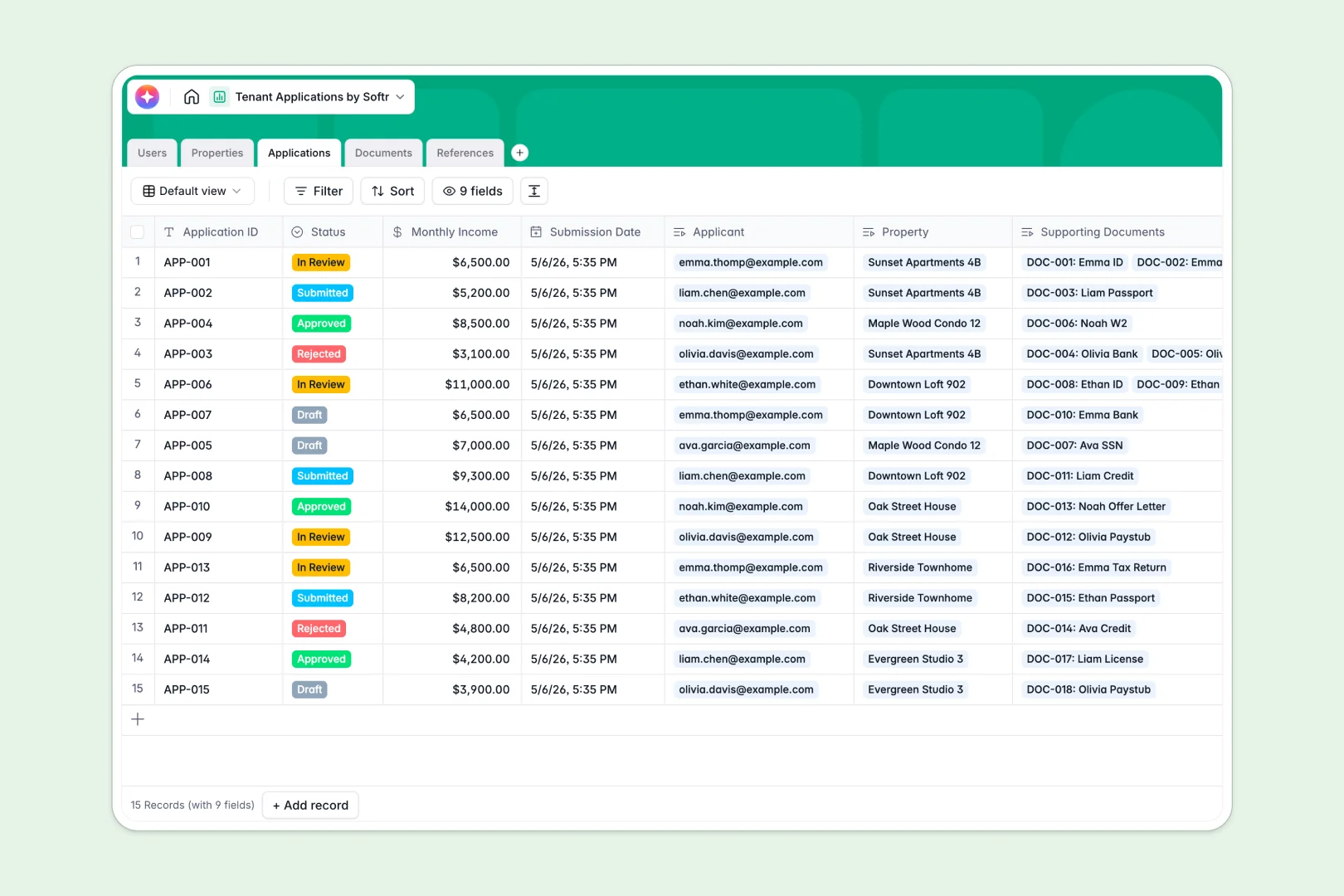
Your Tenant Applications database at a glance
Efficiently manage your entire rental pipeline and keep important records secure from submission to lease sign-off. This template connects property details, incoming application records, applicant profiles, and essential verification documents.
Everything stays organized automatically across linked tables that sync seamlessly. By keeping your properties, applications, references, and verification statuses in one clean relational system, you prevent delays and human errors during screening.
This template also includes built-in AI fields that can draft catchy listing descriptions for your vacancies and instantly summarize applicant details to accelerate review times.
What to check before building your Tenant Applications base in Airtable
If you are managing real estate listings or screening future tenants, choosing where to house your data is a critical choice.
While Airtable offers relational database structures, the per-seat collaborator pricing models quickly become a bottleneck when sharing access with multiple leasing agents, landlords, or external applicants.
What changes with a database built for apps
A database should not force you to pay for every team member who needs to update a record or edit a status.
Softr Databases allow you to collect, edit, and organize data with unlimited collaborators on all plans. This design means you can scale your data operations without worrying about sudden cost hikes as your leasing team grows.
Starting from a structured foundation means you can immediately use Database AI agents right inside your tables to analyze reference feedback or auto-summarize financial details.
What you can do with this template
- Track application statuses like "In Review", "Approved", or "Rejected" alongside monthly income details.
- Link supporting files such as credit checks or official paystubs to reference histories and tenant profiles.
- Organize managed properties and summarize applicant pipelines automatically without copying data across tabs.
-
Users
Manage property managers and applicants with roles and contact information
-
Properties
Track rental units and auto-generate listing descriptions using AI
-
Applications
Evaluate tenant applications and auto-generate eligibility summaries with AI
-
Documents
Store and verify supporting documents submitted by rental applicants
-
References
Track applicant references and analyze feedback sentiment using AI
Who is this Tenant Applications database for
- Property Managers: Track vacancies, automate listing descriptions, and review applicants effortlessly.
- Leasing Agents: Access tenant files quickly, review background check files, and change application statuses.
- Independent Landlords: Maintain a clean, secure record of incomes, IDs, and past references.
- Real Estate Agencies: Scale properties and application steps in a singular shared workspace.
How to take it further
Customize your database
You can modify this database to fit your exact workflow in seconds. Adjust status tags, update document category choices, or add custom fields to track security deposit statuses or custom lease terms without touching code.
Import your existing datasets
If you already have rent rolls or applicant details stored, you can bulk import records using a simple CSV upload or use API connections to stream existing tracking sheets into your tables.
Build a full app around it
When you are ready, you can easily generate an app with AI or build a custom portal on top of this exact database, creating interfaces for managers to run background checks and for tenants to upload their documents securely.
By leveraging Softr's native users and permissions, you control exactly who can view, edit, or submit data. This setup ensures sensitive information like income and government IDs remains completely secure.
-
1
-
2
-
3
-
4
Frequently asked questions
-
What is a tenant applications database?
-
Why use a no-code database to build a tenant application system?
-
How can AI help managing tenant application data?
-
Can I build an app with this tenant applications database?
-
Is this tenant applications template free?
-
How is this template different from a tenant applications Airtable template?
Start building today. It's free!
Build and launch your first app in under 30 minutes.