


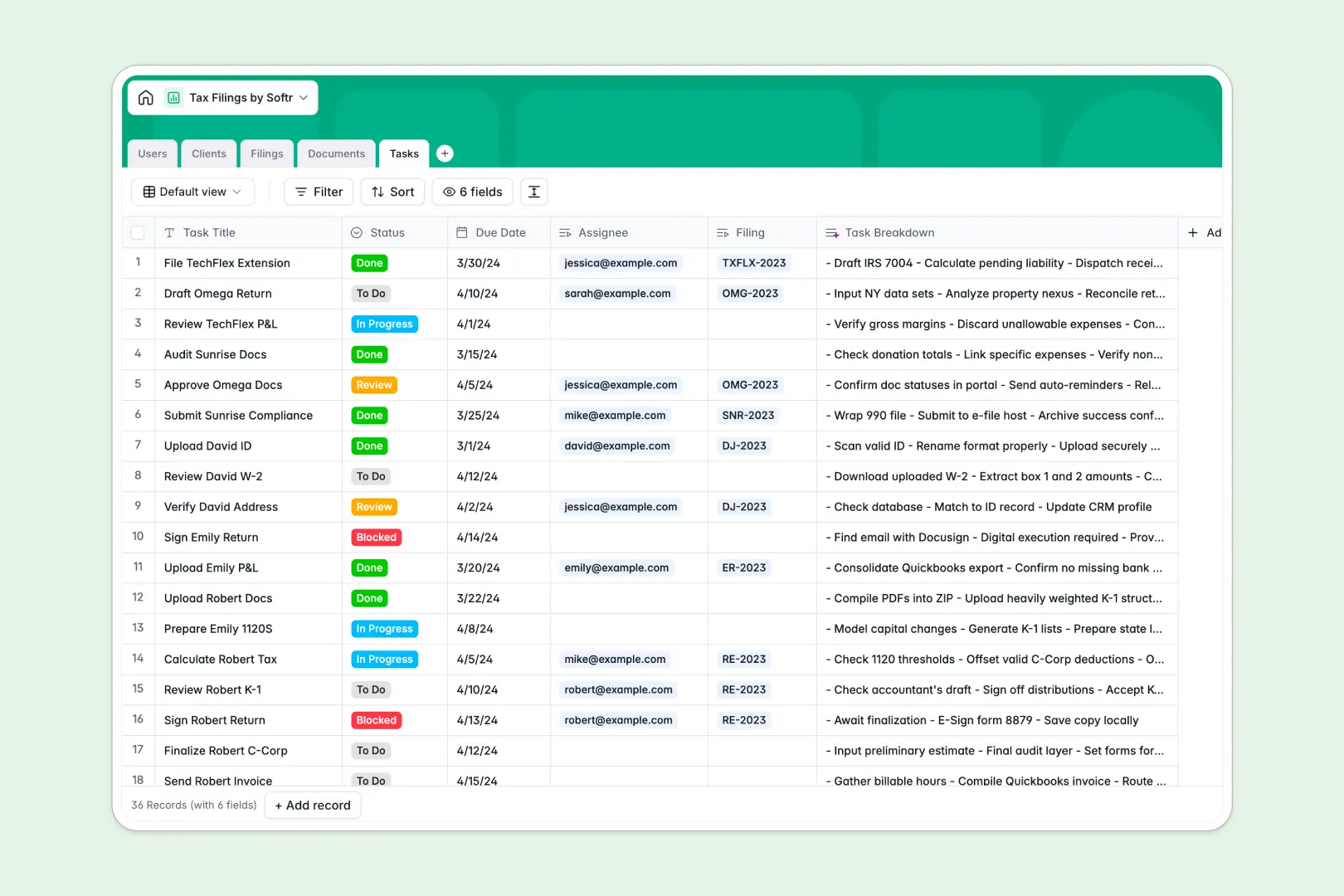
# Your Tax Filings Database at a glance
This pre-built template helps accounting firms and CPA teams track tax filings, documents, and tasks across multiple clients and tax years. It connects clients, accountants, and critical filing timelines together in one central place.
The structure links clients directly to their designated filings, relevant document uploads, and individual checklist tasks. This keeps every preparation stage clear and moving forward.
Built-in AI features automatically summarize documents, write state-level filing digests, and break down tax prep tasks instantly.
What to check before building your tax filings base in Airtable
If you are managing sensitive tax filings and client interactions, choosing a relational database over a basic spreadsheet is the right move. However, using Airtable for client-facing workflows comes with hidden operational costs that make sharing difficult.
What changes with a database built for apps
When managing tax prep, you need to share status updates and collect secure documents from external clients. Airtable’s per-seat pricing quickly becomes expensive because any collaborator who needs to edit or upload data requires a paid license.
This is exactly why Softr Databases are built with client collaboration in mind, offering unlimited collaborators across all plans. You get the same relational structure with higher scaling limits and a workspace ready for real user interfaces.
What you can do with this template
Track active returns from pending engagement to filed status, dynamically linking paperwork and individual preparer tasks. Every document type, from W-2s to corporate P&L statements, stays clean and referenceable.
You can also leverage native Database AI agents to draft internal memos, summarize uploaded tax records, or generate checklists without leaving your table.
-
Users
Manage administrative staff, accountants, and client portal users
-
Clients
Manage client profiles with details and automated AI profile summaries
-
Filings
Track active tax returns with AI-drafted internal requirement memos
-
Documents
Store financial statements with automatic AI content summarization
-
Tasks
Monitor preparation steps with automated AI-generated checklists
Who is this Tax Filings database for
This template is designed for firms and operators looking to cut down on admin friction and manual tracking.
- Accounting Teams: Assign filings to preparers and monitor work status from missing documents to final signatures.
- Firm Admins: Maintain client profiles with secure Tax IDs, entity classifications, and associated accountant relationships.
- Tax Clients: View assigned preparers and upload documents safely through a secure operational pipeline.
How to take it further
Customize your workspace. You can easily adjust the tax years, add custom filing statuses, or modify entity types to fit your firm's exact processes.
Import existing client details. Bring your existing customer accounts and active filings into Softr instantly using the CSV import or API sync.
Build a complete client portal. Use our AI app generator to turn this database into a secure portal where clients and preparers collaborate. Customize precise permissions so clients only see their own state filings and can upload W-2s directly into your secure tables.
-
1
-
2
-
3
-
4
Frequently asked questions
-
What is a tax filings database?
-
Why use a no-code database to build a tax filings system?
-
How can AI help managing data for tax filings?
-
Can I build an app with my tax filings database?
-
Is this Tax Filings template free?
-
How is this template different from an Airtable template?
Start building today. It's free!
Build and launch your first app in under 30 minutes.